

Alternatives to Subclip
Subclip transforms your raw footage into polished, global-ready videos with AI editing, captions, and voice cloning in one platform.
Explore 9 alternatives to Subclip. Compare features, pricing, and find the best fit for your needs.

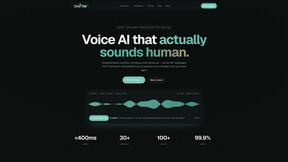
Oravaa
Turn every missed form fill and silent lead into a resolved ticket or booked call with Oravaa’s human-like Voice AI, working 24/7.

Hush Touch | Voice-to-Text for MacOS
Transform your dictation experience with Hush Touch, the smart offline voice-to-text solution for Mac that learns as.

Glossa
Glossa empowers your church to break language barriers with fast, accurate AI translation in over 100 languages.

Bantr: Offline & Unlimited TTS for Mac
Unlock unlimited, private voiceovers on your Mac with a single purchase, no subscriptions ever.

KaiCalls
KaiCalls is your 24/7 AI phone agent that captures leads and books appointments while you focus on growing your.

Vowen
Transform your voice into text and action effortlessly with Vowen, your private and powerful voice interface.
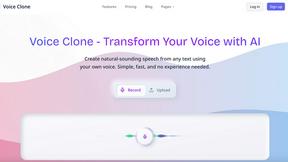
VoiceCloner
Unlock your voice's potential to create limitless speech and transform your content.

Bargou One
Bargou One empowers you to create, communicate, and connect across languages effortlessly with its innovative AI tools.
About Subclip Alternatives
Subclip has carved out a unique space in the crowded video editing landscape by positioning itself as an AI-powered tool that feels more like a word processor than a traditional timeline editor. It sits at the intersection of Speech & Voice technology and video production, offering creators a way to manipulate their footage by simply editing the transcript. While this approach is revolutionary for speed, users often begin searching for alternatives when their workflow demands change. Perhaps the freemium model’s limitations become too restrictive for high-volume projects, or maybe a specific feature like advanced color grading or multi-track audio editing is missing. Others might need a solution that integrates more deeply with their existing team collaboration tools or runs natively on a specific operating system. When evaluating alternatives, you should prioritize the core transformation you want to achieve: saving time while maintaining quality. Look for tools that offer the same foundational efficiencies, such as automatic silence removal and filler word detection, but also consider how they handle the nuances of voice cloning or dubbing. Your ideal alternative should not just mimic Subclip’s features but should empower you to scale your content production without sacrificing the authenticity of your voice. Consider the platform’s export flexibility, the accuracy of its transcription in your target language, and whether the pricing aligns with your output volume. The best choice will feel like a natural extension of your creative process, removing friction rather than adding it.
FAQs about Subclip Alternatives
What is Subclip?
Subclip is an AI-powered video editor designed to simplify the editing process by treating video like a document. It allows users to edit footage by manipulating the transcript, making it incredibly fast and intuitive. The platform integrates advanced features like voice cloning, auto-subtitles, silence removal, and multi-language dubbing into a single workflow. It is built specifically for creators, marketers, and educators who want to produce high-quality video content without the complexity of traditional editing software.
Who is Subclip for?
Subclip is built for a wide range of content creators including YouTubers, podcasters, course creators, and marketing teams. It is particularly valuable for anyone who needs to produce video content rapidly, such as educators creating lesson materials or social media managers repurposing long-form content. The tool is designed to empower solo creators and small teams by removing the steep learning curve of traditional video editors. If your goal is to streamline video production and reclaim hours of editing time, Subclip is tailored for your workflow.
Is Subclip free?
Yes, Subclip operates on a freemium pricing model, meaning there is a free tier available for users to test the core features. The free tier allows you to experience the AI-powered editing, transcription, and basic features before committing to a paid plan. For users who need more processing time, higher export quality, or access to advanced features like voice cloning and dubbing, affordable paid plans are available. This structure makes it accessible for beginners while scaling with the needs of professional creators.
What are the main features of Subclip?
Subclip's main features include AI-driven voice cloning, which lets you re-record parts of your video using a synthesized version of your own voice, preserving natural tone and inflection. It also offers one-click silence removal and filler word elimination to polish your audio instantly. The auto-subtitle generator creates accurate captions, while the multi-language dubbing tool can translate your video into other languages while keeping the original background music intact. All of these features are accessible through a transcript-based editing interface that treats video editing like editing a document.