

Vowen
Transform your voice into text and action effortlessly with Vowen, your private and powerful voice interface.

About Vowen
Vowen is your ultimate voice-first productivity partner, crafted to transform the way you interact with technology. This powerful desktop application eliminates the need for traditional keyboard input, allowing you to work at the speed of thought through seamless voice commands. With Vowen, your spoken words are instantly transcribed into actionable tasks, enhancing your productivity while maintaining your privacy. The software operates locally on both macOS and Windows, providing ultra-fast transcription in over 99 languages without compromising your data security. Vowen is more than just a dictation tool; it acts as an intelligent assistant that integrates with your favorite AI models, generating context-aware replies, summaries, and even code. Whether you're a developer, writer, student, or accessibility user, Vowen empowers you to effortlessly capture meetings, produce structured notes, and maintain full voice control over your applications and files. Break free from the constraints of traditional interfaces and unlock a new level of creative and productive flow with Vowen.
Features
Voice Dictation
Vowen's voice dictation feature allows you to convert your spoken words into text instantly. This functionality is perfect for capturing ideas, creating documents, and drafting emails without needing to type, thereby enhancing your workflow's speed and efficiency.
Meeting Notes Capture
With Vowen, you can easily record meetings and generate structured notes in real-time. This feature ensures that you never miss important discussions, providing you with organized summaries that can be reviewed later, making it an indispensable tool for professionals.
Multilanguage Support
Vowen supports over 100 languages and dialects, making it accessible to a diverse user base. Its real-time translation capabilities mean you can communicate and transcribe in multiple languages, breaking down language barriers and fostering global collaboration.
Custom Vocabulary
The custom vocabulary feature allows users to input specialized terms, names, and abbreviations that Vowen will remember indefinitely. This ensures that the software understands your unique language, enhancing the accuracy of transcriptions and voice commands.
Use Cases
For Writers
Writers can leverage Vowen to brainstorm ideas, draft articles, and edit text all through voice commands. This hands-free approach allows for a more natural flow of creativity, enabling writers to focus on their thoughts rather than the mechanics of typing.
For Developers
Developers can use Vowen to write code and manage projects by dictating commands directly into their coding environment. This feature streamlines coding workflows, allowing for more efficient coding sessions and reducing the time spent on manual input.
For Students
Students can utilize Vowen to take lecture notes, draft essays, and record study sessions. The ability to capture spoken content quickly enhances learning experiences, making it easier to retain information and review notes later.
For Accessibility
Vowen is an empowering tool for users with accessibility needs, allowing them to control applications and documents through voice commands. This feature promotes inclusivity and provides individuals with the tools they need to maximize their productivity.
Frequently Asked Questions
How does Vowen ensure data privacy?
Vowen processes speech locally on your device, meaning your data never leaves your machine. This approach ensures that your sensitive information remains secure and private.
Can I use Vowen with other applications?
Yes, Vowen seamlessly integrates with popular applications such as Notion, Slack, Google Docs, and more. This compatibility allows you to enhance your productivity across various platforms.
Is Vowen available on multiple operating systems?
Absolutely! Vowen is available for both macOS and Windows users, making it accessible to a wide range of individuals regardless of their preferred operating system.
What languages does Vowen support?
Vowen supports over 100 languages and dialects, including real-time translation capabilities. This multilingual support ensures that users from different backgrounds can utilize the software effectively.
Similar to Vowen
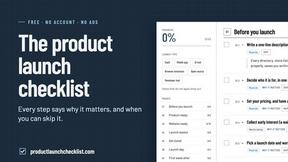
Product Launch Checklist
A free launch checklist for SaaS, apps, AI tools and more. Every step says why it matters and when you can skip it.

Flux Lora
Explore Flux LoRA online workflows in a browser-based AI Studio, with a roadmap for dedicated models, generation, and guided training.

HomeAnswerBook
Practical, independent guides to home repairs, maintenance, costs, troubleshooting, and everyday fixes.
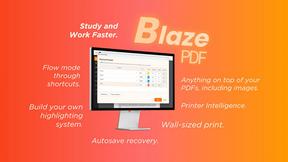
BlazePDF
Highlight faster. Study in flow with custom shortcuts and a workflow built around you. Print smarter, or turn any page into a tiled poster.
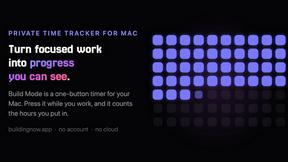
Build Mode for Mac
Build Mode is a Mac app that turns focused sessions into visible progress, so you can see the work adding up before the results arrive.


