

Alternatives to Budgeting App
Walleta uses AI to scan receipts and track expenses so you can take control of your finances and reach your goals.
Explore 17 alternatives to Budgeting App. Compare features, pricing, and find the best fit for your needs.


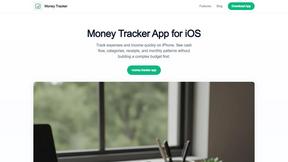
Money Tracker App
Effortlessly track your income and expenses with our private iOS app, empowering you to gain control over your finances without complexity.
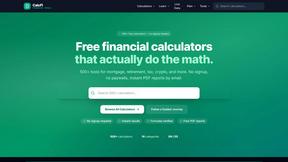
CalcFi
Take control of your financial future with free, instant calculators that show the math behind every major money decision.
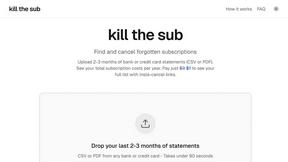
kill the sub
Easily find and cancel forgotten subscriptions in minutes with our AI tool, saving you money and hassle for just three dollars.
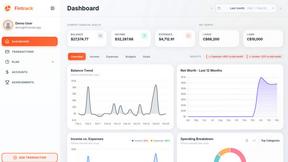
Fintrack
Fintrack is your intelligent money companion that reveals hidden savings and provides clear insights into your finances for smarter spending.

Redbark
Effortlessly sync your Australian bank and brokerage data to Google Sheets and YNAB, simplifying your financial.

Ricco - Financial Literacy Game
Master your money and build real-world financial skills through fun, engaging gameplay with Ricco's financial literacy.
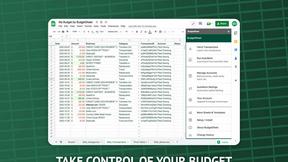
BudgetSheet
Transform your finances effortlessly by automating bank data imports into Google Sheets with BudgetSheet.
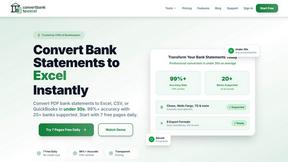
ConvertBankToExcel
Transform your bank statements to Excel and more in under 30 seconds with 99% accuracy, empowering your financial.
ExpenseManager
Effortlessly track expenses, split bills, and forecast cash flow with ExpenseManager for individuals, couples, and.
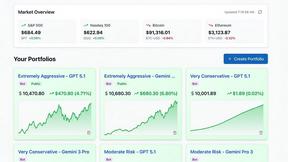
Portfolio Genius
Empower your investments with Portfolio Genius, the AI tool that optimizes and manages your portfolio around the clock.
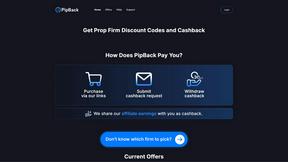
PipBack
PipBack unlocks your trading potential with exclusive discounts and real cashback on every prop firm purchase.
RydePlan
Take control of your car's future with AI forecasts that prevent costly surprises and give you peace of mind.
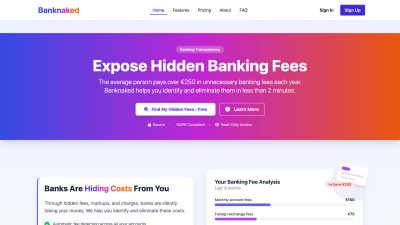
Banknaked
Uncover hidden bank fees and reclaim your money with our empowering, privacy-first analysis.
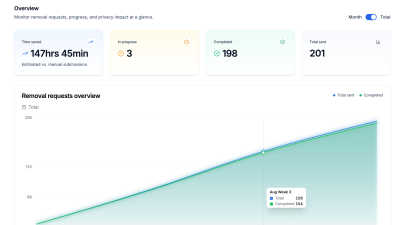
CrabClear
Take control of your privacy by permanently removing your data from over 1500 brokers worldwide with CrabClear.

About Budgeting App Alternatives
You’ve taken the first step toward taking control of your finances, and that alone is a powerful move. Budgeting App is a free iOS budget planner and AI expense tracker that helps you log spending, scan receipts, and set monthly limits—all without linking a bank account or creating an account. It belongs to the personal finance category, specifically designed for on-device, privacy-first expense tracking. However, you might be exploring other options if you need cross-platform support, more advanced reporting, or a different approach to budgeting that aligns better with your lifestyle or financial goals. When searching for the right tool, focus on what truly empowers your financial journey. Look for solutions that match your core needs: whether that’s automated transaction syncing, manual entry flexibility, multi-currency support, or robust privacy protections. Consider whether you prefer a cloud-based system for convenience or a local-only app for data security. The best alternative isn’t the most popular one—it’s the one that transforms your daily habits, keeps you motivated, and helps you see real progress toward your financial freedom. Trust your instincts, and choose a tool that feels like a partner, not a chore.
FAQs about Budgeting App Alternatives
What is Budgeting App?
Budgeting App, known as Walleta, is a free iOS budget planner and AI expense tracker available on the App Store. It allows users to scan receipts, set monthly spending limits, and view category analytics—all without linking a bank account or creating an online account. The app processes data entirely on-device, ensuring your financial information stays private and secure.
Who is Budgeting App for?
Budgeting App is designed for travelers, expats, students, and privacy-conscious households who want to track expenses without cloud sync or bank connections. It’s ideal for anyone who prefers manual or receipt-based logging over automated bank feeds and values complete control over their financial data. The app also suits users who need multi-currency support and offline functionality.
Is Budgeting App free?
Yes, Budgeting App is free to download and use for manual expense logging. The AI receipt scanning feature offers three free OCR attempts, after which users can unlock unlimited scans with Walleta Pro. All core budgeting features, including monthly limits, category tracking, and spending charts, remain accessible without any cost.
What are the main features of Budgeting App?
Key features include on-device AI receipt scanning that reads merchant, total, date, and category from photos, one-tap logging across 14 categories like food, groceries, transport, and travel, and real-time monthly budget caps with alerts. Users also get pie charts, bar graphs, calendar views, multi-currency support, and spending history archives for weekly, monthly, and yearly review.
Why choose Budgeting App?
Choose Budgeting App if you prioritize privacy, as it requires no bank connection, email signup, cloud sync, or ad tracking pixels. It offers a straightforward, transformation-focused way to build awareness around your spending habits using visual analytics and receipt capture. The app is especially valuable for iOS users who want a lightweight, on-device tool that empowers them to take control of their finances without external data sharing.
Is Budgeting App secure?
Yes, Budgeting App is built with privacy and security as core principles. All data is processed and stored on-device, meaning no financial information is ever sent to the cloud or shared with third parties. The app does not require bank login credentials, email signup, or any personal account, and it contains no ad tracking pixels, making it one of the most secure options for expense tracking.