

BudgetSheet
Transform your finances effortlessly by automating bank data imports into Google Sheets with BudgetSheet.
AI tool Details
Explore More
Alternatives

About BudgetSheet
BudgetSheet is a revolutionary tool designed to simplify the way you manage and track your personal finances. By seamlessly integrating live bank transactions directly into Google Sheets, BudgetSheet eliminates the tedious tasks of manual exports and copying data from CSV files. This innovative solution is perfect for anyone looking to take control of their financial journey—whether you're a busy professional, a student, or a family managing household expenses. With support for over 10,000 financial institutions, including checking and savings accounts, credit cards, and loans, BudgetSheet empowers you to create a personalized budgeting experience tailored to your unique needs. Utilizing Plaid for secure connections, BudgetSheet ensures that your financial data is both accessible and protected. The main value proposition lies in its ability to put you in the driver’s seat of your budgeting process, allowing for greater automation, customization, and control over your financial future.
Features
Live Bank Transactions
BudgetSheet allows you to import live bank transactions directly into Google Sheets. This feature saves you from the hassle of manual data entry, ensuring that your financial records are always up-to-date and accurate.
Seamless Integration with Google Sheets
As an add-on for Google Sheets, BudgetSheet integrates effortlessly into your existing spreadsheets. This means you can leverage the power of Google Sheets’ functionalities while managing your financial data in a way that suits you best.
Secure Connections via Plaid
By using Plaid to connect securely to your financial institutions, BudgetSheet prioritizes your security. Your bank logins are never stored, and only a read-only access token is kept encrypted, ensuring that your sensitive information remains private and secure.
Automated Transaction Fetching
With the Autofetch feature, you can set BudgetSheet to automatically fetch new bank transactions nightly. This means you can wake up each day to a refreshed budget, ready to tackle your financial goals without any extra effort.
Use Cases
Personal Budgeting
For individuals looking to gain better control over their finances, BudgetSheet provides a powerful platform to track income and expenses. You can create customized budgets and analyze spending patterns directly in Google Sheets.
Small Business Expense Tracking
Entrepreneurs can use BudgetSheet to monitor their business expenses effectively. By linking business bank accounts, users can streamline their bookkeeping processes and make informed financial decisions.
Investment Tracking
Investors can benefit from BudgetSheet by importing transaction data from investment accounts. This feature allows users to keep an eye on their portfolios and assess the performance of their investments in real-time.
Family Budget Management
Families can utilize BudgetSheet to manage household finances collaboratively. By sharing a Google Sheet, family members can input expenses, set goals, and track spending, fostering a unified approach to financial health.
Frequently Asked Questions
How does BudgetSheet connect to my bank accounts?
BudgetSheet uses Plaid to securely connect to your bank accounts. This ensures that your logins are never stored, and only a read-only access token is kept, which is encrypted for your safety.
Can I use BudgetSheet with multiple bank accounts?
Absolutely! BudgetSheet supports linking multiple bank accounts, including checking, savings, credit cards, and loans, giving you a comprehensive view of your financial landscape.
Is my financial data safe with BudgetSheet?
Yes, your data is secure. BudgetSheet does not store your transactions in its database. All data passes directly to your Google Sheet, ensuring that your spreadsheet is the only source of truth for your financial information.
What happens after the 15-day free trial?
After the free trial period, BudgetSheet starts at $59 per year. You can easily upgrade from the BudgetSheet Addon menu within your Google Sheets to continue enjoying its features without interruption.
Similar to BudgetSheet


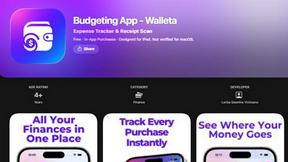
Budgeting App
Walleta uses AI to scan receipts and track expenses so you can take control of your finances and reach your goals.
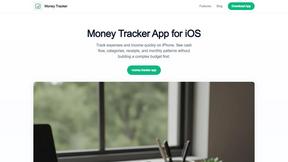
Money Tracker App
Effortlessly track your income and expenses with our private iOS app, empowering you to gain control over your finances without complexity.
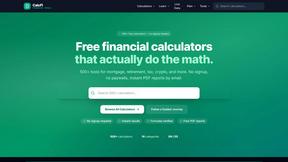
CalcFi
Take control of your financial future with free, instant calculators that show the math behind every major money decision.
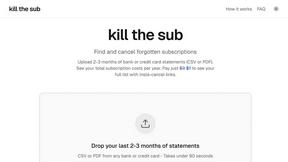
kill the sub
Easily find and cancel forgotten subscriptions in minutes with our AI tool, saving you money and hassle for just three dollars.
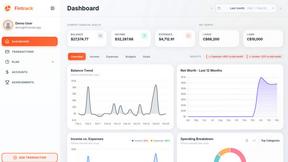
Fintrack
Fintrack is your intelligent money companion that reveals hidden savings and provides clear insights into your finances for smarter spending.

Redbark
Effortlessly sync your Australian bank and brokerage data to Google Sheets and YNAB, simplifying your financial.