

Budgeting App
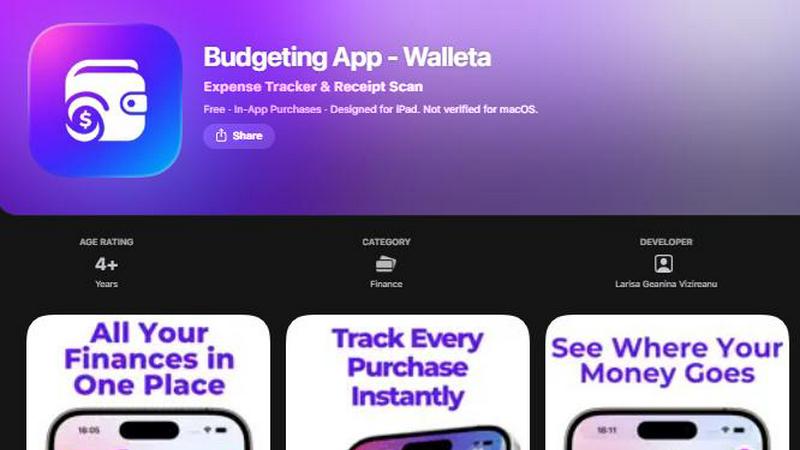
Walleta uses AI to scan receipts and track expenses so you can take control of your finances and reach your goals.
AI tool Details
Explore More
Alternatives
About Budgeting App
Imagine a world where your finances are completely under your control, private, and effortlessly organized. That is the world Walleta creates. Budgeting App, known as Walleta, is a free iOS budget planner and AI expense tracker designed for iPhone users who want to take charge of their money without the hassle of linking a bank account. It is your personal, on-device financial companion that replaces the chaos of juggling multiple finance tools with one beautiful, intuitive workflow. Walleta is for travelers, expats, students, freelancers, and privacy-first households who crave clarity and security. Whether you are trying to stop overspending on coffee, save for a trip, or simply understand where every dollar goes, this app empowers you to transform your relationship with money. Its core value proposition is simple: private, powerful, and painless expense tracking. You scan a receipt, and on-device AI reads the merchant, total, date, and category. You verify, save, and watch your spending patterns come to life through stunning pie charts, bar graphs, and a calendar view. Set monthly budget caps for any of the 14 built-in categories, and receive real-time alerts when you are nearing your limit. No email signup, no cloud sync, no ad tracking. Your data stays on your iPhone, safe and sound. Walleta is not just an app; it is a transformation tool that gives you the freedom to spend intentionally, save deliberately, and live confidently. It turns the daunting task of money management into a daily habit that feels rewarding and empowering.
Features
AI Receipt Scanning
Point your camera at any receipt and watch Walleta's on-device AI work its magic. It instantly reads the merchant name, total amount, date, and category from the receipt photo. No more manual typing or deciphering faded print. You simply snap a picture, verify the extracted details, and save the expense. This feature turns a tedious chore into a two-second task, freeing you to focus on what matters. Free users get three AI scans to experience the power, and Walleta Pro unlocks unlimited scans, making it the ultimate tool for anyone who wants to log spending with zero friction.
One-Tap Category Logging
Logging an expense has never been faster or more intuitive. With a single tap, you can categorize any purchase into one of 14 built-in categories including Food, Groceries, Transport, Shopping, Health, Rent, Bills, Subscriptions, Coffee, Travel, and Fun. This feature eliminates the need to remember complex categories or create your own. It is designed for speed and simplicity, allowing you to record a coffee run or a grocery trip in seconds. This instant logging ensures you never forget an expense, building a complete and accurate picture of your spending habits over time.
Monthly Budget Caps with Real-Time Alerts
Take control of your spending by setting a monthly budget cap for any category. Walleta then tracks your progress in real time, showing you exactly how much you have left to spend. The app alerts you when you are approaching or exceeding your budget, giving you the power to make informed decisions before it is too late. This feature transforms your financial goals from abstract ideas into tangible, daily actions. It empowers you to say no to impulse buys and yes to the things that truly matter, all while watching your savings grow.
Beautiful Analytics and Calendar View
See your financial story unfold with stunning visual breakdowns. Walleta provides pie charts, bar graphs, and category summaries for weekly, monthly, and yearly periods, making it easy to spot trends and identify areas for improvement. The calendar view lets you browse expenses day by day, giving you a granular look at your spending on any given date. This feature turns raw data into actionable insights, helping you understand your habits and make smarter choices. It is like having a personal financial advisor who shows you exactly where your money goes, without the judgment.
Use Cases
The Privacy-First Household
For families who refuse to share their financial data with third parties, Walleta is a game-changer. No bank linking, no cloud sync, and no email signup means your entire financial history stays on your device. Parents can teach their children about budgeting without exposing sensitive information. Couples can manage shared expenses without worrying about data breaches. This use case is for anyone who values their privacy as much as their financial health, providing a secure and empowering way to track every dollar without compromise.
The Traveler and Expat
Frequent travelers and expats face the unique challenge of managing expenses across multiple currencies. Walleta solves this with its built-in multi-currency support, allowing you to log expenses in any currency code. Whether you are on a business trip in Tokyo or living in Berlin, you can track spending in local currency and review your history in your home currency. The receipt scanning feature is perfect for capturing foreign receipts, ensuring you never lose track of a single purchase. This use case empowers you to explore the world with financial confidence and clarity.
The Student Budgeter
Students often live on tight budgets, making every dollar count. Walleta provides the tools to track spending on food, transport, subscriptions, and fun without the complexity of a full-blown finance app. The one-tap logging is fast enough for a busy student schedule, and the monthly budget caps help avoid overspending on late-night snacks or streaming services. The offline, on-device nature of the app means no data usage or distractions. This use case helps students build healthy financial habits that last a lifetime.
The Freelancer and Gig Worker
Freelancers face irregular income and a mix of business and personal expenses. Walleta helps them separate and track both with ease. They can log business-related purchases like software subscriptions or travel expenses into specific categories, while keeping personal spending separate. The analytics and calendar views provide a clear overview of spending patterns, helping them budget for lean months and save during the busy ones. This use case empowers freelancers to take control of their variable finances with a simple, private tool.
Pricing
Walleta is free to download and use with core features. Free users get unlimited manual expense logging, 14 categories, monthly budget caps with alerts, beautiful analytics, calendar view, multi-currency support, and spending history. The free tier includes three AI receipt scans to try the feature. For users who want unlimited AI receipt scanning, Walleta Pro is available as an in-app purchase. The Pro subscription unlocks unlimited scans, removing the three-scan limit. All other features remain free. There is no obligation to upgrade, and you can enjoy the full budgeting experience without ever paying a cent if you prefer manual logging.
Frequently Asked Questions
Does Walleta connect to my bank account?
No, Walleta does not connect to your bank account. It is a completely private, on-device expense tracker. All your data stays on your iPhone, and there is no cloud sync, email signup, or ad tracking. You manually log your expenses or use the AI receipt scanner to add them. This design ensures your financial privacy is never compromised.
How many AI receipt scans do I get for free?
Free users get three AI receipt scans to try the feature. You can use these to test how the on-device AI reads the merchant, total, date, and category from a receipt. After those three scans, you can still log expenses manually with one-tap category logging for free. To unlock unlimited AI scans, you can upgrade to Walleta Pro.
What happens if my receipt is faded or unclear?
AI receipt scanning works best with clear, readable receipts where the merchant, total, date, and category clues are visible. If a receipt is faded, crumpled, or otherwise unclear, the AI may not extract the details accurately. In that case, you can always use the manual one-tap logging feature to enter the expense yourself. It is a quick and easy backup that ensures no purchase goes unlogged.
Is Walleta available on Android or other devices?
Currently, Walleta is designed exclusively for iPhone, iPad, and iPod touch. It requires iOS 18.2 or later. It is not available for macOS or Android devices. The app is optimized for the Apple ecosystem, ensuring a smooth and private experience on your Apple devices.
Similar to Budgeting App


Money Tracker App
Effortlessly track your income and expenses with our private iOS app, empowering you to gain control over your finances without complexity.
CalcFi
Take control of your financial future with free, instant calculators that show the math behind every major money decision.
kill the sub
Easily find and cancel forgotten subscriptions in minutes with our AI tool, saving you money and hassle for just three dollars.
Fintrack
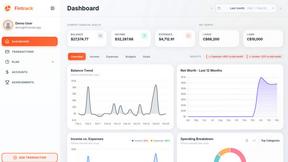
Fintrack is your intelligent money companion that reveals hidden savings and provides clear insights into your finances for smarter spending.

Redbark
Effortlessly sync your Australian bank and brokerage data to Google Sheets and YNAB, simplifying your financial.

Ricco - Financial Literacy Game
Master your money and build real-world financial skills through fun, engaging gameplay with Ricco's financial literacy.