

What Time
What Time simplifies global collaboration by effortlessly comparing time zones and planning meetings for teams and remote workers.
AI tool Details
Explore More
Alternatives
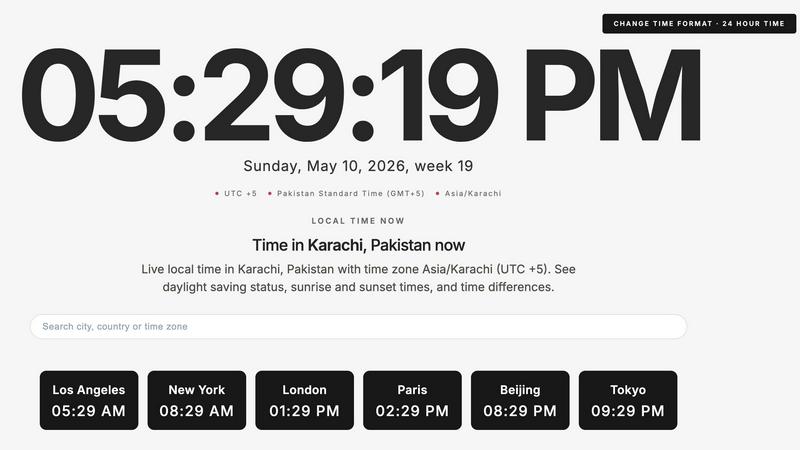
About What Time
WhatTime.dev is a revolutionary time zone platform designed specifically for the modern workplace, catering to remote teams, freelancers, developers, and businesses operating across multiple countries. In our increasingly globalized world, the challenges of coordinating schedules and managing time differences can become overwhelming. WhatTime.dev simplifies this process by providing users with the tools to effortlessly compare time zones, check UTC and GMT offsets, and view local times around the globe. The platform's intuitive design ensures that users can plan meetings without the confusion often brought on by daylight saving time changes or complicated calculations. With a powerful meeting planner feature, WhatTime.dev enables users to quickly identify overlapping working hours between different cities and countries, thus streamlining international calls and collaboration. Whether you are coordinating with clients, managing distributed teams, or trading in global markets, WhatTime.dev offers a clean, distraction-free experience that prioritizes speed and usability.
Features
Time Zone Comparison
Easily compare time zones between cities and countries with WhatTime.dev. This feature allows users to understand the time differences at a glance, eliminating confusion and ensuring everyone is on the same page when scheduling meetings or planning collaborative efforts.
UTC and GMT Lookup
WhatTime.dev provides an efficient way to look up UTC and GMT offsets, allowing users to quickly determine how different regions relate to Coordinated Universal Time. This feature is essential for anyone working across borders and needing to synchronize schedules accurately.
Meeting Planner
The meeting planner is a standout feature that helps remote teams and individuals find overlapping working hours across multiple time zones. With just a few clicks, users can easily identify suitable times for calls, meetings, or collaborative sessions, making global teamwork seamless and efficient.
Clean and Fast Interface
Designed with user experience in mind, WhatTime.dev boasts a fast, mobile-friendly interface that allows for quick access and readability. This clean UI minimizes distractions, enabling users to focus on their tasks without unnecessary setup or clutter.
Use Cases
Coordinating International Meetings
For businesses with global clients or remote teams, WhatTime.dev makes it easy to schedule international meetings. Users can quickly see the local times of participants across different time zones, reducing scheduling conflicts and ensuring everyone is present.
Managing Distributed Teams
Remote work is the new norm, and WhatTime.dev is an invaluable tool for managers overseeing distributed teams. By utilizing the time zone comparison and meeting planner, teams can collaborate more effectively, regardless of their physical locations.
Trading in Global Markets
Traders operating in different countries can benefit significantly from WhatTime.dev's accurate time zone data. By staying informed about local times and market hours, traders can make more informed decisions and optimize their trading strategies.
Planning Events Across Regions
Whether planning a webinar, conference, or any event involving participants from various locations, WhatTime.dev simplifies the scheduling process. Event organizers can easily identify the best times for all attendees, ensuring maximum participation and engagement.
Frequently Asked Questions
How does WhatTime.dev help with time zone confusion?
WhatTime.dev eliminates time zone confusion by providing a clear comparison of local times, UTC and GMT offsets, and a powerful meeting planner that identifies overlapping hours between different regions.
Is WhatTime.dev mobile-friendly?
Yes, WhatTime.dev features a fast, mobile-friendly interface that allows users to access the platform from any device, ensuring that scheduling and time zone comparisons can be done on the go.
Can I use WhatTime.dev for personal scheduling?
Absolutely! WhatTime.dev is not only designed for businesses and teams but is also perfect for anyone needing to coordinate personal schedules across different time zones, making it a versatile tool.
Does WhatTime.dev account for daylight saving time?
Yes, WhatTime.dev includes accurate world clock functionality and supports daylight saving time changes, ensuring that users always have the most up-to-date information for their scheduling needs.
Similar to What Time
Unifyca
Unifyca transforms scattered client website chaos into one unified platform for documentation, maintenance, and backup control.
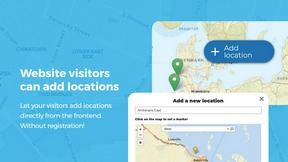
Open User Map
Turn your WordPress site into a living community map where visitors add and manage locations, all without coding or API keys.

aihairstylegen
Stop guessing and start glowing with AI hairstyles that map perfectly to your face, letting you preview 40+ trending styles and salon-grade colors on.

Shadcn Examples
Unlock your web development potential with Shadcn Examples, a powerful collection of reusable React and Tailwind UI kits for stunning apps.
Webleadr
Webleadr instantly finds and contacts businesses without websites so you can transform them into your next web design clients.

SiteMd
Transform your website's health with SiteMd, the fast and easy tool that identifies issues and provides actionable fixes in seconds.

Idearium
Idearium empowers businesses in Toronto by crafting impactful websites that drive growth and inspire memorable digital.
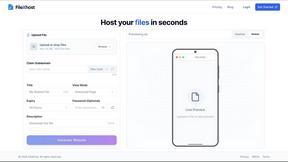
FilexHost
Effortlessly host and share any file in seconds with FilexHost's simple drag-and-drop and secure sharing features.