Perkoon vs SupaSidebar
Side-by-side comparison to help you choose the right AI tool.

Experience limitless file transfers with Perkoon, where you send files freely and securely without any sign-up hassle.
Last updated: March 4, 2026

SupaSidebar
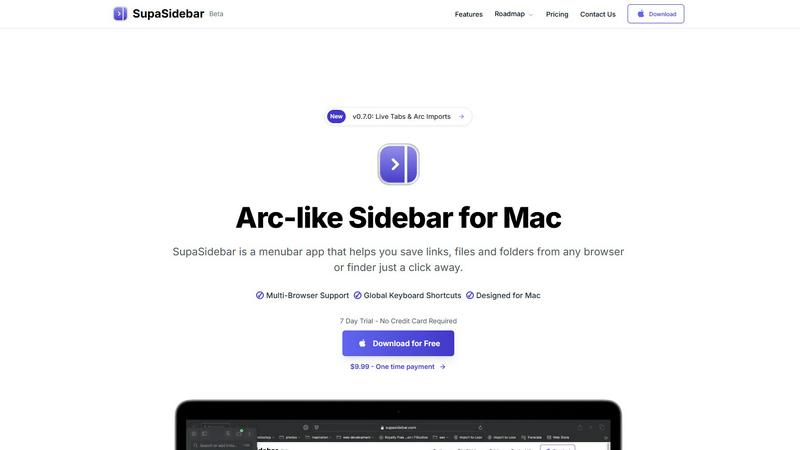
Revolutionize your Mac workflow with SupaSidebar for quick access to your favorite links, files, and folders at your.
Last updated: February 28, 2026
Visual Comparison
Perkoon

SupaSidebar
Feature Comparison
Perkoon
Peer-to-Peer File Transfer
Perkoon utilizes advanced peer-to-peer technology to enable direct file transfers between users’ browsers. This means no size limits or accounts are required, allowing for an effortless file-sharing experience. The data is transferred directly and does not pass through a central server, ensuring both privacy and security.
Encrypted Cloud Storage
For users who need to send files to recipients who are offline, Perkoon offers encrypted cloud storage as part of its paid features. This ensures that files are securely stored and only accessible by the intended recipient, maintaining a high standard of data protection.
AI Integration
Perkoon is designed for the modern age, with built-in tools that facilitate automation and allow AI agents to interact directly with the service. This eliminates the need for screen-scraping and enhances the efficiency of file transfers, making it easier for users to manage their files using AI.
Simple Command-Line Interface (CLI)
For tech-savvy users and developers, Perkoon offers a straightforward command-line interface. This allows for easy access and interaction with the file transfer service, providing a powerful tool for automating file management processes and integrating with other applications.
SupaSidebar
Instant Access to Your Digital Workspace
SupaSidebar provides immediate access to links, files, and folders from any browser or Finder, all within a beautifully crafted sidebar. With just one click, you can save essential resources and retrieve them effortlessly, eliminating the need to sift through multiple tabs or applications.
Global Keyboard Shortcuts
Experience unparalleled efficiency with SupaSidebar's global keyboard shortcuts. By simply pressing CMD CTRL S to save or CMD CTRL C to copy a current website link, you can execute commands swiftly from anywhere, allowing you to maintain your momentum without interruption.
Recents Feature
Never lose track of your workflow again. SupaSidebar's Recents feature tracks every website you have visited in the last 48 hours, enabling you to find your work instantly. This functionality ensures that your most recent explorations are always just a click away, enhancing your productivity.
Pinned Favorites
Stay organized with SupaSidebar's Pinned Favorites feature. You can keep your most important links and files at the top of your sidebar for quick access. This functionality is perfect for those who repeatedly access specific resources, ensuring that they are always within reach.
Use Cases
Perkoon
Personal File Sharing
Individuals can effortlessly share large files like photos, videos, or documents with friends and family using Perkoon’s P2P technology. This enables quick transfers without the need for accounts or lengthy upload times, all while maintaining privacy.
Team Collaborations
For teams working on projects, Perkoon simplifies the sharing of large files such as presentations, reports, and design assets. The ability to send files directly between team members without restrictions fosters a collaborative environment.
Offline File Transfers
When a recipient is offline, Perkoon’s encrypted cloud storage ensures that files are safely held until the recipient is available to download them. This feature guarantees that important documents or media are never lost and are easily retrievable.
AI-Driven Automation
Developers and businesses can leverage Perkoon’s AI integration to automate file transfers and streamline workflows. By using the service's CLI and AI tools, users can enhance operational efficiency and reduce manual tasks associated with file management.
SupaSidebar
For Creators
SupaSidebar serves as an invaluable tool for creators who need quick access to a variety of resources. Whether you are researching for a project, gathering inspiration, or managing different files, SupaSidebar keeps everything organized and at your fingertips, allowing your creativity to flow seamlessly.
For Researchers
Researchers can benefit immensely from SupaSidebar by easily saving and retrieving academic articles, data sets, and relevant links. The Recents feature allows quick access to previously visited resources, making it easier to compile and reference essential information for reports or papers.
For Students
Students juggling multiple assignments and projects will find SupaSidebar indispensable. It enables them to organize course materials, lecture notes, and research links effectively, ensuring that they can find everything they need without wasting valuable study time.
For Multitaskers
If you often switch between different applications and browsers, SupaSidebar is your perfect companion. With fast search capabilities and global shortcuts, it allows multitaskers to navigate their digital workspace with ease, enhancing efficiency and reducing the time spent on menial tasks.
Overview
About Perkoon
Perkoon is a revolutionary file transfer service designed to simplify the way we share files. It is built for individuals and teams who are tired of the cumbersome processes, hidden fees, and data exploitation often associated with traditional file-sharing platforms. At its core, Perkoon streamlines the transfer of files from one location to another, enabling users to send large files without the hassle of accounts, size restrictions, or privacy concerns. Utilizing cutting-edge peer-to-peer (P2P) technology, Perkoon allows users to transfer files directly between browsers when both parties are online, ensuring a seamless and private experience. For instances when recipients are offline, Perkoon provides a secure cloud storage solution, ensuring that your files remain accessible yet protected. The service stands out with its integration of AI tools, enabling automation and direct interaction with AI agents, making file transfers smarter and more efficient. Perkoon is not just a service; it's a commitment to user empowerment and privacy in the digital age.
About SupaSidebar
SupaSidebar is a transformative menubar application designed specifically for Mac users, aiming to streamline digital interactions and enhance productivity. In a world overflowing with tabs, files, and links, SupaSidebar emerges as a powerful command center, providing instant access to everything you need at your fingertips. Created for diverse users, including creators, researchers, students, and anyone who juggles multiple tasks across various browsers and applications, SupaSidebar eliminates digital chaos. Its core value proposition lies in its profound simplicity: it aggregates links, files, and folders into an elegant sidebar that resides in your menu bar. With global keyboard shortcuts and a user-friendly interface, SupaSidebar empowers you to navigate your digital workspace swiftly and efficiently. Forget about losing track of critical resources or wasting time searching; SupaSidebar brings order to your workflow, keeping your data private and secure on your Mac, so you can focus on what truly matters—your creative flow and productivity.
Frequently Asked Questions
Perkoon FAQ
Is Perkoon really free?
Yes, Perkoon offers a free P2P file transfer service that costs nothing to use because it relies on peer-to-peer technology. The service remains free for users as it does not involve server costs in this mode.
How does Perkoon ensure my files are secure?
Perkoon takes security seriously. P2P transfers do not touch Perkoon’s servers, ensuring that your data remains private. For cloud transfers, files are encrypted on the servers, providing an additional layer of protection.
Can I use Perkoon on any browser?
Perkoon works seamlessly on Chrome, Edge, and Brave without any limits. However, it does have some restrictions on Firefox and Safari, which may affect functionality.
How can I earn more storage with Perkoon?
You can earn more cloud storage by referring friends to join Perkoon. When they sign up using your unique referral link and transfer files, both you and your friend receive bonus storage, fostering a rewarding community.
SupaSidebar FAQ
Is SupaSidebar a browser extension?
No, SupaSidebar is a menubar application designed for Mac that provides a centralized location for accessing links, files, and apps, enhancing productivity without being a browser extension.
Which browsers does SupaSidebar work with?
SupaSidebar supports all major browsers, including Safari, Chrome, Firefox, and Arc, ensuring that you can save and access resources from your preferred browser seamlessly.
What macOS version do I need?
To use SupaSidebar, you need macOS version 13 or later. This ensures compatibility and optimal performance for all users.
Where is my data stored?
All your data stays securely on your Mac, ensuring your privacy. SupaSidebar is designed to keep your information safe and accessible only to you, without relying on external cloud storage solutions.
Alternatives
Perkoon Alternatives
Perkoon is a pioneering file transfer service that stands out in the productivity and management category by providing free, unlimited peer-to-peer file transfers without the need for signup. This service is designed for individuals who are frustrated by common barriers, such as artificial limits, account requirements, and the commercialization of their data. Users often seek alternatives due to varying needs like pricing, additional features, or compatibility with specific platforms, as their requirements may evolve over time. When exploring alternatives to Perkoon, it's essential to consider a few key factors. Look for services that prioritize user privacy and security, offer seamless file transfer capabilities, and provide additional features that align with your workflow. Evaluate how well an alternative can accommodate your unique needs while ensuring a straightforward and empowering experience in transferring your files.
SupaSidebar Alternatives
SupaSidebar is a powerful productivity tool designed specifically for Mac users, providing an Arc-inspired sidebar that streamlines access to links, files, and folders. As a universal command center, it caters to creators, students, researchers, and anyone seeking to optimize their digital workflow. However, users often seek alternatives due to various reasons such as pricing, feature set, compatibility with other platforms, or specific workflow requirements that may not align with SupaSidebar's offerings. When choosing an alternative to SupaSidebar, consider factors like user experience, ease of access, integration capabilities with your existing tools, and the overall impact on your productivity. Look for features that enhance your workflow without adding complexity, ensuring that you can maintain focus and efficiency in your digital tasks. Ultimately, the right alternative should empower you to regain control over your digital environment and support your unique needs.