

Alternatives to Browser Notes
Turn your browser into a private command center for notes, boards, and mind maps, all saved locally with zero cloud dependency.
Explore 20 alternatives to Browser Notes. Compare features, pricing, and find the best fit for your needs.

Panzoe
Panzoe is an all-in-one AI platform for personal productivity, business automation, AI assistants, content creation, and custom AI solutions.

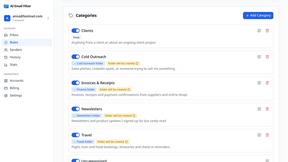
AI Email Filter
AI Email Filter sorts incoming mail into folders using plain-language prompts you write. Works with any IMAP mailbox; bring your own LLM if you want.
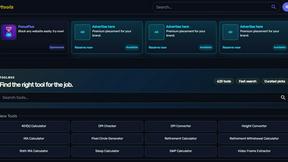
Kody Tools
Free collection of online developer utilities, code formatters, and digital converters designed to streamline your daily workflow.
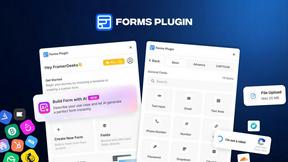
Forms Plugin
The #1 Native Form Builder Plugin for Framer - No Code, No Embeds, No External Platforms.
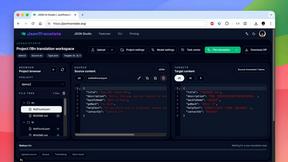
JsonTranslate
Translate JSON, Markdown, and TXT files while preserving keys, nested paths, and project structure.

Product Launch Checklist
A free launch checklist for SaaS, apps, AI tools and more. Every step says why it matters and when you can skip it.

Flux Lora
Explore Flux LoRA online workflows in a browser-based AI Studio, with a roadmap for dedicated models, generation, and guided training.

HomeAnswerBook
Practical, independent guides to home repairs, maintenance, costs, troubleshooting, and everyday fixes.
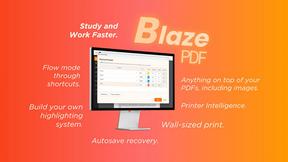
BlazePDF
Highlight faster. Study in flow with custom shortcuts and a workflow built around you. Print smarter, or turn any page into a tiled poster.


Build Mode for Mac
Build Mode is a Mac app that turns focused sessions into visible progress, so you can see the work adding up before the results arrive.



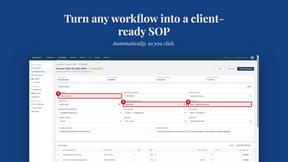
MySOP.guru
Capture any workflow in your browser and export a branded, step-by-step SOP with screenshots. €5 per document, no subscription.

PerPageFax
PerPageFax lets you send a fax online from any browser for a flat $0.50 per page — no account, no subscription, no fax machine.



About Browser Notes Alternatives
Browser Notes is a local-first productivity tool that combines notes, sticky notes, and mind maps into a single, private workspace. It belongs to the productivity and management category, offering a refreshing alternative to cloud-dependent apps that often require signups and track your activity. Users commonly look for alternatives to Browser Notes when they need cross-device syncing, more advanced collaboration features, or integration with specific third-party platforms. Others may seek solutions that offer native mobile apps or more robust export capabilities beyond simple backups. When choosing an alternative, prioritize what matters most to your workflow: look for tools that respect your data privacy, offer the specific note-taking or mind-mapping features you need, and provide a seamless experience across the devices you use daily. The best alternative will empower you to capture and organize ideas without friction, helping you transform scattered thoughts into actionable plans. To find the right alternative, focus on three key criteria. First, evaluate the data ownership model: does the tool store your information locally, in the cloud, or offer a hybrid approach that gives you control? Second, consider the feature set you actually use every day, such as real-time collaboration, rich text formatting, or visual mind mapping, and ensure the alternative excels in those areas. Third, assess the platform compatibility and offline capabilities to guarantee you can work wherever inspiration strikes. By aligning your choice with these factors, you can move beyond any limitations and unlock a more empowered, focused creative process.
FAQs about Browser Notes Alternatives
What is Browser Notes?
Browser Notes is a local-first productivity tool that brings notes, sticky notes, and mind maps together into one unified workspace. It requires no signup or cloud account, storing everything directly in your browser for complete privacy. You can work offline and back up your data at any time, giving you full control over your ideas and information.
Who is Browser Notes for?
Browser Notes is designed for anyone who values privacy and simplicity in their note-taking and brainstorming workflows. It is ideal for individual users, freelancers, students, and professionals who want to capture ideas, organize sticky boards, and create mind maps without being tracked or locked into a cloud service. It is especially suited for those who prefer a local-first approach and do not need real-time collaboration or cross-device syncing.
What are the main features of Browser Notes?
Browser Notes combines three core features into one tool: standard notes, digital sticky notes, and mind maps. It works entirely offline, stores all data locally in your browser, and requires no account or signup. You can back up your data anytime, and there is no tracking or forced sync, ensuring your private ideas remain completely under your control.
Why choose Browser Notes over cloud-based note apps?
Browser Notes empowers you to take full ownership of your data by eliminating the need for cloud storage, signups, or tracking. It offers a distraction-free, offline-capable workspace where your notes, sticky notes, and mind maps live locally in your browser. This approach provides unmatched privacy and simplicity, allowing you to focus on your ideas without worrying about data mining or service interruptions.