

Browser Notes
Turn your browser into a private command center for notes, boards, and mind maps, all saved locally with zero cloud dependency.
AI tool Details
Explore More
Alternatives
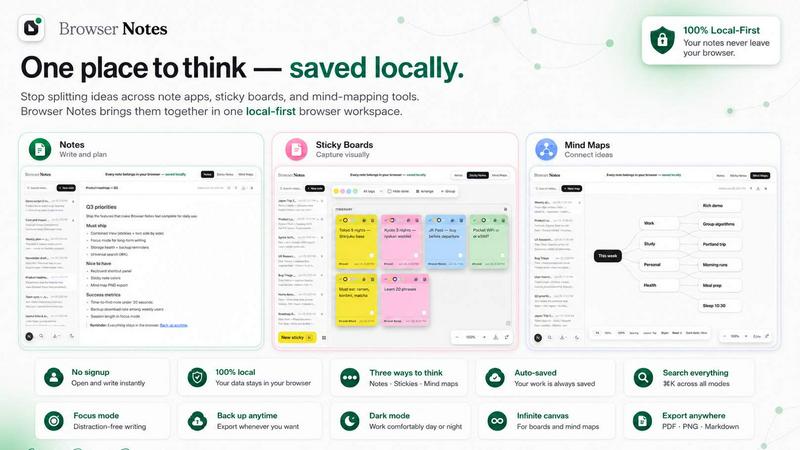
About Browser Notes
Imagine a world where your most brilliant ideas, fleeting thoughts, and complex plans are no longer scattered across a dozen different apps, sticky boards, and cloud services. Browser Notes is your command center for thought, a local-first workspace that lives entirely within your Chrome browser. It is a sanctuary for your ideas, free from the prying eyes of algorithms and the relentless push to sync everything to the cloud. This tool is designed for creators, students, professionals, and anyone who values privacy, ownership, and simplicity. With Browser Notes, you get three powerful ways to think: structured notes with markdown formatting, free-form sticky notes on an infinite canvas, and dynamic mind maps to branch out your ideas. There are no accounts to create, no tracking scripts running in the background, and no forced data syncs. Everything you create is stored locally in your browser, giving you complete control. You can work offline, back up your data anytime you choose, and import previous backups with ease. Browser Notes transforms your browser from a mere window to the internet into a powerful, private, and personal thinking tool. It empowers you to reclaim your digital workspace, turning chaos into clarity and ensuring your best ideas are always at your fingertips, safe and sound.
Features
Local-First, Private Workspace
Your data never leaves your machine. Browser Notes stores every note, sticky note, and mind map directly in your browser's local storage. There are no accounts, no cloud servers, and no tracking. This means your private ideas remain truly private, and you can work offline without any interruptions. You are the sole owner of your information, and you can back up your data anytime to your own device or storage.
Three Distinct Thinking Tools
Choose the tool that matches your workflow. Write and format detailed notes using markdown for structured documentation. Brainstorm visually on a free canvas with sticky notes for rapid idea generation. Or create dynamic mind maps to branch complex concepts from a central theme. This trifecta of tools ensures you have the perfect medium for every stage of the creative process, from raw brainstorming to polished documentation.
Start from a Template
Don't start from a blank page. Browser Notes provides a library of templates to jumpstart your productivity. Whether you need a project outline, a meeting agenda, a daily journal, or a brainstorming canvas, you can select a template and begin working immediately. This feature reduces friction and helps you capture ideas faster, turning inspiration into action without delay.
Backup and Restore Control
You have complete sovereignty over your data. Browser Notes allows you to export a full backup of all your notes, sticky boards, and mind maps with a single click. You can store this backup anywhere you like, on your hard drive, a USB stick, or your own cloud service. If you ever need to restore, simply import the backup file. This ensures your work is safe from browser resets or device changes, giving you peace of mind.
Use Cases
Personal Knowledge Management
Transform your browser into a personal wiki. Use markdown notes to capture research, book summaries, and learning logs. Organize your thoughts with tags and create mind maps to connect related concepts. With everything stored locally, you build a private, searchable knowledge base that grows with you, accessible offline and free from any subscription or data mining.
Creative Brainstorming and Project Planning
When a new project begins, ideas often come in a flood. Open a sticky note board and start placing ideas like digital Post-its. Move them around, group them, and color-code them to visualize relationships. Then, take the core concept and expand it into a mind map. This seamless flow from chaotic brainstorming to structured planning is where transformative ideas are born.
Meeting and Lecture Notes
Never lose a critical point again. During a meeting or lecture, use the markdown note tool to capture key takeaways, action items, and questions in real time. The offline capability means you are not dependent on a stable internet connection. Later, you can create a mind map to visualize the discussion's flow or use sticky notes to prioritize tasks, all within your secure, local environment.
Daily Journaling and Habit Tracking
Build a private digital journal that belongs only to you. Use the note tool for daily reflections, gratitude logs, or goal setting. Create a sticky note board to track your habits visually, moving notes from "To Do" to "Done." The privacy of local storage means your most personal thoughts are never exposed to a cloud server, empowering you to write with complete honesty and freedom.
Frequently Asked Questions
Do I need to create an account to use Browser Notes?
No, absolutely not. Browser Notes is designed to be completely account-free. There are no sign-up forms, no email verifications, and no passwords to remember. You simply install the Chrome extension and start creating. This approach ensures your privacy and removes all barriers to getting started.
Where is my data stored, and is it safe?
Your data is stored locally in your browser's storage on your own computer. It never leaves your device unless you choose to export a backup. This means your notes are not on any external server, making them immune to cloud data breaches. You have full control, and you can back up your data anytime to a location of your choice.
Can I use Browser Notes when I am offline?
Yes, you can. Since everything is stored locally in your browser, Browser Notes functions perfectly without an internet connection. You can create, edit, and organize all your notes, sticky notes, and mind maps offline. Any changes you make will be saved locally, and you can back up your data when you are back online.
How do I back up or restore my notes?
Backing up is simple. Use the backup feature to export a single file containing all your data. Save this file to your computer, an external drive, or a cloud storage service you trust. To restore, use the "Import backup" option and select your file. This process allows you to move your workspace between devices or recover from a browser reset.
Similar to Browser Notes

Panzoe
Panzoe is an all-in-one AI platform for personal productivity, business automation, AI assistants, content creation, and custom AI solutions.
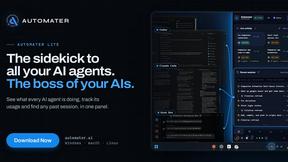
AUTOMATER.ai
A tray helper for every AI coding tool: sessions, alerts and usage in one place
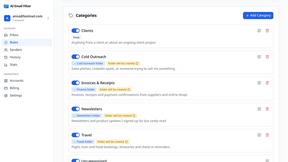
AI Email Filter
AI Email Filter sorts incoming mail into folders using plain-language prompts you write. Works with any IMAP mailbox; bring your own LLM if you want.
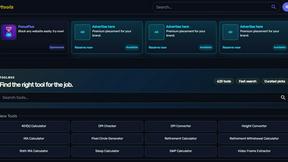
Kody Tools
Free collection of online developer utilities, code formatters, and digital converters designed to streamline your daily workflow.
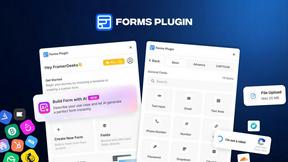
Forms Plugin
The #1 Native Form Builder Plugin for Framer - No Code, No Embeds, No External Platforms.
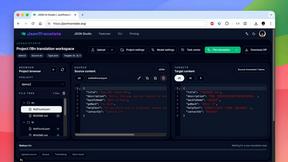
JsonTranslate
Translate JSON, Markdown, and TXT files while preserving keys, nested paths, and project structure.

Product Launch Checklist
A free launch checklist for SaaS, apps, AI tools and more. Every step says why it matters and when you can skip it.

Flux Lora
Explore Flux LoRA online workflows in a browser-based AI Studio, with a roadmap for dedicated models, generation, and guided training.