
Doodle Duel vs SVG to 3D
Side-by-side comparison to help you choose the right AI tool.

Doodle Duel
Challenge friends in real-time drawing duels where AI judges your creativity and skill in this fun, free game.
Last updated: February 28, 2026

SVG to 3D
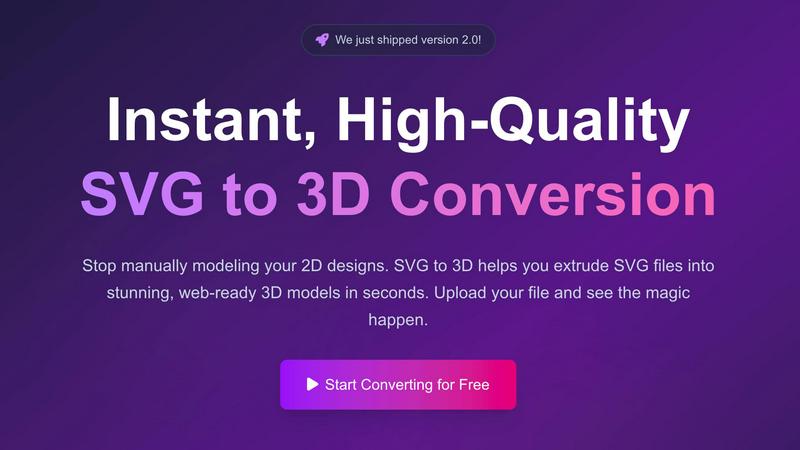
Transform your SVG files into stunning 3D models in seconds with our fast, professional-grade conversion tool.
Last updated: February 26, 2026
Visual Comparison
Doodle Duel

SVG to 3D
Feature Comparison
Doodle Duel
Real-Time Multiplayer
Doodle Duel allows you to create rooms and invite friends for real-time drawing battles. Everyone receives the same prompt and sketches simultaneously, fostering a lively and competitive atmosphere that enhances social interaction and fun.
AI Judging System
The innovative AI judge evaluates each drawing based on accuracy, creativity, and style, ensuring a fair and unbiased assessment of the doodles. This unique feature eliminates popularity contests, allowing true talent to shine.
Quick and Engaging Rounds
With 60-second drawing rounds, Doodle Duel keeps the energy high and laughter flowing. The fast-paced gameplay encourages quick thinking and spontaneous creativity, making each session exciting and dynamic.
Flexible Game Modes
Whether you want to conquer challenges in Solo Arcade or engage in chaotic multiplayer duels, Doodle Duel offers versatile game modes. Players can enjoy 50 levels of increasing difficulty solo or invite friends for a thrilling multiplayer experience.
SVG to 3D
One-Click to GLB for the Web
SVG to 3D enables you to export your designs as GLB files with a single click, making it incredibly easy for web developers to integrate 3D models into their projects. These optimized files are ready for Three.js or React Three Fiber, adding a captivating 3D flair to any website.
3D-Print Ready
With support for STL exports, SVG to 3D allows you to prepare your models for 3D printing without hassle. This feature ensures that your designs are clean and compatible with your slicer, so you can bring your digital creations to life in the physical world.
Advanced Material System
Our tool comes equipped with an advanced material system that allows you to apply realistic PBR materials and custom textures to your models. With professional lighting effects, your 3D designs will stand out, elevating the visual quality of your projects significantly.
Lightning-Fast Processing
Experience the thrill of rapid transformation. SVG to 3D uses optimized algorithms to convert your SVG files into 3D models in mere seconds, not minutes. This speed ensures that you can focus on creativity rather than waiting for processing times, making it the fastest SVG to 3D conversion tool available online.
Use Cases
Doodle Duel
Family Gatherings
Doodle Duel is the perfect game for family gatherings, providing entertainment and laughter as everyone engages in friendly drawing competitions. It breaks the ice and creates memorable moments, making it a hit for all ages.
Parties with Friends
Elevate your social gatherings with Doodle Duel. This game transforms any party into a lively event where friends can compete, laugh, and showcase their creativity, ensuring everyone has a blast.
Team Building Activities
Doodle Duel can be an excellent tool for team-building exercises in corporate settings. It encourages collaboration, sparks creativity, and fosters camaraderie among team members while they engage in friendly competition.
Casual Hangouts
For casual hangouts with friends, Doodle Duel is a go-to choice. Its easy setup and engaging gameplay make it an ideal way to unwind, connect, and enjoy light-hearted fun without any hassle.
SVG to 3D
Create Interactive 3D Logos and Icons for Web
Transform standard SVG icons into interactive 3D models that enhance user experience on websites. This feature is perfect for designers looking to create eye-catching logos or icons that engage users and elevate brand presence.
From Digital Design to Physical Object
Turn your digital creations into real-world objects seamlessly. SVG to STL conversion allows you to prepare your logos, art pieces, and custom parts for 3D printing, making it ideal for artists and makers who want to fabricate their designs.
Enhance Your Website with Depth
With the ability to add depth and realistic lighting to your UI/UX designs, SVG to 3D is a game changer for web developers. Impress clients by showcasing 3D elements that enhance the overall aesthetic and functionality of your projects.
Rapid Prototyping for Designers
Whether you are designing a product or an art installation, SVG to 3D enables rapid prototyping. This tool allows you to iterate quickly, making adjustments in real-time and exporting seamless models ready for presentation or production.
Overview
About Doodle Duel
Doodle Duel is an exhilarating real-time drawing game that merges creativity with friendly competition, designed for anyone who enjoys sketching—whether you are a seasoned artist or a casual doodler. The game allows you and up to 29 friends to engage in thrilling drawing battles without the barrier of accounts or cumbersome downloads. Each round kicks off with a fun prompt, where participants race against the clock to translate their ideas into drawings within 60 seconds. The unique aspect lies in the AI judge, powered by advanced technology from Google Gemini or OpenAI, which evaluates each submission and delivers entertaining yet fair feedback. This combination of speed and artistry makes Doodle Duel not just a game, but an unforgettable experience, perfect for parties, family gatherings, or casual hangouts. With flexible modes available, players can choose a solo arcade journey or dive into chaotic multiplayer duels, ensuring that everyone finds their groove in the world of doodling.
About SVG to 3D
SVG to 3D is an innovative online tool designed to revolutionize the way designers and developers approach the creation of 3D models from 2D vector graphics. This user-friendly platform empowers you to swiftly convert your SVG files into high-quality, web-ready 3D models in just seconds. Whether you are a web developer looking to enhance your projects with interactive 3D elements, a designer eager to bring your logos and icons to life, or a 3D printing enthusiast needing a reliable STL export, SVG to 3D is here for you. By eliminating the need for heavyweight software like Blender or C4D, this tool simplifies the modeling process while maintaining professional standards. With a focus on speed, quality, and ease of use, SVG to 3D transforms your creative ideas into stunning visual realities. Experience the future of design with a tool that streamlines your workflow and amplifies your creative potential.
Frequently Asked Questions
Doodle Duel FAQ
How do I start playing Doodle Duel?
Getting started is simple! There is no need for accounts or downloads. Just create a room, share the code with friends, and dive into the drawing duel.
Can I play with more than four friends?
Absolutely! You can invite up to 29 friends to join your drawing battles, creating a lively and competitive environment.
What devices can I use to play Doodle Duel?
Doodle Duel is designed to be played on any device with internet access. Whether you're on a smartphone, tablet, or computer, you can enjoy the game.
Is there a pro version of Doodle Duel?
Yes, there is a pro version available that unlocks additional features such as larger rooms and more difficult challenges, enhancing your overall gaming experience.
SVG to 3D FAQ
How do I start using SVG to 3D?
Getting started is simple! Just upload your SVG file directly onto our platform, adjust your desired 3D settings, and let the tool do the rest. You can download your model in various formats once you're satisfied with the preview.
What file formats can I export my 3D models to?
SVG to 3D supports multiple export formats including GLB, GLTF, OBJ, and STL. This versatility ensures that you can use your 3D models across different platforms and applications seamlessly.
Is my data secure when using SVG to 3D?
Absolutely! We prioritize your privacy and security. Your files are processed locally in your browser whenever possible, meaning they remain private and are never uploaded to external servers.
Can I use SVG to 3D for commercial projects?
Yes! SVG to 3D is designed for professional use, making it ideal for commercial projects. You can easily create and export high-quality 3D models for any purpose, ensuring they meet industry standards.
Alternatives
Doodle Duel Alternatives
Doodle Duel is an innovative real-time drawing game that combines creativity and competition, inviting players to engage in thrilling sketching battles against friends. This multiplayer experience allows up to 30 participants to join in the fun without the need for downloads or accounts, making it accessible for everyone, from seasoned artists to casual doodlers. As players race against the clock to interpret prompts, they receive feedback from an AI judge, adding an exciting twist to the game. Users often seek alternatives to Doodle Duel for various reasons, including pricing, features, and platform compatibility. When selecting an alternative, it's essential to consider factors like ease of access, the variety of game modes, user interface, and the overall fun factor. Finding a game that aligns with your group's preferences can enhance your creative experiences and foster memorable moments together.
SVG to 3D Alternatives
SVG to 3D is an innovative tool designed to seamlessly transform your 2D SVG vector graphics into stunning 3D models. As an AI assistant, it falls within the realm of design and development tools, catering to a diverse audience of web developers, designers, and 3D printing enthusiasts. Users often seek alternatives to SVG to 3D for various reasons, including pricing, feature sets, and specific platform requirements that may not align with their needs. When searching for an alternative, it’s essential to consider factors such as ease of use, output quality, compatibility with existing workflows, and the ability to customize features. A good alternative should empower users to create high-quality 3D models without the steep learning curve associated with traditional 3D modeling software.