
Mailopoly vs Quickfix AI
Side-by-side comparison to help you choose the right AI tool.

Mailopoly
Mailopoly transforms your inbox into a smart assistant, organizing emails and tasks so you can focus on what truly.
Last updated: February 26, 2026

Quickfix AI
Quickfix AI delivers instant system diagnostics and AI-driven solutions for optimal performance and clarity.
Last updated: February 28, 2026
Visual Comparison
Mailopoly

Quickfix AI
Feature Comparison
Mailopoly
Cleanbox
Mailopoly's Cleanbox feature ensures that only the emails that matter land in your inbox. It intelligently filters out noise and distractions, allowing you to focus on essential communications. With no setup required, this feature starts working from day one, giving you notifications only for real priorities.
Instant Information Extraction
Say goodbye to endless scrolling through emails. Mailopoly automatically extracts critical information such as invoice amounts, booking details, dates, and tasks. This instant information retrieval means you can stay updated at a glance without the hassle of opening every email.
AI Drafting
Mailopoly makes replying to emails a breeze with its AI drafting feature. The platform generates replies that sound just like you, complete with your unique tone and style. With multiple suggestions available, you can edit or send your responses in seconds, making email communication quicker and easier than ever.
Poly, Your AI Life Assistant
Meet Poly, your built-in AI life assistant. Poly is designed to help you manage your life admin, side-hustles, and bills. You can ask Poly anything from your payment due dates to summarizing important emails, ensuring you have the support you need to stay organized and productive.
Quickfix AI
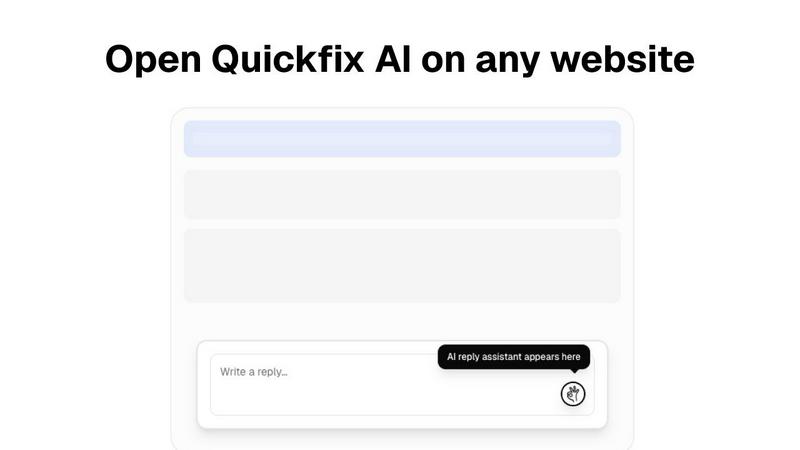
Intelligent Browser Extension
Quickfix AI's intelligent browser extension transforms the way you communicate online. With just a click, it generates contextually relevant replies for various platforms, enhancing your productivity and saving you precious time.
Comprehensive System Diagnostics
Within a minute, Quickfix AI provides a thorough analysis of your computer's health. From performance metrics like CPU and memory usage to security status and battery health, you receive a complete overview that is easy to understand.
AI-Powered Insights and Recommendations
After running a diagnostics scan, you can interact with the AI to gain insights about your system. The AI explains your diagnostics report in clear language, providing tailored recommendations to optimize your device's performance.
Cross-Platform Availability
Quickfix AI is designed for both Windows and macOS users, ensuring that a wide audience can benefit from its powerful features. Whether you're a professional or an everyday user, Quickfix AI adapts to your needs.
Use Cases
Mailopoly
Managing Work Emails
For busy professionals, Mailopoly simplifies email management by filtering out irrelevant communications and highlighting important messages. This helps you prioritize work-related tasks, ensuring that nothing critical slips through the cracks.
Personal Life Organization
Mailopoly is perfect for individuals juggling personal and family commitments. By extracting key dates, reminders, and tasks, it helps you stay on top of appointments, family events, and personal errands, making organization a breeze.
Side-Hustle Management
Entrepreneurs and side-hustlers will find Mailopoly invaluable for managing multiple email accounts. The platform integrates all your accounts, allowing you to track communications, deadlines, and tasks associated with your side projects without feeling overwhelmed.
Financial Tracking
With features that help track invoices and payments, Mailopoly acts as a personal finance assistant. You can easily keep tabs on what you owe, ensuring that you never miss a payment and can manage your budget efficiently.
Quickfix AI
Troubleshooting System Issues
When something is amiss with your device, Quickfix AI swiftly identifies the problem and explains it in simple terms. No technical expertise is required, making it accessible for everyone.
Enhancing Workplace Productivity
Professionals dealing with numerous emails and support requests can utilize Quickfix AI to streamline their communication. The instant reply feature allows them to address issues quickly, thus improving overall productivity.
Remote IT Support
IT support teams can leverage Quickfix AI by sending a diagnostic link to users. This allows them to remotely assess system health and performance, making troubleshooting more efficient and effective.
Understanding System Performance
Tech enthusiasts and power users can delve deeper into their device's performance metrics. Quickfix AI provides critical insights that help them optimize their systems for gaming, development, or any intensive task.
Overview
About Mailopoly
Mailopoly is a revolutionary email client designed to transform the way you manage your inbox and your life. Unlike traditional email platforms that often overwhelm users with endless notifications and clutter, Mailopoly employs advanced artificial intelligence to streamline your email experience. By automatically extracting crucial details from your messages, Mailopoly allows you to stay informed without the need to read every email. This means you can focus on what truly matters. Ideal for busy professionals, multitaskers, and anyone seeking to regain control over their email, Mailopoly not only organizes your inbox but also integrates a powerful AI chatbot named Poly. This virtual assistant understands your preferences and can manage your personal finances, events, and tasks, making it an indispensable tool for anyone looking to simplify their daily life. With Mailopoly, your inbox evolves from a source of stress into a personalized command center, allowing you to live your life more efficiently and effectively.
About Quickfix AI
Quickfix AI is your ultimate partner in achieving seamless communication and gaining a profound understanding of your technology. This innovative dual-purpose platform is engineered to elevate two essential aspects of your digital life. First, as an intelligent browser extension, it relieves you from the exhausting task of composing replies. A single click on any platform—whether it's Gmail, LinkedIn, or your customer support dashboard—grants you an expertly crafted, context-aware response in an instant. This means no more tedious typing or constant tab-switching, allowing you to reclaim hours each week. Second, Quickfix AI serves as a sophisticated diagnostic tool that clarifies your computer's health in under a minute. It delivers a straightforward report detailing everything from performance metrics to security checks. This tool is designed for everyone, from overwhelmed professionals managing a flood of emails and support tickets to IT teams who require remote insights, and everyday users who simply want to understand why their devices are sluggish. Quickfix AI empowers you to communicate effectively and gain clarity on your technology, placing you firmly back in control of your digital experience.
Frequently Asked Questions
Mailopoly FAQ
How does Mailopoly reduce email volume?
Mailopoly uses AI to filter out unnecessary emails and only presents you with what truly matters. This automatic intelligence effectively reduces the clutter in your inbox.
Can I use Mailopoly with multiple email accounts?
Yes, Mailopoly supports various email providers, including Gmail, Outlook, Yahoo, and any IMAP provider. You can manage all your accounts in one place seamlessly.
Is my data secure with Mailopoly?
Absolutely. Mailopoly is designed with security in mind and is SOC 2 certified, ensuring that your personal information is handled with the utmost care and privacy.
How does the AI drafting feature work?
Mailopoly's AI drafting feature generates responses based on your unique style and tone. It offers multiple suggestions, allowing you to edit or send emails quickly, making communication effortless.
Quickfix AI FAQ
Is Quickfix AI free?
Yes, Quickfix AI offers a free version for users to explore its basic features without any cost, making it accessible to everyone who wants to enhance their digital experience.
Is my data secure?
Absolutely. Quickfix AI prioritizes user security by employing robust encryption methods and ensuring that your data remains confidential and secure during diagnostics and analyses.
Do I need technical knowledge to use Quickfix AI?
Not at all. Quickfix AI is designed to be user-friendly, requiring no technical expertise. The AI provides clear explanations and guidance throughout the process.
What information does Quickfix AI collect?
Quickfix AI collects essential data related to system performance, diagnostics, and security status to generate comprehensive reports and recommendations, all while respecting user privacy.
Alternatives
Mailopoly Alternatives
Mailopoly is an innovative email client designed to transform how you manage your inbox. By harnessing the power of AI, it not only reduces your email volume but also enhances your productivity with features that streamline communication and task management. As a productivity and management tool, it empowers users to regain control over their email experience, turning potential chaos into a well-organized command center. Many users seek alternatives to Mailopoly for various reasons, such as budget constraints, specific feature requirements, or compatibility with their preferred platforms. When searching for an alternative, consider what features are most important for your workflow, the ease of integration with other tools, and the overall user experience. The right choice will not only help you manage your email more effectively but also support your broader productivity goals.
Quickfix AI Alternatives
Quickfix AI is an innovative solution that falls under the category of productivity and management tools. It combines an intelligent browser extension with a powerful AI diagnostics tool, enabling users to streamline communication and gain insights into their system's health with ease. Many users may seek alternatives due to various reasons such as pricing concerns, specific feature needs, or compatibility with their preferred platforms. When considering alternatives, it’s crucial to evaluate the features that best suit your workflow, the ease of integration with your existing systems, and the overall user experience. Look for solutions that not only enhance productivity but also empower you with the insights needed to maintain optimal performance.