

Quickfix AI
Quickfix AI delivers instant system diagnostics and AI-driven solutions for optimal performance and clarity.
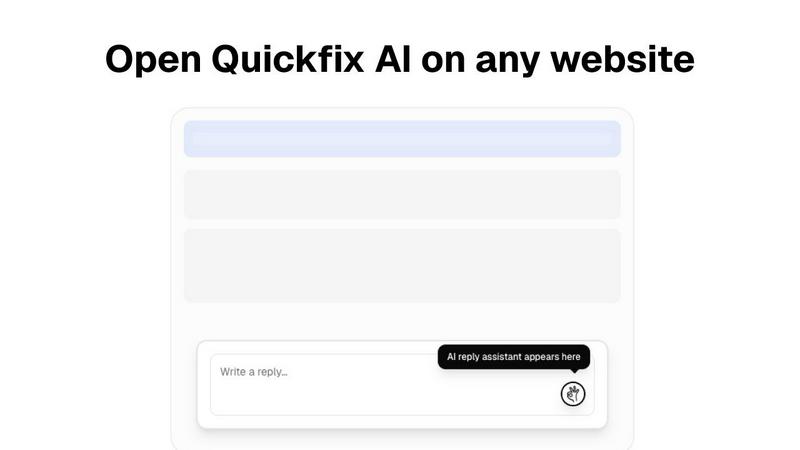
About Quickfix AI
Quickfix AI is your ultimate partner in achieving seamless communication and gaining a profound understanding of your technology. This innovative dual-purpose platform is engineered to elevate two essential aspects of your digital life. First, as an intelligent browser extension, it relieves you from the exhausting task of composing replies. A single click on any platform—whether it's Gmail, LinkedIn, or your customer support dashboard—grants you an expertly crafted, context-aware response in an instant. This means no more tedious typing or constant tab-switching, allowing you to reclaim hours each week. Second, Quickfix AI serves as a sophisticated diagnostic tool that clarifies your computer's health in under a minute. It delivers a straightforward report detailing everything from performance metrics to security checks. This tool is designed for everyone, from overwhelmed professionals managing a flood of emails and support tickets to IT teams who require remote insights, and everyday users who simply want to understand why their devices are sluggish. Quickfix AI empowers you to communicate effectively and gain clarity on your technology, placing you firmly back in control of your digital experience.
Features
Intelligent Browser Extension
Quickfix AI's intelligent browser extension transforms the way you communicate online. With just a click, it generates contextually relevant replies for various platforms, enhancing your productivity and saving you precious time.
Comprehensive System Diagnostics
Within a minute, Quickfix AI provides a thorough analysis of your computer's health. From performance metrics like CPU and memory usage to security status and battery health, you receive a complete overview that is easy to understand.
AI-Powered Insights and Recommendations
After running a diagnostics scan, you can interact with the AI to gain insights about your system. The AI explains your diagnostics report in clear language, providing tailored recommendations to optimize your device's performance.
Cross-Platform Availability
Quickfix AI is designed for both Windows and macOS users, ensuring that a wide audience can benefit from its powerful features. Whether you're a professional or an everyday user, Quickfix AI adapts to your needs.
Use Cases
Troubleshooting System Issues
When something is amiss with your device, Quickfix AI swiftly identifies the problem and explains it in simple terms. No technical expertise is required, making it accessible for everyone.
Enhancing Workplace Productivity
Professionals dealing with numerous emails and support requests can utilize Quickfix AI to streamline their communication. The instant reply feature allows them to address issues quickly, thus improving overall productivity.
Remote IT Support
IT support teams can leverage Quickfix AI by sending a diagnostic link to users. This allows them to remotely assess system health and performance, making troubleshooting more efficient and effective.
Understanding System Performance
Tech enthusiasts and power users can delve deeper into their device's performance metrics. Quickfix AI provides critical insights that help them optimize their systems for gaming, development, or any intensive task.
Frequently Asked Questions
Is Quickfix AI free?
Yes, Quickfix AI offers a free version for users to explore its basic features without any cost, making it accessible to everyone who wants to enhance their digital experience.
Is my data secure?
Absolutely. Quickfix AI prioritizes user security by employing robust encryption methods and ensuring that your data remains confidential and secure during diagnostics and analyses.
Do I need technical knowledge to use Quickfix AI?
Not at all. Quickfix AI is designed to be user-friendly, requiring no technical expertise. The AI provides clear explanations and guidance throughout the process.
What information does Quickfix AI collect?
Quickfix AI collects essential data related to system performance, diagnostics, and security status to generate comprehensive reports and recommendations, all while respecting user privacy.
Similar to Quickfix AI

AI Email Filter
AI Email Filter sorts incoming mail into folders using plain-language prompts you write. Works with any IMAP mailbox; bring your own LLM if you want.
Kody Tools
Free collection of online developer utilities, code formatters, and digital converters designed to streamline your daily workflow.

layahost
Moderation, routing, intent and scoring for any text over one Jev-compatible API, hosted in the EU.

laya.tools
Free directory of 950+ projects built on Laya, the open-source model that turns text into typed decisions in milliseconds.

Sprite Sheet Maker
A free browser-based toolkit for creating, cutting, converting, and previewing sprite sheet animations.

Forms Plugin
The #1 Native Form Builder Plugin for Framer - No Code, No Embeds, No External Platforms.
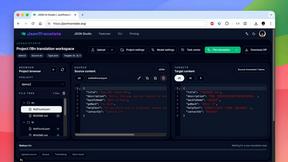
JsonTranslate
Translate JSON, Markdown, and TXT files while preserving keys, nested paths, and project structure.

Product Launch Checklist
A free launch checklist for SaaS, apps, AI tools and more. Every step says why it matters and when you can skip it.