Changeflow vs Quickfix AI
Side-by-side comparison to help you choose the right AI tool.

Changeflow
Changeflow delivers AI-driven insights on critical market changes, ensuring you stay informed without the hassle.
Last updated: March 4, 2026

Quickfix AI
Quickfix AI delivers instant system diagnostics and AI-driven solutions for optimal performance and clarity.
Last updated: February 28, 2026
Visual Comparison
Changeflow

Quickfix AI
Feature Comparison
Changeflow
AI-Powered Intelligence
Changeflow’s AI technology intelligently analyzes web pages to filter out irrelevant changes. This means users receive updates that genuinely matter, saving time and preventing information overload that comes from false positives.
Natural Language Setup
Forget about complex configurations and technical jargon. With Changeflow, users can simply describe what they want to track in plain English, making it accessible for everyone, regardless of their technical background.
Customized Summaries
Changeflow delivers concise, AI-generated summaries of what changed and why it matters. This feature allows users to quickly grasp the significance of updates without wading through full web pages, streamlining their decision-making process.
Advanced Anti-Blocking Technology
Changeflow employs sophisticated anti-blocking measures that allow it to access web pages that other tools struggle to reach. This ensures a high success rate in monitoring updates, even on sites with stringent access controls.
Quickfix AI
Intelligent Browser Extension
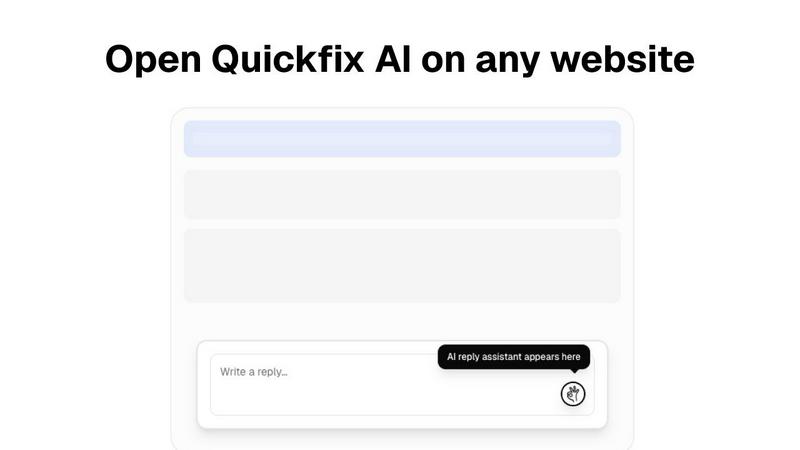
Quickfix AI's intelligent browser extension transforms the way you communicate online. With just a click, it generates contextually relevant replies for various platforms, enhancing your productivity and saving you precious time.
Comprehensive System Diagnostics
Within a minute, Quickfix AI provides a thorough analysis of your computer's health. From performance metrics like CPU and memory usage to security status and battery health, you receive a complete overview that is easy to understand.
AI-Powered Insights and Recommendations
After running a diagnostics scan, you can interact with the AI to gain insights about your system. The AI explains your diagnostics report in clear language, providing tailored recommendations to optimize your device's performance.
Cross-Platform Availability
Quickfix AI is designed for both Windows and macOS users, ensuring that a wide audience can benefit from its powerful features. Whether you're a professional or an everyday user, Quickfix AI adapts to your needs.
Use Cases
Changeflow
Monitoring Competitor Pricing
Businesses can utilize Changeflow to stay ahead of the competition by tracking competitor pricing changes in real-time, enabling timely strategic adjustments that can significantly impact market positioning.
Regulatory Compliance Tracking
Compliance teams at major corporations can monitor regulatory changes efficiently. Changeflow keeps them informed about new FDA guidance and SEC filings, ensuring they remain compliant without manual oversight.
Legal Research and Monitoring
Legal librarians at top law firms leverage Changeflow to keep tabs on court dockets and legal citations. This tool streamlines legal research, allowing professionals to focus on strategic tasks rather than tedious monitoring.
Market News Monitoring
Changeflow enables businesses to stay updated on news mentions and market movements. This allows teams to quickly react to industry developments, ensuring they are always informed and ready to make data-driven decisions.
Quickfix AI
Troubleshooting System Issues
When something is amiss with your device, Quickfix AI swiftly identifies the problem and explains it in simple terms. No technical expertise is required, making it accessible for everyone.
Enhancing Workplace Productivity
Professionals dealing with numerous emails and support requests can utilize Quickfix AI to streamline their communication. The instant reply feature allows them to address issues quickly, thus improving overall productivity.
Remote IT Support
IT support teams can leverage Quickfix AI by sending a diagnostic link to users. This allows them to remotely assess system health and performance, making troubleshooting more efficient and effective.
Understanding System Performance
Tech enthusiasts and power users can delve deeper into their device's performance metrics. Quickfix AI provides critical insights that help them optimize their systems for gaming, development, or any intensive task.
Overview
About Changeflow
Changeflow is an innovative web monitoring tool designed to help businesses stay informed about critical changes on websites that matter to them. With its advanced AI technology, Changeflow not only alerts users when something changes but also provides meaningful insights into what those changes entail. This makes it an invaluable resource for teams needing to track competitor pricing, regulatory updates, and market movements without the hassle of manual checks. Changeflow simplifies the setup process, allowing users to describe what they want to monitor in plain English and receive tailored updates directly in their inbox or dashboard. Trusted by Fortune 500 companies and Am Law 200 firms, Changeflow enhances decision-making and keeps teams aligned, ensuring that no critical information slips through the cracks.
About Quickfix AI
Quickfix AI is your ultimate partner in achieving seamless communication and gaining a profound understanding of your technology. This innovative dual-purpose platform is engineered to elevate two essential aspects of your digital life. First, as an intelligent browser extension, it relieves you from the exhausting task of composing replies. A single click on any platform—whether it's Gmail, LinkedIn, or your customer support dashboard—grants you an expertly crafted, context-aware response in an instant. This means no more tedious typing or constant tab-switching, allowing you to reclaim hours each week. Second, Quickfix AI serves as a sophisticated diagnostic tool that clarifies your computer's health in under a minute. It delivers a straightforward report detailing everything from performance metrics to security checks. This tool is designed for everyone, from overwhelmed professionals managing a flood of emails and support tickets to IT teams who require remote insights, and everyday users who simply want to understand why their devices are sluggish. Quickfix AI empowers you to communicate effectively and gain clarity on your technology, placing you firmly back in control of your digital experience.
Frequently Asked Questions
Changeflow FAQ
How does Changeflow determine what changes are relevant?
Changeflow uses advanced AI algorithms to analyze web pages and identify changes. It assesses the context of changes, ensuring that only the most pertinent updates are presented to users, reducing noise and irrelevant alerts.
Can I track multiple pages at once?
Yes, Changeflow allows users to monitor multiple pages simultaneously. You can easily add new sources through the AI agent, making it simple to expand your tracking without any technical setup.
Is there a trial period available for new users?
Absolutely! Changeflow offers a 30-day free trial for new users, allowing them to explore the full capabilities of the tool and experience the benefits of effective web monitoring firsthand.
What types of businesses benefit from using Changeflow?
Changeflow is designed for a variety of sectors, including legal, compliance, marketing, and competitive intelligence. Its flexibility and powerful features make it suitable for any business that needs to stay informed on web changes relevant to their operations.
Quickfix AI FAQ
Is Quickfix AI free?
Yes, Quickfix AI offers a free version for users to explore its basic features without any cost, making it accessible to everyone who wants to enhance their digital experience.
Is my data secure?
Absolutely. Quickfix AI prioritizes user security by employing robust encryption methods and ensuring that your data remains confidential and secure during diagnostics and analyses.
Do I need technical knowledge to use Quickfix AI?
Not at all. Quickfix AI is designed to be user-friendly, requiring no technical expertise. The AI provides clear explanations and guidance throughout the process.
What information does Quickfix AI collect?
Quickfix AI collects essential data related to system performance, diagnostics, and security status to generate comprehensive reports and recommendations, all while respecting user privacy.
Alternatives
Changeflow Alternatives
Changeflow is an innovative AI-driven platform that specializes in providing market and competitor insights by tracking changes on web pages. It falls under the Productivity & Management category, offering businesses a streamlined way to monitor essential updates relevant to their operations. Users often seek alternatives to Changeflow for various reasons, including pricing considerations, specific feature requirements, or the need for compatibility with different platforms. When exploring alternatives, it's crucial to assess factors such as ease of use, the effectiveness of the technology, and the overall value it brings to your team's workflow. As you search for an alternative, prioritize solutions that offer robust features tailored to your industry needs while ensuring they provide comprehensive support for different types of content and web pages. Look for platforms that facilitate collaboration and integration with existing tools, as these aspects can enhance productivity and ensure your team stays aligned with vital market shifts. Remember, the right choice can empower your organization to stay ahead of the competition and make informed decisions.
Quickfix AI Alternatives
Quickfix AI is an innovative solution that falls under the category of productivity and management tools. It combines an intelligent browser extension with a powerful AI diagnostics tool, enabling users to streamline communication and gain insights into their system's health with ease. Many users may seek alternatives due to various reasons such as pricing concerns, specific feature needs, or compatibility with their preferred platforms. When considering alternatives, it’s crucial to evaluate the features that best suit your workflow, the ease of integration with your existing systems, and the overall user experience. Look for solutions that not only enhance productivity but also empower you with the insights needed to maintain optimal performance.