claude ide vs LLMWise
Side-by-side comparison to help you choose the right AI tool.

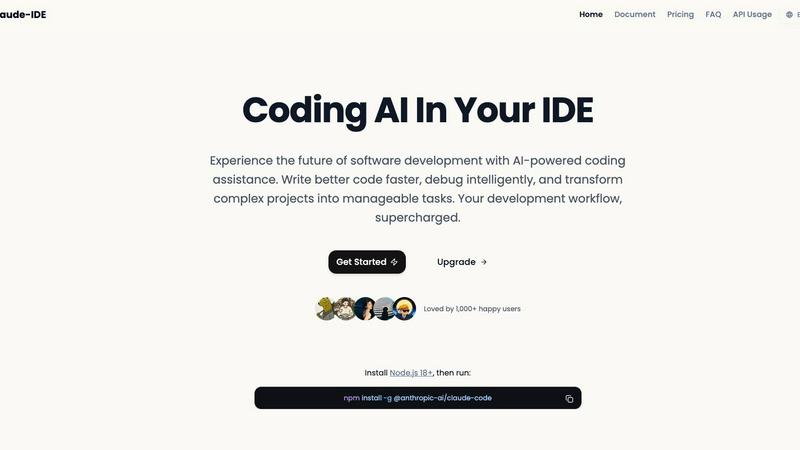
claude ide
Transform your coding with AI assistance embedded directly in your terminal and IDE.
Last updated: March 1, 2026

Unlock limitless AI potential with LLMWise's one API for seamless access to top models, paying only for what you use.
Last updated: February 26, 2026
Visual Comparison
claude ide
LLMWise

Feature Comparison
claude ide
Intelligent Code Understanding
Claude IDE goes beyond isolated snippets to understand your entire codebase. It analyzes project architecture, dependencies, and relationships between files to offer coordinated changes and suggestions that truly fit your project's context. This deep comprehension allows for accurate refactoring, feature additions, and bug fixes that maintain consistency across your entire application, ensuring every suggestion is intelligent and relevant.
Seamless IDE and Terminal Integration
The assistant lives right where you work, eliminating disruptive context switching. It is deeply integrated directly into VS Code and JetBrains IDEs, as well as your terminal. This means you can access powerful AI assistance without ever leaving your development environment, maintaining your workflow and allowing for a natural, uninterrupted coding experience that boosts productivity and keeps you in the zone.
End-to-End Development Workflow
Say goodbye to constant tool switching. Claude IDE deeply integrates with GitHub, GitBrains, and command-line tools to manage the complete workflow from reading issues and writing code to executing tests and submitting Pull Requests, all within your terminal. It transforms fragmented processes into a smooth, continuous pipeline, empowering you to move from concept to deployment with incredible efficiency.
Powerful Multi-File Editing
With its deep understanding of your codebase architecture and dependencies, Claude IDE can execute powerful, coordinated edits across multiple files. This ensures that changes are not only accurate but also functionally sound, whether you're implementing a new feature, updating an API, or refactoring a core module. It handles the complexity so you can focus on the bigger picture.
LLMWise
Smart Routing
LLMWise’s smart routing feature intelligently selects the optimal model for each prompt. Developers can focus on their tasks without worrying about which model to use for specific requirements. For instance, coding prompts can go to GPT, while creative writing tasks can be routed to Claude, ensuring that users always receive the best possible response for their needs.
Compare & Blend
The compare and blend functionalities allow users to run prompts across multiple models side-by-side. This feature enhances the decision-making process by showcasing differences in responses. The blend function combines the best parts of each model’s output into a single, stronger answer, significantly improving the quality and relevance of responses.
Always Resilient
LLMWise is built with resilience in mind. Its circuit-breaker failover system reroutes requests to backup models when a primary provider goes down. This ensures that applications continue to function seamlessly, minimizing downtime and enhancing user experience, regardless of external disruptions.
Test & Optimize
Developers can utilize benchmarking suites, batch tests, and optimization policies to assess speed, cost, and reliability. Automated regression checks are also integrated to ensure that performance remains consistent over time. This feature empowers teams to continuously refine their applications for optimal results without the need for manual intervention.
Use Cases
claude ide
Rapid Codebase Familiarization
When joining a new project or returning to legacy code, Claude IDE can analyze and explain complete codebases in seconds. Through intelligent search, it automatically grasps project architecture, key components, and dependencies, providing you with a high-level overview and detailed explanations without requiring manual context file selection. This turns hours of exploration into minutes of understanding.
From Issue to Pull Request
Manage the entire development lifecycle in one flow. Claude IDE can read a GitHub or GitLab issue, understand the requirements, write the necessary code changes, execute tests to verify functionality, and even help submit the final Pull Request—all without leaving your terminal. This streamlines your contribution process and dramatically reduces administrative overhead.
Intelligent Debugging and Problem-Solving
Stuck on a tricky bug or a complex algorithm? Claude IDE acts as your expert pair programmer. You can describe the problem in natural language, and it will analyze the relevant code, suggest potential causes, and provide corrected code snippets. It helps you debug with precision, turning frustrating obstacles into solved problems quickly and intelligently.
Refactoring and Code Modernization
Modernizing a codebase or improving its structure is a massive undertaking. Claude IDE understands the interconnected nature of your code and can safely execute large-scale refactoring operations. Whether you're renaming variables across files, updating a library version, or breaking a monolith into services, it ensures changes are consistent and functional throughout the project.
LLMWise
Enhanced Software Development
Developers can use LLMWise to streamline software development processes. By running the same prompt through multiple models, they can quickly identify which model handles edge cases best, saving valuable time during debugging and improving overall code quality.
Creative Content Generation
For content creators, LLMWise offers the ability to generate high-quality creative writing. By leveraging the blend feature, writers can synthesize different styles and ideas from multiple models, resulting in unique and engaging narratives that stand out in a crowded market.
Multilingual Support
Businesses looking to expand their reach can utilize LLMWise for translation tasks. By routing translation requests to specialized models like Gemini, companies ensure accurate and contextually relevant translations, enabling effective communication across diverse customer bases.
Cost-Effective AI Utilization
Startups and small businesses can significantly reduce their AI costs by using LLMWise instead of multiple subscriptions. With pay-per-use pricing and the ability to bring their own API keys, organizations can access premium AI capabilities without the burden of recurring monthly fees, making advanced technology accessible to all.
Overview
About claude ide
Claude IDE is your ultimate AI-powered coding partner, designed to transform how you write, understand, and manage software. It's not just another code suggestion tool; it's a deeply integrated development assistant that brings the formidable intelligence of Claude directly into your terminal and favorite IDEs like VS Code and JetBrains. This tool is built for developers who are tired of juggling between different applications and want a seamless, intelligent companion that understands their entire project's context. Whether you're a solo developer, a student tackling complex assignments, or a professional working on large-scale applications, Claude IDE empowers you to write better code faster, debug with precision, and turn daunting projects into a series of manageable, successful tasks. Its core value lies in eliminating friction and cognitive load, allowing you to focus on creativity and problem-solving while it handles the heavy lifting of code analysis and execution. Experience the future of software development with the most powerful AI coding assistance, and transform complex projects into manageable tasks with an assistant that works right where you do.
About LLMWise
LLMWise is an innovative platform designed to streamline the way developers interact with various AI models, offering a single API that connects users to every major large language model (LLM), including OpenAI, Anthropic, Google, Meta, xAI, and DeepSeek. With LLMWise, there’s no need to juggle multiple AI providers or manage multiple subscriptions. The intelligent routing feature automatically directs each prompt to the best-suited model, ensuring optimal performance for diverse tasks, whether it be coding, creative writing, or translation. Built for developers, LLMWise empowers teams to leverage the best AI solutions available without the complexity and overhead of managing multiple systems. By integrating 62 models from 20 providers into one dashboard, developers can easily compare outputs, blend responses for enhanced quality, and optimize their applications with robust testing tools. LLMWise is more than just a tool; it is a game-changer that transforms how developers harness the power of AI.
Frequently Asked Questions
claude ide FAQ
What is Claude IDE and how is it different from other AI coding tools?
Claude IDE is a deeply integrated AI development assistant that brings the power of Claude directly into your terminal and IDE. Unlike basic code completion tools that work on snippets, Claude IDE understands your entire project's context, architecture, and dependencies. This allows it to make coordinated changes across files, manage complete workflows from issue to PR, and offer intelligent suggestions that truly fit your specific codebase, all without requiring you to switch between different applications.
How do I install and get started with Claude IDE?
Getting started is straightforward. First, ensure you have Node.js 18 or higher installed on your system. Then, open your terminal and run the command: npm install -g @anthropic-ai/claude-code. This installs the Claude IDE package globally. After installation, you can integrate it with your VS Code or JetBrains IDE using the provided extensions and begin using its powerful features directly in your development environment.
Which IDEs and editors does Claude IDE support?
Claude IDE is designed to work seamlessly in the environments where developers already spend their time. It offers deep, native integration with popular Integrated Development Environments (IDEs) including Visual Studio Code (VS Code) and the full suite of JetBrains IDEs (like IntelliJ IDEA, WebStorm, PyCharm). Additionally, it provides full functionality directly within your system's terminal for a flexible, command-line driven workflow.
Can Claude IDE work with private repositories and codebases?
Yes, Claude IDE is built to work with your real-world projects. It operates locally within your development environment, analyzing the code on your machine. This means it can seamlessly work with private repositories, proprietary codebases, and local projects without sending your sensitive source code to external servers for processing, ensuring your intellectual property remains secure and private.
LLMWise FAQ
What types of models can I access with LLMWise?
LLMWise provides access to 62 models from 20 different AI providers, including major players like OpenAI, Anthropic, Google, and Meta. This extensive catalog ensures that users can find the right model for every task.
How does the smart routing feature work?
The smart routing feature intelligently analyzes each prompt and automatically directs it to the most suitable model based on the task type. This eliminates the guesswork for developers and optimizes response quality.
Can I use my existing API keys with LLMWise?
Yes, LLMWise allows users to bring their own API keys, enabling them to leverage existing accounts with AI providers while enjoying the benefits of LLMWise’s intelligent routing and orchestration capabilities.
Is there a free trial available for LLMWise?
Absolutely! LLMWise offers a free trial that includes 20 credits to get started. Users can explore the platform and its features without any upfront costs, allowing them to evaluate its value before committing to paid usage.
Alternatives
claude ide Alternatives
Claude IDE is a powerful AI-powered coding assistant that integrates directly into your terminal and popular IDEs. It belongs to the category of intelligent development tools designed to understand your entire codebase and reduce cognitive load, transforming how you write and manage software. Developers often explore alternatives for various reasons. Needs can differ based on budget, specific feature requirements like support for different programming languages or editors, and individual preferences for how AI assistance is delivered within their unique workflow. When evaluating other options, focus on what truly matters for your productivity. Consider the depth of codebase understanding, the seamlessness of the integration with your primary tools, and the overall ability of the assistant to keep you in a state of flow. The right tool should feel like a natural extension of your own capabilities, empowering you to build with greater confidence and creativity.
LLMWise Alternatives
LLMWise is a powerful API designed to streamline access to various large language models (LLMs) such as GPT, Claude, and Gemini. It falls into the category of AI Assistants, enabling users to efficiently engage with multiple AI providers through a single platform. Users often seek alternatives to LLMWise due to factors such as pricing structures, specific feature sets, or unique platform requirements that may not be fully addressed by LLMWise. When exploring alternatives, consider aspects such as flexibility in pricing, the range of models offered, and the capability for intelligent routing between models. Additionally, look for features that enhance productivity, like benchmarking tools and failover mechanisms, which can significantly improve your experience and output quality.