AssiPilot vs SVG to 3D
Side-by-side comparison to help you choose the right AI tool.

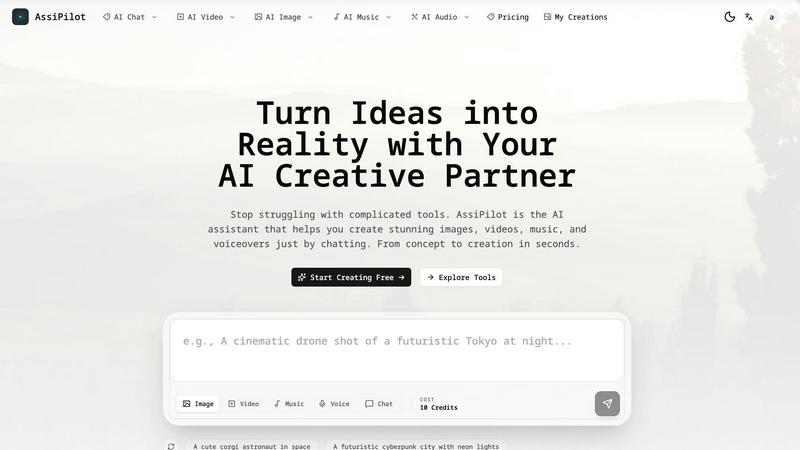
AssiPilot
Transform your ideas into stunning images, videos, and music effortlessly with AssiPilot, your all-in-one AI creative assistant.
Last updated: March 11, 2026
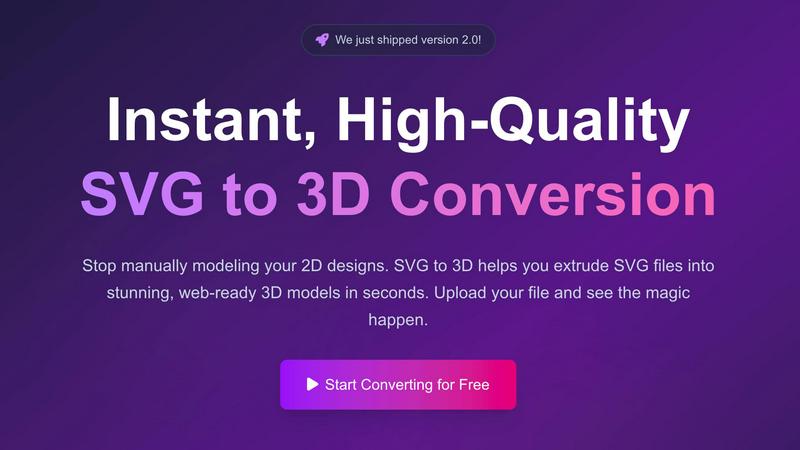
SVG to 3D
Transform your SVG files into stunning 3D models in seconds with our fast, professional-grade conversion tool.
Last updated: February 26, 2026
Visual Comparison
AssiPilot
SVG to 3D
Feature Comparison
AssiPilot
AI Image Generation
AssiPilot employs advanced AI models to create photorealistic images, art, and graphics tailored to your needs. Whether you want a minimalist logo or a vibrant landscape, this feature allows you to generate high-quality visuals that stand out in any context.
AI Video Creation
Transform your concepts into compelling videos with just a few clicks. AssiPilot's AI video creation tool allows you to turn text and images into engaging marketing clips or social media videos, helping you convey your message effectively and creatively.
Music & Soundtrack Generation
Create the perfect soundtrack for any project with AssiPilot's music generation feature. This tool composes royalty-free music and sound effects that align perfectly with your content's mood, ensuring an immersive experience for your audience.
Voiceover & Audio Synthesis
Generate human-like voiceovers in various languages and emotional tones. This feature is ideal for enhancing videos, podcasts, and presentations, providing a professional touch that elevates your audio content without the need for studio recording.
SVG to 3D
One-Click to GLB for the Web
SVG to 3D enables you to export your designs as GLB files with a single click, making it incredibly easy for web developers to integrate 3D models into their projects. These optimized files are ready for Three.js or React Three Fiber, adding a captivating 3D flair to any website.
3D-Print Ready
With support for STL exports, SVG to 3D allows you to prepare your models for 3D printing without hassle. This feature ensures that your designs are clean and compatible with your slicer, so you can bring your digital creations to life in the physical world.
Advanced Material System
Our tool comes equipped with an advanced material system that allows you to apply realistic PBR materials and custom textures to your models. With professional lighting effects, your 3D designs will stand out, elevating the visual quality of your projects significantly.
Lightning-Fast Processing
Experience the thrill of rapid transformation. SVG to 3D uses optimized algorithms to convert your SVG files into 3D models in mere seconds, not minutes. This speed ensures that you can focus on creativity rather than waiting for processing times, making it the fastest SVG to 3D conversion tool available online.
Use Cases
AssiPilot
Social Media Content Creation
Social media managers can leverage AssiPilot to quickly generate eye-catching images, informative videos, and engaging audio clips that captivate their audience and enhance brand visibility across platforms.
Educational Material Development
Educators can use AssiPilot to create dynamic learning materials, including visually rich presentations, instructional videos, and interactive audio content, making lessons more engaging and effective for students.
Marketing Campaigns
Startup founders and marketing teams can utilize AssiPilot to streamline their content production for campaigns. From promotional videos to social ads and graphics, the platform simplifies creation, allowing teams to focus on strategy.
Indie Game Development
Indie makers can benefit from AssiPilot by generating unique artwork, soundtracks, and voiceovers for their games. This tool empowers creators to bring their gaming visions to life without a hefty budget or extensive resources.
SVG to 3D
Create Interactive 3D Logos and Icons for Web
Transform standard SVG icons into interactive 3D models that enhance user experience on websites. This feature is perfect for designers looking to create eye-catching logos or icons that engage users and elevate brand presence.
From Digital Design to Physical Object
Turn your digital creations into real-world objects seamlessly. SVG to STL conversion allows you to prepare your logos, art pieces, and custom parts for 3D printing, making it ideal for artists and makers who want to fabricate their designs.
Enhance Your Website with Depth
With the ability to add depth and realistic lighting to your UI/UX designs, SVG to 3D is a game changer for web developers. Impress clients by showcasing 3D elements that enhance the overall aesthetic and functionality of your projects.
Rapid Prototyping for Designers
Whether you are designing a product or an art installation, SVG to 3D enables rapid prototyping. This tool allows you to iterate quickly, making adjustments in real-time and exporting seamless models ready for presentation or production.
Overview
About AssiPilot
AssiPilot is your ultimate AI creative partner, designed to simplify the multimedia production process. With a unique chat interface, AssiPilot allows users to effortlessly generate stunning images, engaging videos, captivating music, and professional voiceovers, all in just seconds. Instead of juggling multiple tools and platforms, creators can articulate their ideas in natural language, and AssiPilot intelligently interprets those requests to deliver high-quality results. Whether you are a content creator, social media manager, startup founder, or educator, AssiPilot caters to a diverse audience by making multimedia creation accessible without the need for technical expertise. Its goal is to bridge the gap between creative ideas and tangible outcomes, ensuring that everyone can bring their visions to life quickly and efficiently.
About SVG to 3D
SVG to 3D is an innovative online tool designed to revolutionize the way designers and developers approach the creation of 3D models from 2D vector graphics. This user-friendly platform empowers you to swiftly convert your SVG files into high-quality, web-ready 3D models in just seconds. Whether you are a web developer looking to enhance your projects with interactive 3D elements, a designer eager to bring your logos and icons to life, or a 3D printing enthusiast needing a reliable STL export, SVG to 3D is here for you. By eliminating the need for heavyweight software like Blender or C4D, this tool simplifies the modeling process while maintaining professional standards. With a focus on speed, quality, and ease of use, SVG to 3D transforms your creative ideas into stunning visual realities. Experience the future of design with a tool that streamlines your workflow and amplifies your creative potential.
Frequently Asked Questions
AssiPilot FAQ
What types of content can I create with AssiPilot?
With AssiPilot, you can create a variety of multimedia content, including images, videos, music tracks, and voiceovers, all tailored to your specific needs and preferences.
Do I need any technical skills to use AssiPilot?
No, AssiPilot is designed to be intuitive and user-friendly. You can simply describe what you want to create in natural language, and the platform will handle the rest, making it accessible for everyone.
Are there commercial rights to the content generated?
Yes, you own 100% of the content created through AssiPilot. This means you can use your creations for client work, monetization on platforms like YouTube, or any marketing initiatives without restrictions.
How fast can I generate content with AssiPilot?
AssiPilot is designed for speed, allowing you to generate content in seconds. You can also iterate on your creations quickly by requesting adjustments and refinements until they meet your expectations.
SVG to 3D FAQ
How do I start using SVG to 3D?
Getting started is simple! Just upload your SVG file directly onto our platform, adjust your desired 3D settings, and let the tool do the rest. You can download your model in various formats once you're satisfied with the preview.
What file formats can I export my 3D models to?
SVG to 3D supports multiple export formats including GLB, GLTF, OBJ, and STL. This versatility ensures that you can use your 3D models across different platforms and applications seamlessly.
Is my data secure when using SVG to 3D?
Absolutely! We prioritize your privacy and security. Your files are processed locally in your browser whenever possible, meaning they remain private and are never uploaded to external servers.
Can I use SVG to 3D for commercial projects?
Yes! SVG to 3D is designed for professional use, making it ideal for commercial projects. You can easily create and export high-quality 3D models for any purpose, ensuring they meet industry standards.
Alternatives
AssiPilot Alternatives
AssiPilot is an all-in-one AI creative assistant that empowers users to generate images, videos, music, and voiceovers simply by using chat prompts. As part of the AI Assistants category, it aims to streamline the creative process by integrating various media generation capabilities into a single, user-friendly interface. Users often seek alternatives to AssiPilot for various reasons, including pricing concerns, specific feature requirements, or compatibility with different platforms. When exploring alternatives, it's essential to consider factors such as the range of creative tools offered, ease of use, the speed of generation, and overall value for money. Finding the right fit can enhance your creative workflow and ensure that your needs are met efficiently.
SVG to 3D Alternatives
SVG to 3D is an innovative tool designed to seamlessly transform your 2D SVG vector graphics into stunning 3D models. As an AI assistant, it falls within the realm of design and development tools, catering to a diverse audience of web developers, designers, and 3D printing enthusiasts. Users often seek alternatives to SVG to 3D for various reasons, including pricing, feature sets, and specific platform requirements that may not align with their needs. When searching for an alternative, it’s essential to consider factors such as ease of use, output quality, compatibility with existing workflows, and the ability to customize features. A good alternative should empower users to create high-quality 3D models without the steep learning curve associated with traditional 3D modeling software.