

Alternatives to Tagada
Tagada transforms your Gmail into an organized, highlightable workspace where every key detail is captured locally, privately, and effortlessly.
Explore 20 alternatives to Tagada. Compare features, pricing, and find the best fit for your needs.

Uniclip
Clip pages, take full-page screenshots and batch-capture list data to Notion, Feishu, Obsidian, Markdown, CSV or JSON.

TroveKey
Search tabs, Chrome bookmarks and history, run browser commands, and save webpages and social posts locally—no account.

LightScreen
Free light screen tool online. Turn any display into a flashlight, ambient light, or solid-color screen. No download or sign-up.

SquishFile
Free video tools that run in your browser. Compress, convert, upscale and transcribe without uploading.

Context Board
Context Board brings your numbers, docs, clients, content and day into one workspace that Claude and Codex can read and update.

@fuck.it - email with attitude
Private email. Pure. Secure. Exclusive. No ads, no tracking, no data selling. GDPR compliant, EU-hosted.

My Tools Suite Pro
MyToolsSuitePro is a curated directory of free online tools for productivity, writing, marketing, SEO, 3D, email marketing, and everyday digital tas

Panzoe
Panzoe is an all-in-one AI platform for personal productivity, business automation, AI assistants, content creation, and custom AI solutions.


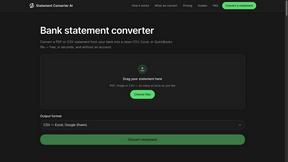
StatementConverterAI
Convert a bank statement PDF or CSV into clean CSV, Excel, or QuickBooks — no account needed.

JevModel
Run Choice, Score and Noul decisions on text or JSON. Build visual flows, process batches and integrate results through an API.

Tally Counter
Online tally counter for tracking attendance, workouts, inventory, visitors, sports scores, habits, and everyday counting tasks.
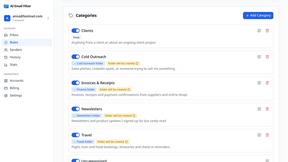
AI Email Filter
AI Email Filter sorts incoming mail into folders using plain-language prompts you write. Works with any IMAP mailbox; bring your own LLM if you want.

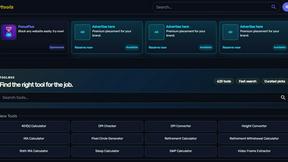
Kody Tools
Free collection of online developer utilities, code formatters, and digital converters designed to streamline your daily workflow.

Forms Plugin
The #1 Native Form Builder Plugin for Framer - No Code, No Embeds, No External Platforms.
JsonTranslate
Translate JSON, Markdown, and TXT files while preserving keys, nested paths, and project structure.

Product Launch Checklist
A free launch checklist for SaaS, apps, AI tools and more. Every step says why it matters and when you can skip it.
About Tagada Alternatives
You’ve discovered a tool that changes how you interact with your inbox, but you may be wondering what else is out there. Tagada is a powerful browser extension designed to transform how you read and reply to emails in Gmail, fitting squarely into the productivity and management category. It parses incoming emails into clickable sentences, allowing you to highlight, tag, and organize key points locally, then generates a clean reply template—all without sending your data to the cloud. While Tagada offers a unique blend of privacy and structured reply generation, users often look for alternatives due to differing pricing models, the need for integration with other email platforms, or a desire for additional collaboration features not covered by a single-extension approach. When searching for an alternative, it’s essential to focus on what truly empowers your workflow. Look for solutions that prioritize data security and local processing if privacy is your top concern, or consider tools that offer deeper integration with team communication and project management if you’re part of a support team or consultancy. Evaluate how well the alternative handles long email threads, whether it provides customizable categorization, and if its reply generation saves you meaningful time without forcing you to learn a completely new interface. The best choice will not only cut your response time but also give you full ownership over your email data, helping you reply faster and more clearly every single day.
FAQs about Tagada Alternatives
What is Tagada?
Tagada is a browser extension that transforms how you read and reply to emails in Gmail. Instead of writing replies in colored text inside the original message, it parses incoming emails into clickable sentences you can highlight, tag, and organize by category in a single click. It then generates a clean reply template built around the points that matter, helping you respond faster and more clearly. All processing happens 100% locally, meaning no AI, no cloud, and no third-party servers ever access your data.
Who is Tagada for?
Tagada is ideal for professionals, support teams, freelancers, consultants, and anyone managing long email threads. It is designed for users who need to cut response time, structure their replies, and keep their data fully private. Whether you handle dozens of client inquiries daily or manage complex project discussions, Tagada helps you organize key points without leaving Gmail. It is especially valuable for those who want a local, private alternative to cloud-based email assistants.
Is Tagada free?
The provided content does not specify a pricing model, so you should check the official Tagada website or extension listing for the most current pricing information. However, Tagada is described as a browser extension that works directly inside Gmail with no new tool to learn. If you are evaluating it, consider that its value comes from eliminating cloud costs and third-party data processing while boosting your reply efficiency.
What are the main features of Tagada?
Tagada offers instant parsing of emails into selectable sentences, one-click highlighting and tagging by category, and auto-generated reply templates built from your selections. All processing is 100% local with no AI, no cloud, and no third-party servers involved. It works directly inside Gmail, so there is no new tool to learn or separate interface to manage. These features combine to cut your response time and help you organize long email threads with complete privacy.