

Alternatives to Picture Enhancer
Turn blurry, small, or damaged photos into sharp, high-quality images instantly with Picture Enhancer's free AI tools in your browser.
Explore 20 alternatives to Picture Enhancer. Compare features, pricing, and find the best fit for your needs.
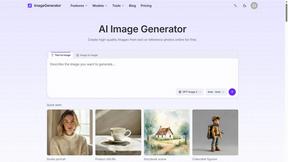
ImageGenerator
Create and edit AI images online with multiple models, text-to-image, image-to-image, background removal, and upscaling.
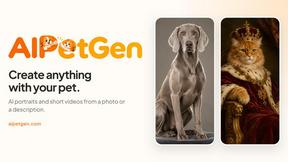
AIPetGen
AIPetGen turns a photo of your dog, cat, or other pet, or a written description, into a new picture or a short animation.

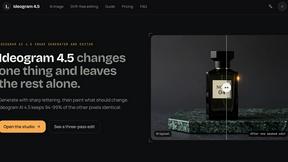
ideogram-45
AI image generation and editing with sharp typography, native 2K output, and localized edits that preserve the rest of your image.

ImageGPT
ImageGPT is an all-in-one AI creative platform for generating, editing and transforming images and videos using AI.
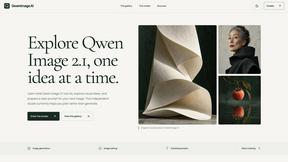
Qwen Image 2.1
Qwen Image 2.1 is a powerful AI model for text-to-image creation and image editing.

AI Album Cover Maker
Create release-ready album covers from a prompt or photo. Generate, refine, and export art for singles, EPs, mixtapes, and playlists.
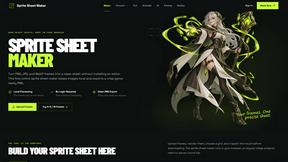
Sprite Sheet Maker
A free browser-based toolkit for creating, cutting, converting, and previewing sprite sheet animations.

Flux Lora
Explore Flux LoRA online workflows in a browser-based AI Studio, with a roadmap for dedicated models, generation, and guided training.
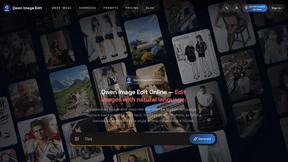
Qwen Image Edit
Prompt-based Qwen Image editing and generation for backgrounds, text, product visuals, posters, and outpainting.
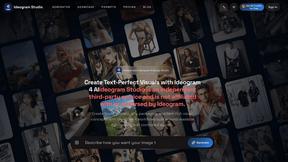
Ideogram Studio
Ideogram Studio creates typography-rich images, logos, posters, ads, packaging, and ecommerce visuals with Ideogram 4 AI.
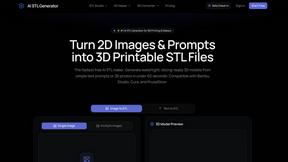
AI STL Generator
The fastest AI STL generator to turn prompts and images into 3D printable STL files.

AIEnhancer
Enhance photos, create images, and generate videos with an all-in-one AI enhancer for flexible creative workflows.
Vynzo
AI image and video studio. Generate from a prompt, animate stills, swap faces, restyle clips and edit — one credit pool, no subscription.

VidRush AI
AI-powered long video generator. Create multi-modal AI videos by combining images, video, audio, and text.

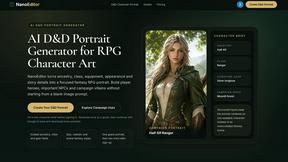
Nano Editor
NanoEditor is an AI-powered D&D portrait generator that turns character details like ancestry, class and gear into focused fantasy RPG art.
Video2Jpg
Convert video to JPG, PNG, or WebP frames in your browser. High-quality video to image converter with no uploads—fast, private, and free.
About Picture Enhancer Alternatives
Picture Enhancer is a free, browser-based AI tool that transforms blurry, low-resolution, or damaged photos into sharp, high-quality images. It belongs to the image generation and enhancement category, offering deblurring, upscaling, and restoration features with three intensity levels. Users often seek alternatives when they hit the free trial limit of three lifetime tries per IP, or when they need advanced capabilities like batch processing beyond ten images, higher credit limits, or different pricing models that better fit their workflow. Others might look for options that integrate with specific platforms, offer offline functionality, or provide more granular control over enhancement parameters. When choosing an alternative, focus on what truly empowers your creative process. Look for tools that offer transparent pricing with no hidden charges, a clear success-based billing model, and the ability to preview results before committing credits. Prioritize platforms that support multiple file formats, provide adjustable intensity settings, and ensure your uploaded images remain private and secure. The best choice will align with your specific needs—whether that’s handling large batches for e-commerce listings, restoring cherished family photos, or polishing social media visuals—without requiring complex software installations or sacrificing quality.
FAQs about Picture Enhancer Alternatives
What is Picture Enhancer?
Picture Enhancer is a free online AI photo enhancer that lets you deblur, upscale, and restore images directly in your browser with no software installation required. You simply upload a JPG, PNG, or WebP photo, choose an enhancement type and intensity level, then preview the before-and-after result before downloading a watermark-free image. It uses artificial intelligence to automatically improve image quality for sharper, more professional-looking photos.
Is Picture Enhancer free?
Yes, Picture Enhancer offers a free tier where guests receive three lifetime tries per IP address with no signup required. After using those tries, you can sign in to use credits, and new accounts receive starter credits to begin enhancing. Credits are only charged when a job succeeds, with standard enhancements costing 2 credits, strong costing 4, and super costing 6. Paid plans are available for users who need more credits or batch processing capabilities.
Who is Picture Enhancer for?
Picture Enhancer is designed for creators, sellers, and everyday users who need sharper images quickly and easily. It is ideal for social media posts, e-commerce product listings, screenshots, and family photos where image quality matters. Whether you are a small business owner enhancing product images, a content creator polishing visuals, or someone restoring old memories, the tool provides professional-grade results without technical expertise.
What are the main features of Picture Enhancer?
Picture Enhancer offers three core enhancement types: Deblur to sharpen blurry images, Upscale to increase resolution, and Restore to repair damaged or low-quality photos. Each type has three intensity levels—Standard, Strong, and Super—so you can control how much enhancement is applied. You can preview the before-and-after result before downloading, and all outputs are watermark-free. Paid users unlock Super intensity tiers and batch enhancement for up to ten images at once.