

Alternatives to MacBrightness
Unlock your Mac's hidden brightness range to get up to 1,600 nits for clear, readable screens in direct sunlight.
Explore 20 alternatives to MacBrightness. Compare features, pricing, and find the best fit for your needs.
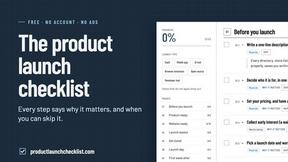
Product Launch Checklist
A free launch checklist for SaaS, apps, AI tools and more. Every step says why it matters and when you can skip it.

Flux Lora
Explore Flux LoRA online workflows in a browser-based AI Studio, with a roadmap for dedicated models, generation, and guided training.
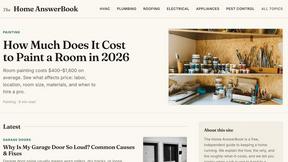
HomeAnswerBook
Practical, independent guides to home repairs, maintenance, costs, troubleshooting, and everyday fixes.
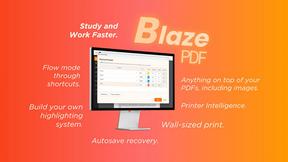
BlazePDF
Highlight faster. Study in flow with custom shortcuts and a workflow built around you. Print smarter, or turn any page into a tiled poster.
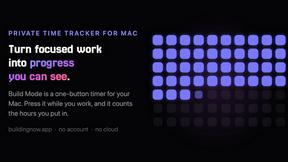
Build Mode for Mac
Build Mode is a Mac app that turns focused sessions into visible progress, so you can see the work adding up before the results arrive.



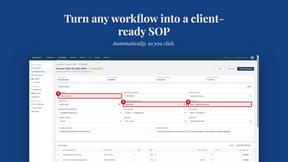
MySOP.guru
Capture any workflow in your browser and export a branded, step-by-step SOP with screenshots. €5 per document, no subscription.

PerPageFax
PerPageFax lets you send a fax online from any browser for a flat $0.50 per page — no account, no subscription, no fax machine.



Glanced
Follow news, blogs, newsletters, and podcasts in a free RSS reader, with AI summaries, top stories, full-text search, saved searches, and a catalog.

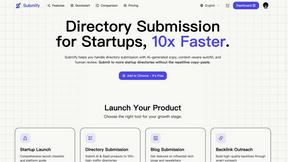
Submify
Directory submission platform with AI-assisted copy, autofill, workflow tracking, and human review.
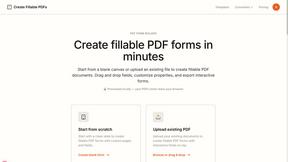
Create Fillable PDFs
Create interactive PDF forms quickly and easily online. Add text fields, checkboxes, dropdowns, and signatures to any PDF.



About MacBrightness Alternatives
MacBrightness is a specialized utility tool in the Productivity & Management category, designed to push the brightness limits of your MacBook Pro or Pro Display XDR beyond the standard macOS cap. It unlocks the hidden HDR brightness range of your mini-LED display, allowing your screen to reach nearly double its normal luminance, which makes it readable in direct sunlight or bright environments. While this tool is powerful for users who work outdoors or near windows, people often look for alternatives due to pricing concerns, a desire for a subscription-free model, or compatibility issues with older Macs that lack the required mini-LED hardware. Others may seek different solutions because they need brightness control across multiple monitors or prefer a tool that offers additional display customization features. When searching for an alternative, you should prioritize solutions that deliver true system-wide brightness enhancement rather than just toggling HDR for specific apps. Look for tools that integrate seamlessly with your existing keyboard shortcuts, ensuring no learning curve or complex setup. It is also critical to choose software that operates with minimal CPU overhead and avoids low-level system hacks, as this preserves battery life and system stability. Finally, verify that any alternative explicitly supports your specific Mac model and display technology, as the ability to boost brightness depends on the hardware’s native HDR capabilities, not just software promises.
FAQs about MacBrightness Alternatives
What is MacBrightness?
MacBrightness is a utility tool that unlocks the hidden HDR brightness range on your MacBook Pro or Pro Display XDR, allowing your screen to reach nearly twice the standard brightness. It works system-wide in every app, not just for HDR video, and integrates with your existing brightness keys for seamless control. This makes your display readable in direct sunlight, on a patio, or next to a bright window.
Who is MacBrightness for?
MacBrightness is designed for professionals and everyday users who work on their Mac in bright environments, such as outdoor patios, near large windows, or on airplanes. It is specifically for owners of MacBook Pro 14-inch and 16-inch models with M-series Pro or Max chips, as well as users of the Pro Display XDR. If you rely on your screen in sunlight and want to push past macOS's default brightness limit, this tool is for you.
Is MacBrightness free?
MacBrightness offers a free trial in Splitscreen Mode, where one half of your screen jumps to full brightness so you can see the difference side by side. To unlock the whole screen permanently, you make a one-time purchase with no subscription fees. This allows you to test the feature risk-free before committing.
What are the main features of MacBrightness?
MacBrightness provides system-wide brightness boosting up to twice the standard limit, using the HDR range your display already supports. It works with your existing keyboard shortcuts, meaning no new shortcuts to learn, and operates with no noticeable CPU overhead or low-level system hacks. The result is a screen that remains readable in direct sunlight, across all applications.