

MacBrightness
Unlock your Mac's hidden brightness range to get up to 1,600 nits for clear, readable screens in direct sunlight.
AI tool Details
Explore More
Alternatives

About MacBrightness
MacBrightness is a transformative utility app designed specifically for MacBook Pro users who refuse to let a bright environment dictate where they can work. This software unlocks the hidden brightness potential of your Mac’s display, allowing it to reach up to 1,600 nits of sustained brightness, nearly double what macOS typically permits. The core value proposition is simple yet powerful: your MacBook Pro already has the hardware capability to be significantly brighter, but macOS artificially caps this range for everyday use, reserving the full brightness only for HDR video content. MacBrightness removes that limitation, making the full brightness range available system-wide, in every application, using the exact same brightness keys you already use daily. This means you can work comfortably on a sunny patio, by a bright window, or on an airplane without squinting or searching for shade. The app is built for professionals, travelers, remote workers, and anyone who values productivity and comfort regardless of their lighting conditions. It requires no complex setup, no new shortcuts to learn, and no account creation. With a one-time purchase model and no subscription fees, MacBrightness delivers a permanent, hardware-safe enhancement that your Mac won’t even notice running, as it simply accesses the brightness range your display already supports for HDR content. The free trial offers a unique Splitscreen Mode where half your screen jumps to full brightness so you can see the dramatic difference side by side before committing to the full unlock.
Features
Unlock Hidden Brightness Range
MacBrightness allows your MacBook Pro to reach up to 1,600 nits of sustained brightness, effectively doubling the maximum brightness macOS normally allows. This hidden range is already supported by your display’s hardware for HDR content, but MacBrightness makes it available for every application you use, from web browsing and document editing to video conferencing and design work. The result is a screen that remains sharp, vibrant, and readable even in direct sunlight, transforming your outdoor workspace from a frustrating limitation into a liberating advantage.
Works with Your Existing Brightness Keys
No new shortcuts, menu bar hunting, or complex configurations are required. MacBrightness integrates seamlessly with the brightness keys you already use on your MacBook Pro keyboard. Simply press the brightness up key past the old maximum limit, and the entire screen continues to brighten across the full, newly unlocked range. This intuitive design means there is zero learning curve, and you can adjust your brightness exactly as you always have, just with twice the range and twice the impact.
System-Wide Brightness for Every App
Unlike macOS which reserves maximum brightness exclusively for HDR video playback, MacBrightness applies the full brightness range to every application on your system. Whether you are editing a spreadsheet, coding in an IDE, browsing the web, or reading an email, the entire screen benefits from the enhanced brightness. This system-wide approach ensures that no matter what task you are performing, your display remains readable and comfortable in challenging lighting conditions, eliminating the frustration of having a bright screen only for certain types of content.
Zero Performance Overhead and No Low-Level Hacks
MacBrightness is engineered to be incredibly lightweight and efficient. It introduces no noticeable CPU overhead, meaning your Mac’s performance for other tasks remains completely unaffected. Furthermore, it operates without any low-level system hacks or risky modifications. The app simply opens the brightness range that your display already keeps available for HDR content, making it a safe, reliable, and hardware-aware solution. Your Mac won’t even notice MacBrightness is running, but you will certainly notice the difference on your screen.
Use Cases
Outdoor Work and Remote Productivity
For professionals who work from coffee shop patios, park benches, or their own balconies, MacBrightness is transformative. Direct sunlight typically turns a MacBook screen into a reflective mirror, making it nearly impossible to read text or see details. With MacBrightness, your screen cuts through the glare, keeping your work sharp and readable. This empowers you to choose your workspace based on inspiration and comfort, not on the availability of shade, giving you the freedom to be productive anywhere the sun shines.
Travel and Commuting
Frequent travelers and commuters often face unpredictable lighting conditions, from the bright ambient light of an airplane cabin to the harsh sun streaming through a train window. MacBrightness ensures your screen remains consistently readable throughout your journey. You no longer need to tilt your laptop awkwardly or wait for the plane to turn to see your work. The app adapts to your environment, giving you a clear, bright display that keeps you productive from takeoff to landing, or from the first stop to the last.
Design and Creative Work in Varied Lighting
Designers, photographers, and video editors often need to review their work in different lighting conditions to ensure color accuracy and visibility. With MacBrightness, you can instantly boost your screen’s brightness to see details in shadows or highlights that would otherwise be washed out by ambient light. This is particularly valuable for on-location shoots, client meetings in bright conference rooms, or reviewing portfolios outdoors. The extra brightness range gives you greater confidence in your visual work, regardless of where you are viewing it.
Remote Standups and Video Calls
Taking video calls from a bright room or near a window can leave your screen looking dim and washed out to you, even if your camera exposure is fine. MacBrightness ensures that you can see your colleagues’ faces, shared screens, and presentation materials clearly, even when the sun is streaming in behind you. This makes remote standups, client calls, and virtual meetings more effective and less straining on your eyes, allowing you to stay engaged and professional from any location in your home or office.
Frequently Asked Questions
Is MacBrightness safe for my MacBook Pro display?
Yes, MacBrightness is completely safe. It does not push your display beyond its hardware specifications. The brightness range it unlocks is already supported by your MacBook Pro’s mini-LED panel for HDR content. The app simply makes that existing, hardware-supported range available for all applications, not just HDR video. There are no low-level hacks or overclocking involved, and the app has no noticeable impact on system performance or battery life during normal use.
Which Mac models are compatible with MacBrightness?
MacBrightness is designed for MacBook Pro 14-inch and 16-inch models with M-series Pro or Max chips. It also works with the Pro Display XDR. These models feature mini-LED panels that are capable of sustaining around 1,600 nits of brightness. Other Mac models with standard LED displays do not have the same hardware brightness range and are not supported. The app requires macOS 13 or later to function correctly.
How does the free trial work?
When you download and open MacBrightness, it launches in Splitscreen Mode. In this mode, one half of your screen jumps to full, unlocked brightness while the other half remains at the standard macOS brightness level. This allows you to see the dramatic difference side by side, directly on your own display. The Splitscreen Mode is completely free and remains active for as long as you like. To unlock full brightness across the entire screen, you purchase a one-time license.
Is there a subscription fee for MacBrightness?
No, MacBrightness uses a one-time purchase model with no subscription fees. Once you purchase a license, you permanently unlock the full brightness range across your entire screen for all applications. There are no recurring charges, no hidden fees, and no account required. The free trial gives you a genuine, unlimited preview of the difference, and the full product is a simple, affordable, and permanent upgrade to your MacBook Pro experience.
Similar to MacBrightness
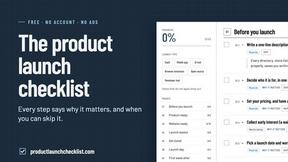
Product Launch Checklist
A free launch checklist for SaaS, apps, AI tools and more. Every step says why it matters and when you can skip it.

Flux Lora
Explore Flux LoRA online workflows in a browser-based AI Studio, with a roadmap for dedicated models, generation, and guided training.

HomeAnswerBook
Practical, independent guides to home repairs, maintenance, costs, troubleshooting, and everyday fixes.
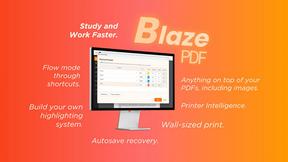
BlazePDF
Highlight faster. Study in flow with custom shortcuts and a workflow built around you. Print smarter, or turn any page into a tiled poster.
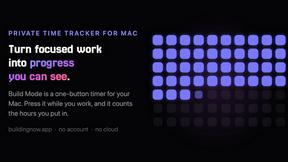
Build Mode for Mac
Build Mode is a Mac app that turns focused sessions into visible progress, so you can see the work adding up before the results arrive.


