

Alternatives to Gemini Omni AI Video Generator
Turn your ideas into cinematic 4K videos with Gemini Omni, the unified AI that generates, edits, and remixes clips with built-in audio.
Explore 20 alternatives to Gemini Omni AI Video Generator. Compare features, pricing, and find the best fit for your needs.

VidRush AI
AI-powered long video generator. Create multi-modal AI videos by combining images, video, audio, and text.

Pixo
Pixo is an AI video director that turns a prompt or script into a storyboard, consistent scenes, voiceover, and an edited final cut.

Video2Jpg
Convert video to JPG, PNG, or WebP frames in your browser. High-quality video to image converter with no uploads—fast, private, and free.
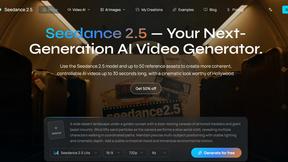
Seedance 2.5
Seedance 2.5 is a multimodal AI video generator by ByteDance for 30-second, high-fidelity cinematic video creation and AI video editing.

Free Gemini Omni
Create, remix, and edit cinematic AI videos online with text, image, audio, and video prompts.

Seedance 2.5 Free
Create polished AI videos from text prompts or images with Seedance 2.5 Free.

Tikdek
Tikdek creates AI videos and images from prompts, images, or references in one browser workflow, with stable APIs for scalable production.

PerchanceAI
PerchanceAI is an AI creative studio for image generation, editing, background removal, product photos, and image-to-video creation.


VideoAny BE
Create AI videos from text or images, generate images and audio in one online studio.

VideoAny BR
Create AI videos from text or images, generate images and audio in one online studio.


UGCad AI
AI UGC video ad Generator which Turn a URL, prompt, or template into a ready video ads

StopScroll
StopScroll helps YouTube creators generate AI thumbnails and improve images for higher-click videos.
HubVanta
HubVanta is a multilingual AI workspace for image, video, audio, and text generation tools.

DeepFake
Transform your creative vision into professional deepfake videos, images, and music with ethical AI tools in one powerful studio.

VideoAny PL
Transform your creative workflow by generating cinematic AI videos, stunning images, and professional audio from text or photos on one powerful.

Muse AI
Muse AI transforms your text or photo into a share-ready video clip in seconds, empowering you to create compelling content for free.

Best Face Swap
Best Face Swap transforms your photos and videos with powerful AI, empowering you to create seamless, professional-quality face swaps in seconds.
About Gemini Omni AI Video Generator Alternatives
The AI video landscape is exploding with possibility, and Gemini Omni AI Video Generator stands at the forefront as Google’s revolutionary unified omni-model. It shatters the old workflow by merging text, image, and video generation into a single, conversational system, allowing you to craft cinematic 4K clips at up to 120fps without ever switching tools. Yet, even the most powerful tools aren’t perfect for every creator. You might be exploring alternatives due to specific budget constraints, a need for a different creative workflow, or a desire for features that align more closely with your unique production pipeline, such as specialized motion graphics or a different approach to character animation. When searching for the right alternative, the key is to focus on your transformation as a creator. Look for a platform that not only matches your technical requirements—like resolution, frame rate, and editing capabilities—but also empowers your creative vision. Prioritize tools that offer intuitive interfaces, robust community support, and a clear path for growth. The best alternative will feel like an extension of your own imagination, removing friction and allowing you to spend less time on technical hurdles and more time bringing your stories to life. Your goal is to find a partner in creation, not just a piece of software.
FAQs about Gemini Omni AI Video Generator Alternatives
What is Gemini Omni AI Video Generator?
Gemini Omni AI Video Generator is Google's first unified omni-model for native video output, merging text, image, and video generation into a single conversational system. Unlike standalone AI video generators that handle only one modality, Gemini Omni allows you to generate, remix, edit, and rewrite video scenes directly in chat without switching between different tools. It delivers native 4K resolution at up to 120fps with persistent world-state memory for consistent character appearances and integrated audio synthesis.
Who is Gemini Omni AI Video Generator for?
Gemini Omni AI Video Generator is designed for creators, filmmakers, and content producers who want to streamline their video production workflow by eliminating tool-switching. It is ideal for professionals and hobbyists alike who need to generate, edit, and remix cinematic video clips using natural language commands. The platform also serves early adopters and innovators who want to harness cutting-edge omni-model capabilities alongside existing models like Veo 3.1 and Seedance 2.0 through the provided studio tools.
Is Gemini Omni AI Video Generator free?
The provided product description does not specify a free tier or pricing model for Gemini Omni AI Video Generator. The platform is described as offering a studio with early access tools, prompt guides, and a hands-on workspace, which suggests it may be available through a developer preview or subscription-based access. For the most accurate and current pricing information, users should refer to the official Google Gemini Omni product page or documentation.
What are the main features of Gemini Omni AI Video Generator?
The main features include native 4K video generation at up to 120fps, in-chat video editing and remixing through natural language, and persistent world-state memory for maintaining character consistency across scenes. It also offers integrated Foley and dialogue synthesis that happens in a single diffusion pass, eliminating the need for separate audio tools. Additionally, the platform provides a studio with early access tools, prompt guides, and a workspace for creators to experiment with both Gemini Omni and other models like Veo 3.1.