

AI tool Details
Explore More
Alternatives
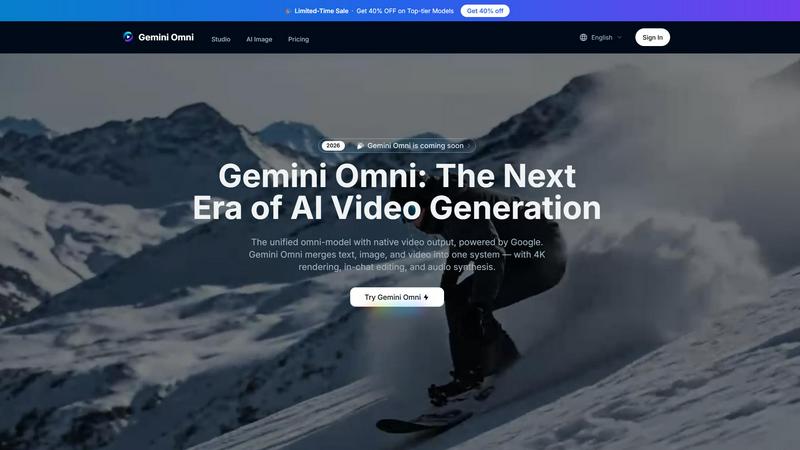
About Gemini Omni AI Video Generator
Gemini Omni AI Video Generator is Google's first unified omni-model, a revolutionary platform that merges text, image, and video generation into one conversational system. Unlike standalone AI video generators that handle a single modality, Gemini Omni lets you generate, remix, edit, and rewrite video scenes directly in chat with no tool-switching required. This product is built for creators of all levels: solo content creators, marketing professionals, film and VFX artists, and production studios who want to transform their vision into polished, cinematic video content without complex software. The platform delivers native 4K resolution at up to 120fps, persistent world-state memory for character consistency, in-chat video editing via natural language, and integrated Foley and dialogue synthesis in a single diffusion pass. Whether you are animating a napkin sketch, creating a digital avatar that mirrors your face and voice, or generating a historical scene with built-in world knowledge, Gemini Omni empowers you to create with unprecedented speed and accuracy. With access to cutting-edge models like Veo 3.1 and Seedance 2.0, plus a hands-on studio workspace, this is the new era of video creation where your imagination is the only limit.
Features
Unified Omni-Model Architecture
Gemini Omni is natively multimodal from the ground up, meaning you can feed it text, images, video clips, or audio and get polished video back. One unified model handles every input type with no tool-chaining or separate pipelines required. This eliminates the friction of switching between different AI tools, allowing you to maintain creative flow and focus on your vision.
In-Chat Video Editing via Natural Language
You can remix clips, swap objects, remove watermarks, and rewrite entire scenes through simple natural language instructions directly in the chat interface. No external software or complex editing suites are needed. This feature transforms video editing from a technical skill into an intuitive conversation, making professional-grade editing accessible to everyone.
AI Avatars with Persistent Identity
Gemini Omni creates a digital avatar that mirrors your face and voice from a single photo. This avatar maintains consistent likeness across every video you generate, even through dramatic camera moves and scene changes. Use it in presentations, social content, or storytelling projects with the confidence that your identity remains authentic and recognizable.
Integrated Foley and Dialogue Synthesis
Sound effects, ambient noise, and spoken dialogue are generated natively alongside the video in a single diffusion pass. This eliminates the need for a separate sound-design step, saving you hours of post-production work. The audio is perfectly synchronized with the visuals, creating a cohesive and immersive experience from the moment you hit generate.
Use Cases
Ad and Text Animation
Drop a script into Gemini Omni and watch as each word is delivered with a unique animated style, perfectly paced to a rhythm. Create scroll-stopping ad sizzle reels where bold typography does the selling, all without needing After Effects or other complex animation tools. This use case empowers marketers and advertisers to produce high-impact content in minutes.
Film and VFX Magic
Transform a mirror into rippling liquid or shift an arm to reflective chrome in the same shot with a single touch. Gemini Omni handles complex material changes and visual effects that would traditionally require hours of manual compositing. Filmmakers and VFX artists can iterate rapidly, experimenting with surreal and cinematic concepts that push creative boundaries.
Sketch-to-Video Creation
Feed Gemini Omni a napkin sketch or a rough wireframe and get back a fully animated scene. Hand-drawn strokes become camera-ready motion with no polished artwork required to start creating. This use case is perfect for storyboard artists, educators, and anyone who wants to bring rough ideas to life quickly and visually.
Historical and Scientific Visualization
Leverage Gemini Omni's built-in world knowledge of history, science, and cultural context to produce accurate and meaningful scenes. Prompt a 1920s jazz club or a cellular mitosis sequence and the details are already there, rendered with authenticity. This use case is invaluable for educators, documentary creators, and researchers who need visually compelling and factually accurate content.
Pricing
Limited-Time Sale: Get 40% OFF on Top-tier Models. Prices have been reduced on Omni models so you can create more for less. Specific plan details and tier costs are available on the platform's pricing page after signing in. The platform offers multiple quality selections including Lite, Fast, and Flash modes, each with different performance and cost considerations. Flash mode supports image, audio, and video inputs for enhanced multimodal generation.
Frequently Asked Questions
What is the maximum video duration I can generate with Gemini Omni?
Gemini Omni can generate continuous clips up to 10 seconds in length. For longer sequences, you can generate multiple clips and seamlessly combine them using the in-chat editing features. The platform is optimized for high-quality output within this duration, ensuring cinematic-grade results every time.
What video resolutions and frame rates are supported?
Gemini Omni supports native 4K resolution at up to 120fps, as well as 1080P and 720P options. The 4K and 1080P settings offer the highest quality but may take longer to generate. You can select the resolution that best fits your project needs, from quick social media clips to high-end cinematic content.
Can I use my own images or video clips as input?
Yes, Gemini Omni supports multimodal input including text, images, audio, and video clips. You can upload portraits, product shots, storyboard frames, or any visual reference. The model locks onto facial geometry and object details, ensuring every generated frame stays true to your source material even through dramatic camera moves.
Is there a free trial available for Gemini Omni?
Yes, you can try Gemini Omni for free by signing in to the platform. The free trial allows you to explore the core generation capabilities and experience the unified omni-model firsthand. For extended use and access to premium features like 4K resolution and advanced editing, you can explore the available pricing plans.
Similar to Gemini Omni AI Video Generator
VidRush AI
AI-powered long video generator. Create multi-modal AI videos by combining images, video, audio, and text.
Video2Jpg
Convert video to JPG, PNG, or WebP frames in your browser. High-quality video to image converter with no uploads—fast, private, and free.
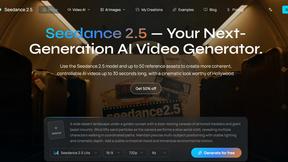
Seedance 2.5
Seedance 2.5 is a multimodal AI video generator by ByteDance for 30-second, high-fidelity cinematic video creation and AI video editing.

Free Gemini Omni
Create, remix, and edit cinematic AI videos online with text, image, audio, and video prompts.

Seedance 2.5 Free
Create polished AI videos from text prompts or images with Seedance 2.5 Free.


PerchanceAI
PerchanceAI is an AI creative studio for image generation, editing, background removal, product photos, and image-to-video creation.