

Alternatives to EditTextImage
EditTextImage lets you replace text in any image online while perfectly preserving the original font, color, lighting, and perspective.
Explore 20 alternatives to EditTextImage. Compare features, pricing, and find the best fit for your needs.
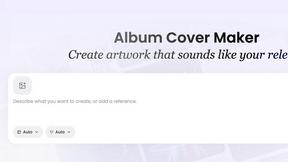
AI Album Cover Maker
Create release-ready album covers from a prompt or photo. Generate, refine, and export art for singles, EPs, mixtapes, and playlists.
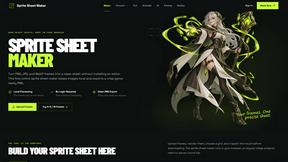
Sprite Sheet Maker
A free browser-based toolkit for creating, cutting, converting, and previewing sprite sheet animations.
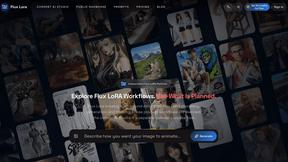
Flux Lora
Explore Flux LoRA online workflows in a browser-based AI Studio, with a roadmap for dedicated models, generation, and guided training.
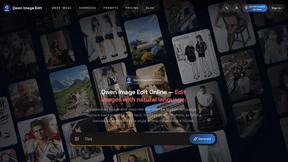
Qwen Image Edit
Prompt-based Qwen Image editing and generation for backgrounds, text, product visuals, posters, and outpainting.
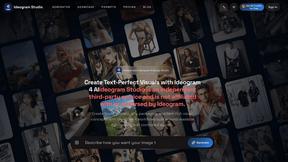
Ideogram Studio
Ideogram Studio creates typography-rich images, logos, posters, ads, packaging, and ecommerce visuals with Ideogram 4 AI.
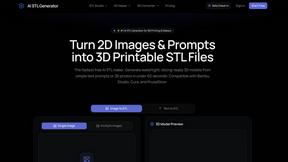
AI STL Generator
The fastest AI STL generator to turn prompts and images into 3D printable STL files.

AIEnhancer
Enhance photos, create images, and generate videos with an all-in-one AI enhancer for flexible creative workflows.
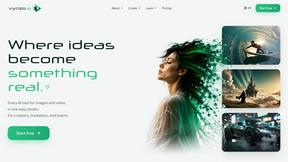
Vynzo
AI image and video studio. Generate from a prompt, animate stills, swap faces, restyle clips and edit — one credit pool, no subscription.
VidRush AI
AI-powered long video generator. Create multi-modal AI videos by combining images, video, audio, and text.

Nano Editor
NanoEditor is an AI-powered D&D portrait generator that turns character details like ancestry, class and gear into focused fantasy RPG art.
Video2Jpg
Convert video to JPG, PNG, or WebP frames in your browser. High-quality video to image converter with no uploads—fast, private, and free.
Vismuse
Create polished AI images and videos from prompts or references for social posts, ads, flyers, album covers, and campaigns.
GPT Image 2 API
Production-ready image generation and editing with GPT Image 2 API for creators, marketers, and developers.
Tikdek
Tikdek creates AI videos and images from prompts, images, or references in one browser workflow, with stable APIs for scalable production.
Imagine2
Private browser-based AI image generation and editing with text-to-image, targeted edits, and multi-image references.
PerchanceAI
PerchanceAI is an AI creative studio for image generation, editing, background removal, product photos, and image-to-video creation.
Perchance AI Image Generator
Free Perchance AI Image Generator that runs in your browser. Multi-model text-to-image with no account required.
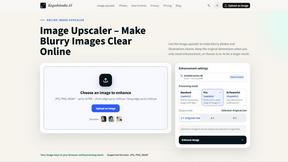
Kogashitsuka AI
An online AI image tool that enhances photos and illustrations at their original size or upscales them by 2x or 4x.
About EditTextImage Alternatives
SECTION 1 - ALTERNATIVES INTRO EditTextImage is a specialized AI-powered tool in the image generation and editing category that lets you replace text within an existing image while preserving the original font, color, layout, and even drop shadows or perspective. It eliminates the need for design software like Photoshop or Canva, allowing you to fix typos, swap dates, or test headlines on finished images in about ten seconds. Users commonly look for alternatives when they need more than a one-off edit, require bulk processing capabilities, or want a solution that integrates with their existing workflow for team collaboration or automated tasks. Some may also be seeking a free tier with more than a single complimentary edit, or a subscription model that offers unlimited changes rather than a pay-per-edit structure. When choosing an alternative, focus on the core capability that matters most: the accuracy of font and style replication from pixels. Look for tools that handle complex typography like hand-lettering, paid fonts, and curved or skewed text without requiring you to upload font files. Consider the output resolution, speed of processing, and whether the tool supports multiple image formats and batch editing. Also evaluate the pricing model carefully—some alternatives offer monthly subscriptions with unlimited edits, while others charge per edit or per project. Finally, check for security and privacy policies, especially if you plan to upload sensitive images like product shots or branded materials. The right alternative will empower you to make text changes fearlessly, knowing the final result will look as if it came from the original design file.
FAQs about EditTextImage Alternatives
What is EditTextImage?
EditTextImage is an AI-powered online tool that lets you edit text in any image while perfectly preserving the original font, color, layout, drop shadow, and perspective. It works by sampling the typeface directly from the pixels, so it can handle paid fonts and hand-lettering you don't have installed. The entire process takes about ten seconds and outputs at 2K resolution, requiring no Photoshop, font files, or subscriptions.
Who is EditTextImage for?
EditTextImage is designed for anyone who needs to make quick text changes on finished images without access to the original design files. This includes marketers A/B testing headlines on product photos, social media managers fixing typos on posters, designers updating dates on banners, and business owners editing screenshots or certificates. It is ideal for non-designers who want professional results in seconds, as well as experienced designers who need a fast workflow without launching heavy software.
Is EditTextImage free?
Yes, EditTextImage offers a free first edit with no credit card required. After that, it operates on a one-time payment model of $9.90 for 30 edits, meaning you pay only for what you use rather than a recurring subscription. This makes it a cost-effective solution for occasional text replacement needs without locking you into a monthly fee.
What are the main features of EditTextImage?
The core feature is AI-driven text replacement that samples typography directly from image pixels, preserving the exact font, color, size, and spatial layout including perspective and drop shadows. It requires no font installation or design software, processes edits in about ten seconds, and outputs at 2K resolution. The tool also handles paid fonts, hand-lettering, and complex styling automatically, making it ideal for fixing typos, swapping dates, or testing headline variations on finished images.