

Alternatives to archmaster
Transform any room or building into a photorealistic design in seconds with Archmaster's AI, no skills required.
Explore 5 alternatives to archmaster. Compare features, pricing, and find the best fit for your needs.
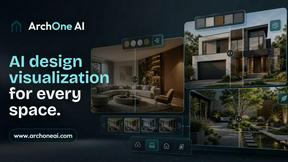
ArchOne AI
All-in-one AI spatial design visualization platform for interior, exterior and landscape design.

Kogashitsuka AI
An online AI image tool that enhances photos and illustrations at their original size or upscales them by 2x or 4x.

RoofReport
Upload your house photo and instantly preview real shingle colors from top brands for free with no signup required.
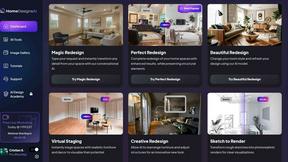
HomeDesignsAI
Transform any home or garden from a single photo with AI powered redesigns in under 30 seconds.
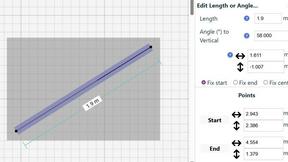
SimpleDraw
Transform your space with precise, professional floor plans created effortlessly in your browser.
About archmaster Alternatives
Archmaster has carved a distinct niche in the interior design world as a powerful AI tool that transforms ordinary photos into photorealistic architectural renders in seconds. It sits at the intersection of artificial intelligence and home renovation, allowing anyone from a curious homeowner to a professional architect to visualize a redesigned room, exterior facade, or kitchen layout without touching a single 3D modeling tool. However, many users begin searching for alternatives when they encounter specific limitations, whether that is a need for more granular control over the final image, a desire for different pricing models that fit a tight budget, or a requirement for features like collaborative editing or higher resolution outputs that a single platform may not fully satisfy. The key to finding the right alternative lies in identifying your primary transformation goal: if you need to animate a walkthrough, look for strong video capabilities; if you need to tweak a single cabinet color, prioritize platforms with robust edit and modify tools; and if you are on a team, ensure the alternative offers seamless sharing and version history. When evaluating alternatives, you should focus on the core promise of speed and photorealism that archmaster delivers, but also consider the depth of its style library and the ease of its upload process. The best replacement will empower you to move from a blank room to a stunning, magazine-worthy design in the same amount of time, but with the specific features you find lacking. Look for a tool that offers a similar one-click transformation experience while providing the flexibility to adjust lighting, materials, and furniture placement with precision. Ultimately, the right choice will make you feel in control of your renovation journey, turning your everyday spaces into the dream environments you have always envisioned, without the steep learning curve of professional software.
FAQs about archmaster Alternatives
What is archmaster?
Archmaster is an AI-powered interior design and architectural rendering platform that transforms photos of rooms, exteriors, and outdoor spaces into photorealistic designs. Users simply upload a photo and choose a style to receive a high-quality render in seconds, eliminating the need for complex 3D modeling or traditional design software. It leverages artificial intelligence to visualize renovations and new concepts for living spaces, kitchens, and building facades.
Who is archmaster for?
Archmaster is built for homeowners planning renovations, interior designers presenting concepts to clients, and architects creating visualizations for their projects. It is designed for anyone who wants to see a realistic preview of a redesigned space without requiring professional design skills or 3D modeling experience. The platform serves both casual users looking to redecorate a single room and professionals needing rapid visual prototypes.
Is archmaster free?
The provided content does not specify whether archmaster offers a free tier or a paid subscription model. To determine the current pricing structure, including any free trials or credits, users should visit the official archmaster website directly. Pricing often varies based on the number of renders, resolution quality, and access to advanced features like video walkthroughs or the AI Render Enhancer.
What are the main features of archmaster?
Archmaster includes a comprehensive suite of AI design tools such as Interior AI Design for rooms, Exterior & Facade Design for outdoor spaces, and Kitchen AI Design for visualizing countertops and layouts. It also offers a Sketch to Render feature for converting hand-drawn sketches into photorealistic images, an AI Render Enhancer to upscale and sharpen visualizations, and an Edit & Modify tool for inpainting specific areas. Additionally, it can animate renders into short walkthrough videos with the Architecture AI Video feature.