

TinyFast
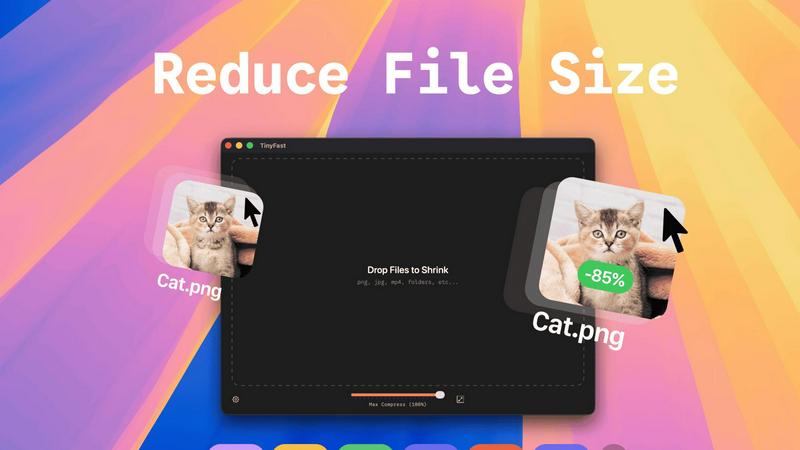
Shrink files instantly on your Mac with TinyFast, ensuring privacy and speed without uploads or waiting in queues.
About TinyFast
TinyFast is your ultimate Mac companion, designed to reclaim your precious time, valuable storage space, and peace of mind. This powerful, native macOS application allows you to compress a wide array of files—including images, videos, and documents—directly on your computer. With TinyFast, you can say goodbye to the cumbersome and often insecure process of uploading your sensitive assets to online servers. Instead, enjoy a seamless experience with its simple drag-and-drop interface that delivers blazing-fast file size reduction while ensuring your data remains safe on your device. Built specifically for developers, designers, creators, and professionals, TinyFast emphasizes security, speed, and workflow efficiency. This transformative tool empowers you to optimize your digital assets instantly, protect confidential work, and streamline your creative process—all from the safety of your own Mac. Stop waiting for slow online tools and start creating with TinyFast's local, instantaneous compression capabilities.
Features
Batch & Drag-Drop Shrink
With TinyFast, you can drop entire folders for optimization and receive the compressed output in mere seconds. This feature elevates your workflow by allowing you to process multiple files simultaneously, saving you both time and effort.
Blazing-Fast Compression
Experience the power of optimized native engines designed for speed. TinyFast enables you to shrink large files in seconds without the hassle of waiting for uploads and downloads. This ensures that your creative process remains uninterrupted and efficient.
Resize Resolution
TinyFast offers an automatic image and video resizing feature that allows you to set specific resolutions for your files. This ensures that you maintain control over the quality and size of your digital assets, making it easier to share or store them as needed.
100% Local & Private
Your privacy is paramount with TinyFast. Files never leave your machine, ensuring that sensitive information remains secure. There are no uploads or cloud servers involved, so you can compress with confidence knowing that your assets are protected by design.
Use Cases
Optimizing Images for Web Use
Photographers and web designers can use TinyFast to compress images without sacrificing quality. This is essential for improving website load times and enhancing user experience while keeping storage needs minimal.
Preparing Videos for Social Media
Content creators can effortlessly compress videos for social media platforms using TinyFast. The ability to quickly reduce file sizes allows for smooth uploads and ensures that videos retain their visual integrity without excessive processing times.
Streamlining Document Sharing
Professionals can leverage TinyFast to compress PDFs and other documents, making them easier to share via email or cloud storage. This feature is particularly useful for teams needing to collaborate efficiently without running into file size limitations.
Enhancing Workflow for Developers
Developers can incorporate TinyFast into their workflow to compress code files like CSS and JSON. By maintaining smaller file sizes, they can improve load times and optimize user experiences, all while ensuring their code is neatly organized and easy to manage.
Pricing
Free
Forever
Compress up to 5 files per day
Access all features
GET IN APP
It's Free
€17.99
Lifetime Plan
One-Time Unlock
Unlimited local Compressions
Access all features
Support Future Development
Lifetime Updates
GET IN APP
One Time Payment
3 DAY TRIAL, THEN
€2.99
/Month
Unlimited local Compressions
Access all features
Support Future Development
GET IN APP
Monthly Subscription
INCLUDES 3 DAY TRIAL
Get TinyFast on your Mac
Fast, local, and private file compression right on your Mac.
Download
Frequently Asked Questions
What file types does TinyFast support?
TinyFast supports a wide variety of file types, including images (PNG, JPG, TIFF, HEIC, WEBP, GIF, BMP, SVG), videos (MP4, MOV, M4V), documents (PDF, DOCX), code files (JS, CSS, JSON), and audio files (MP3).
Is my data safe when using TinyFast?
Absolutely! With TinyFast, your files remain on your device during the compression process. There are no uploads to external servers, ensuring total privacy by design.
Can I compress multiple files at once?
Yes, TinyFast allows you to use the batch and drag-drop feature, enabling you to drop entire folders for optimization. You'll receive the compressed output in seconds, making it incredibly efficient for your workflow.
Is there a trial version available for TinyFast?
Yes, TinyFast offers a free forever plan that allows you to compress up to 5 files per day. Additionally, you can opt for a monthly subscription with unlimited local compressions after a 3-day trial period.
Similar to TinyFast

AI Email Filter
AI Email Filter sorts incoming mail into folders using plain-language prompts you write. Works with any IMAP mailbox; bring your own LLM if you want.

Kody Tools
Free collection of online developer utilities, code formatters, and digital converters designed to streamline your daily workflow.

Sprite Sheet Maker
A free browser-based toolkit for creating, cutting, converting, and previewing sprite sheet animations.
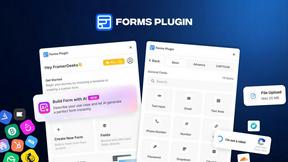
Forms Plugin
The #1 Native Form Builder Plugin for Framer - No Code, No Embeds, No External Platforms.
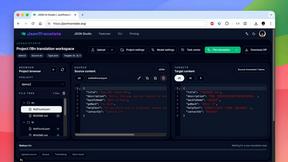
JsonTranslate
Translate JSON, Markdown, and TXT files while preserving keys, nested paths, and project structure.

Product Launch Checklist
A free launch checklist for SaaS, apps, AI tools and more. Every step says why it matters and when you can skip it.

Flux Lora
Explore Flux LoRA online workflows in a browser-based AI Studio, with a roadmap for dedicated models, generation, and guided training.

HomeAnswerBook
Practical, independent guides to home repairs, maintenance, costs, troubleshooting, and everyday fixes.