
Sketch To
Transform your photos into stunning sketches or animate your drawings instantly with Sketch To's powerful AI technology.
AI tool Details
Explore More
Alternatives
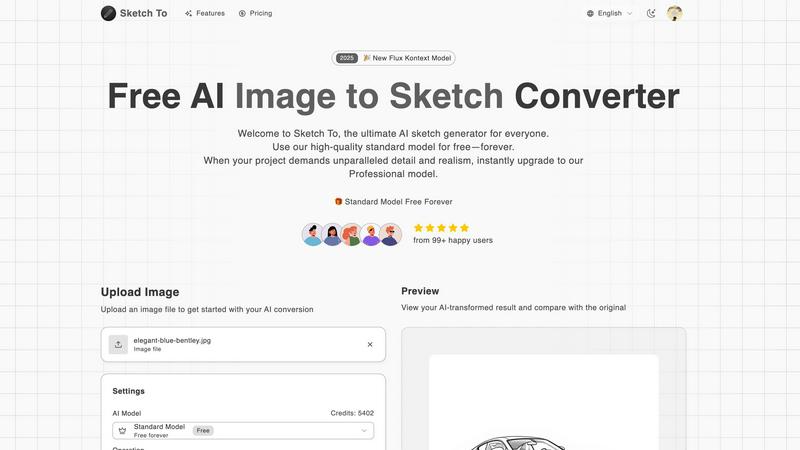
About Sketch To
Sketch To is an innovative AI-powered creative platform designed to turn your visual concepts into stunning realities. It caters to a wide audience, from beginners exploring their artistic potential to seasoned professionals seeking to enhance their portfolios. The core functionality of Sketch To lies in its ability to perform two remarkable transformations: it can convert any photograph into a beautifully detailed sketch and reverse that process, transforming simple drawings into lifelike images. This versatility opens up endless creative avenues for artists, designers, and hobbyists alike. The platform operates on a creator-first model, offering a powerful Standard Model for free that allows users to experiment with AI art for personal projects or social media. When a project requires a higher degree of detail, texture, and realism, users can seamlessly upgrade to the Professional Model. With no software installation required and a straightforward credit-based system for accessing pro features, Sketch To empowers creators to bring their artistic visions to life, transforming sketches into captivating art and photos into extraordinary sketches.
Features
Image to Sketch Conversion
Sketch To's image to sketch conversion feature utilizes advanced AI technology to transform photographs into stunning pencil sketches. This feature is ideal for artists and designers who want to create unique, artistic interpretations of their images, perfect for social media posts or creative projects.
Sketch to Image AI
With the sketch to image AI functionality, artists can convert their simple sketches into highly detailed and realistic images. This feature is particularly useful for professionals who wish to present their hand-drawn art in a polished and lifelike manner, enhancing the overall quality of their work.
Instant Processing
Sketch To boasts a powerful AI processing engine that guarantees instant image transformations. Users can upload their files and receive high-quality results within seconds, making it an efficient solution for those looking to produce artwork quickly without sacrificing quality.
High Resolution Output
The platform allows users to download their AI-generated creations in high resolution. This feature ensures that the final images are suitable for both print and professional use, enabling artists to showcase their work in the best possible quality.
Use Cases
Social Media Enhancements
Creators can use Sketch To to elevate their social media presence by transforming everyday photos into eye-catching sketches. This unique visual content can help capture the attention of followers and enhance engagement across various platforms.
Artistic Portfolio Development
Artists looking to build a professional portfolio can benefit from the sketch to image functionality. By converting their sketches into realistic images, they can present their work in a more dynamic and engaging way, attracting potential clients and collaborators.
Creative Hobbies and Personal Projects
Hobbyists exploring their creative side can leverage Sketch To for various personal projects. Whether it's creating custom art for home decor or unique gifts for friends and family, the platform empowers users to express their creativity effortlessly.
Educational Applications
Students and educators can utilize Sketch To for art-related projects, enhancing learning experiences in creative subjects. By converting images and sketches, learners can explore different artistic styles and techniques, fostering a deeper appreciation for art.
Frequently Asked Questions
How does Sketch To work?
Sketch To works by using advanced AI algorithms to analyze and transform images or sketches into artistic renditions. Users simply upload their files, select their desired style, and the AI processes the transformation instantly.
Is there a free version of Sketch To?
Yes, Sketch To offers a Standard Model that is always free for users. New users also receive trial credits to explore various features, making it easy to get started with AI art creation.
Can I use Sketch To for commercial purposes?
Absolutely! For users who need high-level detail and realism, the Professional Model provides the necessary quality for commercial work, ensuring that artists and designers can use their creations in professional settings.
What types of artistic styles are available?
Sketch To offers a variety of artistic styles, including pencil sketches, charcoal sketches, ink sketches, watercolor, and more. Users can choose their preferred style during the conversion process to match their creative vision.
Similar to Sketch To
ZombieTrend AI
Two photos become an emotional cinematic zombie love story with a free first-scene preview.
SightRadar
Face recognition API, a drop-in replacement for AWS Rekognition. Index, search, compare and detect faces, billed per photo with no subscription.
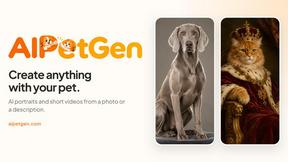
AIPetGen
AIPetGen turns a photo of your dog, cat, or other pet, or a written description, into a new picture or a short animation.
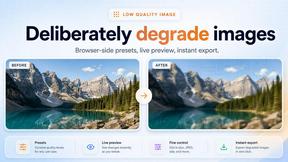
Low Quality Image
Make an image low quality or lower image quality on purpose.

AI Object Remover
Remove unwanted people, objects, text and watermarks from photos with AI
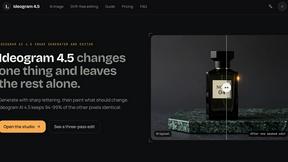
ideogram-45
AI image generation and editing with sharp typography, native 2K output, and localized edits that preserve the rest of your image.

Image to Layers AI
Turn any image into editable transparent PNG/PSD layers with AI