

ScopeGuard
Take control of your freelance income and eliminate scope creep with ScopeGuard's AI-powered tracking and approval.

About ScopeGuard
ScopeGuard is an innovative AI-powered solution meticulously crafted for freelancers and independent contractors who face the daunting challenge of scope creep. This essential tool empowers users to take control of their project boundaries, ensuring they are compensated for every hour of work rendered. With freelancers losing an average of over $5,000 each year due to unbilled scope changes, ScopeGuard addresses this critical issue by offering instant clarity and a robust system for tracking, justifying, and billing for any out-of-scope requests. By simply importing your contract or statement of work, you can utilize the intuitive Chrome extension to analyze client requests from emails, Slack, or project management tools. ScopeGuard not only safeguards your time but also transforms your business mindset, allowing you to appreciate your expertise and reclaim the earnings you deserve. Join the growing community of freelancers who are protecting their revenues with this groundbreaking tool.
Features
AI-Powered Scope Analysis
ScopeGuard's cutting-edge AI technology analyzes your contracts and project scopes in real-time. This feature allows you to instantly determine whether a client request falls within or outside of your agreed-upon boundaries, giving you the confidence to address scope changes with clarity.
Chrome Extension Integration
The ScopeGuard Chrome extension empowers you to check project scopes from any webpage seamlessly. With a simple right-click, you can import contracts, verify client requests, and receive instant analyses, making it easier than ever to stay on top of your project boundaries.
Client Approval Portal
With the built-in client approval feature, you can send secure approval links to clients for out-of-scope work. Clients can review and approve changes with a single click, streamlining the billing process and ensuring that you get paid for all the work you've completed.
Real-Time Dashboard
ScopeGuard offers a comprehensive dashboard that serves as your command center for scope protection. You can easily monitor unbilled work across all projects, giving you a clear overview of your earnings and helping you ensure that no dollar slips through the cracks.
Use Cases
Managing Client Requests
Imagine receiving a last-minute request from a client that wasn't part of your original agreement. With ScopeGuard, you can quickly check whether this request is in scope and respond confidently, ensuring you are compensated for any additional work.
Contract Importation
When you onboard a new client, you can effortlessly import your contract or statement of work into ScopeGuard. This feature allows you to establish clear boundaries from the start, reducing the likelihood of scope creep throughout the project's lifecycle.
Tracking Unbilled Work
Freelancers often struggle to keep track of unbilled hours due to scope changes. ScopeGuard's real-time dashboard helps you monitor and log any extra work, ensuring that you can easily bill clients for all the hours you've dedicated to their projects.
Streamlining Invoicing
ScopeGuard simplifies the invoicing process by automatically generating invoices based on the tracked scope changes. This feature saves you valuable time, allowing you to focus on your craft while ensuring you receive payment for every hour worked.
Pricing
Start with a 14-day free trial, no credit card required. The most popular plan is the Solo plan, perfect for freelancers and independent contractors, priced at $29/month. It includes unlimited projects, AI-powered scope analysis, a client approval portal, PDF and screenshot import, a Chrome extension, automatic invoice generation, a real-time dashboard, and priority support. Join over 200 freelancers today and start protecting your revenue.
Frequently Asked Questions
How does the AI scope checking work?
The AI scope checking feature utilizes advanced algorithms to analyze your contracts and project scopes. It compares client requests against your agreed-upon terms and provides an instant verdict on whether the request is in or out of scope.
What file formats can I import?
You can import various file formats into ScopeGuard, including PDFs, Word documents, and images. This flexibility allows you to easily integrate your existing contracts and statements of work into the platform.
How does the Chrome extension work?
The ScopeGuard Chrome extension allows you to check any client request from your browser. Simply right-click on a request in your email or project management tool, and the extension will analyze it against your project's scope with a single click.
Is my contract data secure?
Absolutely. ScopeGuard employs enterprise-grade security measures to ensure that your contract data remains protected. Your information is stored securely on our servers and never shared with third parties.
Similar to ScopeGuard
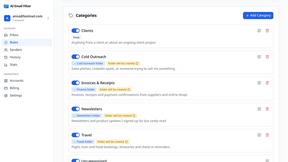
AI Email Filter
AI Email Filter sorts incoming mail into folders using plain-language prompts you write. Works with any IMAP mailbox; bring your own LLM if you want.
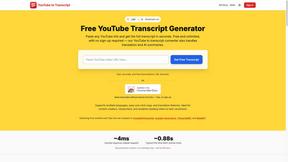
GetYouTubeTranscript
Free YouTube transcripts on the web, a Chrome extension, and an API + MCP server so AI assistants can read YouTube.
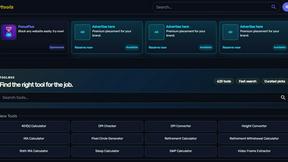
Kody Tools
Free collection of online developer utilities, code formatters, and digital converters designed to streamline your daily workflow.
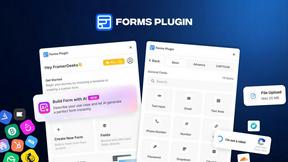
Forms Plugin
The #1 Native Form Builder Plugin for Framer - No Code, No Embeds, No External Platforms.
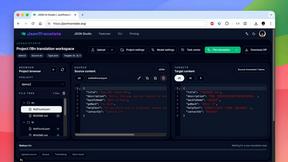
JsonTranslate
Translate JSON, Markdown, and TXT files while preserving keys, nested paths, and project structure.
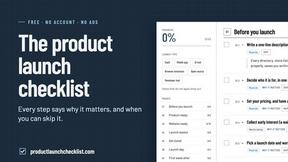
Product Launch Checklist
A free launch checklist for SaaS, apps, AI tools and more. Every step says why it matters and when you can skip it.

Flux Lora
Explore Flux LoRA online workflows in a browser-based AI Studio, with a roadmap for dedicated models, generation, and guided training.
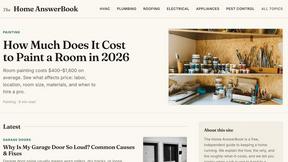
HomeAnswerBook
Practical, independent guides to home repairs, maintenance, costs, troubleshooting, and everyday fixes.