

Ultimate Forms
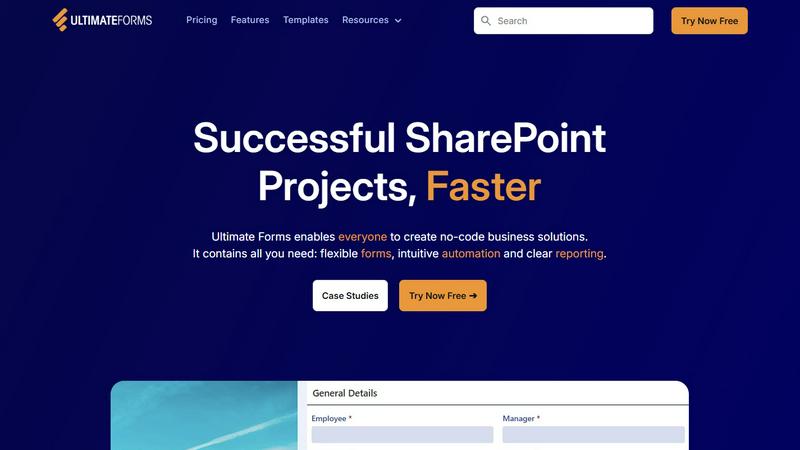
Transform SharePoint into powerful no-code solutions with flexible forms and intuitive automation.
AI tool Details
About Ultimate Forms
Ultimate Forms is your organization's key to unlocking the full potential of Microsoft 365. It is the definitive no-code platform that transforms how teams build and automate business processes directly within SharePoint and the broader Microsoft ecosystem. Designed with over two decades of SharePoint expertise, it empowers every team member—from business users to IT professionals—to become a solution builder. You can turn complex operational needs into streamlined, automated workflows without writing a single line of code. Think of it as a complete set of puzzle pieces for common business scenarios, enabling you to assemble powerful applications like forms, workflows, and reports faster than ever. Its core mission is to democratize digital transformation: by removing the technical barriers of complex coding and obscure configuration, it accelerates project delivery, reduces IT bottlenecks, and puts the power of innovation directly into the hands of those who understand the business needs best. With seamless and secure integration, your data stays protected within SharePoint while you create responsive forms, intuitive automations, and clear dashboards that drive efficiency, improve data quality, and deliver actionable insights across your entire organization.
Features
Flexible Forms
Create convenient, responsive modern forms that provide an exceptional user experience. Features include tabs, sections, column permissions, dynamic rules, repeating sections, electronic signatures, and robust input validation. All data is kept securely inside SharePoint, improving data quality and simplifying business processes while saving your team valuable time and resources.
Intuitive Automation
Replace complex SharePoint Designer and Power Automate workflows with simple, versatile Actions. Automate tasks to create and update data not only within SharePoint but also across integrated applications like Microsoft Exchange, SQL Server, Teams, and many more. This reduces the learning curve, empowers more people to build solutions, and successfully removes process bottlenecks.
Clear Reporting
Transform raw SharePoint data into actionable insights with detailed, shareable reports, interactive dashboards, KPIs, calendars, and charts. This feature enables everyone in the organization to visualize information in an accessible fashion, dramatically improving responsiveness, accountability, and data-driven decision-making.
Pre-built Solution Templates
Jumpstart your projects by selecting from a vast library of pre-built templates for common business scenarios like HR recruitment, project management, and leave requests. You can also create your own custom templates. Build a solution once and deploy it automatically multiple times across different sites and tenants, saving immense time and effort.
Use Cases
Project Management
Manage and track customers, projects, tasks, and work hours efficiently. Create a centralized hub in SharePoint for all project-related data, automate status updates and notifications, and generate clear reports for stakeholders, ensuring projects stay on time and on budget.
HR Recruitment
Build a multi-stage recruitment portal to process, evaluate, and hire candidates seamlessly. Automate the flow of applications, schedule interviews, gather feedback from hiring teams, and maintain a secure, auditable trail of all candidate interactions within your SharePoint environment.
Leave Request Management
Streamline the entire process of employee leave requests and approvals. Create an intuitive form for submissions, set up automated routing to managers based on dynamic rules, update team calendars instantly, and integrate with payroll systems, all without manual intervention.
Asset Tracking
Easily manage company assets within SharePoint. Create forms for checking equipment in and out, set up automated alerts for maintenance schedules or overdue items, and generate clear reports on asset location, condition, and utilization, ensuring optimal resource management.
Frequently Asked Questions
Is Ultimate Forms a standalone product or does it require SharePoint?
Ultimate Forms is an add-on platform designed specifically for Microsoft SharePoint and Microsoft 365. It is not a standalone product; it integrates seamlessly into your existing SharePoint environment, leveraging and extending its capabilities to build powerful no-code business solutions.
Can non-technical business users really build applications with Ultimate Forms?
Absolutely. Ultimate Forms is built as a true no-code platform. Its intuitive drag-and-drop form designer, pre-built automation actions, and library of templates are designed specifically to empower business users, process owners, and team leads to build solutions without any programming knowledge.
How does Ultimate Forms handle data security and compliance?
All data managed through Ultimate Forms resides securely within your Microsoft SharePoint infrastructure. It inherits SharePoint's robust security, compliance, and permission models. You can control access at the form, section, and field level, ensuring data integrity and adherence to your organizational policies.
Does Ultimate Forms integrate with other applications besides Microsoft 365?
Yes. While it integrates deeply with SharePoint, Microsoft Lists, Teams, and Exchange, Ultimate Forms also connects to a variety of external data sources and applications, including MS SQL Server and other systems, allowing you to create automated workflows that span your entire digital ecosystem.