
QuickImg
Transform your ideas into breathtaking AI images instantly with QuickImg's powerful, user-friendly platform.
About QuickImg
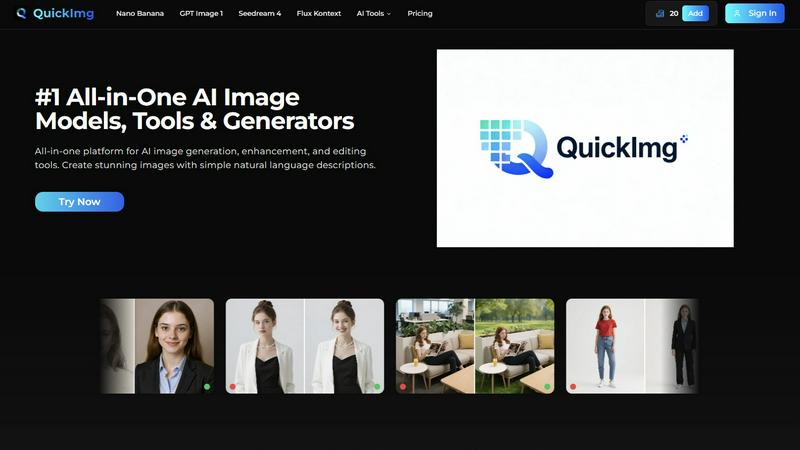
Unlock your creative potential and transform your vision into stunning visual reality with QuickImg. This all-in-one platform is your gateway to the future of image creation, making it accessible to everyone, from marketers to bloggers and designers. QuickImg allows you to generate, enhance, and edit images using advanced AI models, all through simple natural language descriptions. No need for complex software or expert prompt engineering—just describe what you envision, and QuickImg brings it to life in seconds. With a suite of powerful tools, including Nano Banana Pro, GPT Image 1, and Seedream 4, you can create everything from compelling advertisements to unique graphics. The core value proposition of QuickImg is simplicity combined with professional-grade results. It democratizes high-quality visual content, enabling you to achieve stunning outcomes faster and easier than ever before. Experience the future of creativity with QuickImg, where your ideas become reality.
Features
All-in-One AI Image Generation
QuickImg provides a comprehensive suite of AI models for image generation, editing, and enhancement. This means no more switching between different tools; you can handle all your image needs in one intuitive platform.
Natural Language Processing
With QuickImg, you can create stunning images by simply describing what you want in natural language. This feature eliminates the need for complicated prompts, making image generation accessible to everyone, regardless of technical skill.
Multiple Cutting-Edge Models
Access a variety of advanced AI models tailored for different tasks, including Nano Banana, GPT Image 1, and Seedream 4. Each model excels in specific scenarios, giving you the flexibility to choose the best tool for your project.
One-Click Editing Tools
QuickImg simplifies complex editing processes with one-click tools. Whether you want to change a background, upscale an image, or remove watermarks, you can achieve professional results in just seconds, streamlining your workflow.
Use Cases
Marketing Campaigns
Marketers can leverage QuickImg to create eye-catching advertisements and promotional graphics that stand out. With its intuitive features, you can generate visuals that align perfectly with your brand message and target audience.
Blog and Content Creation
Bloggers can enhance their posts with unique graphics generated by QuickImg. Whether you need custom images for articles or social media, this platform empowers you to create engaging visuals that complement your writing.
Design Prototyping
Designers can explore new concepts and ideas rapidly with QuickImg. The ability to generate images from simple descriptions allows for faster iteration and experimentation, helping you bring your creative visions to life more efficiently.
Social Media Visuals
QuickImg is perfect for creating stunning visuals tailored for social media platforms. Whether you need engaging posts, stories, or profile pictures, you can generate high-quality images that capture attention and drive engagement.
Frequently Asked Questions
What types of images can I create with QuickImg?
You can create a wide variety of images, including advertisements, social media graphics, blog visuals, and more. QuickImg's versatile AI models cater to numerous creative needs.
Do I need to have design experience to use QuickImg?
No, QuickImg is designed for everyone, regardless of design experience. The natural language processing feature allows you to create images without needing any technical skills or professional prompts.
How quickly can I generate images using QuickImg?
Image generation is typically instantaneous. Once you describe your requirements or upload an image, QuickImg's AI models process your request and deliver high-quality results in seconds.
Is there a trial version of QuickImg available?
Yes, QuickImg often offers promotional discounts for first-time users, such as a limited-time 50% off your first purchase. You can check the website for current offers and trial options.
Similar to QuickImg

ZombieTrend AI
Two photos become an emotional cinematic zombie love story with a free first-scene preview.
SightRadar
Face recognition API, a drop-in replacement for AWS Rekognition. Index, search, compare and detect faces, billed per photo with no subscription.
AIPetGen
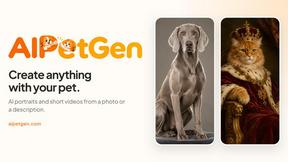
AIPetGen turns a photo of your dog, cat, or other pet, or a written description, into a new picture or a short animation.
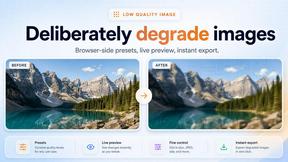
Low Quality Image
Make an image low quality or lower image quality on purpose.

AI Object Remover
Remove unwanted people, objects, text and watermarks from photos with AI
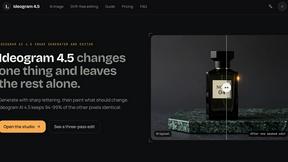
ideogram-45
AI image generation and editing with sharp typography, native 2K output, and localized edits that preserve the rest of your image.

Image to Layers AI
Turn any image into editable transparent PNG/PSD layers with AI