Master Metrics
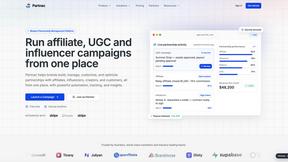
Master Metrics transforms your data into clear, actionable insights that empower smarter marketing decisions.
AI tool Details
Explore More
Alternatives

About Master Metrics
Master Metrics is the ultimate command center for agencies and marketing teams who are ready to transform their data into decisive action and unparalleled client results. Born from the real-world frustrations of seasoned marketers, this all-in-one platform is engineered to cut through the noise of fragmented analytics. It empowers you to maximize your marketing and sales outcomes by unifying your data, automating insights, and streamlining reporting. With Master Metrics, you move from being reactive to data to being proactively guided by it. Whether you're a freelancer orchestrating multiple client campaigns or a large agency managing complex portfolios, this platform simplifies the entire analytics workflow. It provides smart, customizable dashboards, proactive alerts, and seamless integrations that bring all your critical metrics into one clear view. Stop wrestling with spreadsheets and manual reports. Master Metrics gives you back your most valuable asset—time—so you can focus on what you do best: crafting brilliant strategies and driving exceptional growth.
Features
AI-Powered Insights & Presentation Generation
Unlock the hidden potential of your data with artificial intelligence. Master Metrics analyzes your connected data sources to surface key trends, anomalies, and opportunities automatically. Furthermore, revolutionize client reporting by generating complete, editable Google Slides presentations in just a few clicks. Simply select your data, metrics, and a design template, and let AI build a compelling narrative and visual story, saving you hours of manual work.
Unified Overview Control Panel & Custom Alerts
Gain instant command over all your client accounts from a single, powerful dashboard. The Overview Control Panel provides an at-a-glance view of performance, highlighting what needs immediate attention. Customize the table with data from any source and enhance it with your own metrics. Complement this with intelligent Alerts that automatically monitor budgets, goals, and KPIs, notifying you via email, WhatsApp, or Slack the moment performance deviates, so you can act before issues impact results.
Seamless Data Integration & Custom Formulas
Break down data silos forever. Master Metrics connects to your essential marketing, sales, and advertising platforms, automatically extracting and refreshing data. Its true power lies in the ability to merge this data and create custom metrics and formulas across different sources. This allows you to answer complex business questions, like calculating true ROI or blended CPA, that are impossible to see when data is trapped in separate tools.
Effortless Dashboard Sharing & Templating
Scale your efficiency and maintain consistency across all client reports. Master Metrics enables you to share insights effortlessly through public links, scheduled PDF exports, or automated email reports. Use professional templates to launch client dashboards in minutes, and clone them with one click for new accounts. This ensures every client receives a high-standard, branded reporting experience without you starting from scratch each time.
Use Cases
Agency Client Reporting & Management
Marketing and advertising agencies can streamline the management of dozens of client accounts. Use the Overview Panel to monitor all campaigns simultaneously, employ AI to generate monthly review presentations in seconds, and share interactive dashboards with clients. This transforms a traditionally time-consuming, manual process into a scalable, value-added service that impresses clients and frees up strategists.
Proactive Campaign Performance Monitoring
Empower marketing teams to move from reactive analysis to proactive optimization. Set up custom Alerts for critical metrics like cost-per-acquisition spikes, conversion rate drops, or daily budget overruns. Receive instant notifications on your preferred channel, allowing you to pause underperforming ads, adjust bids, or reallocate budget in real-time, maximizing the efficiency of every marketing dollar spent.
Building Custom Cross-Channel Analytics
Freelancers and consultants can answer sophisticated business questions by blending data from disparate sources. Connect Google Ads, Meta, a CRM, and Google Analytics, then create custom formulas to track metrics like lead-to-customer velocity or the combined ROI of upper and lower-funnel campaigns. This delivers unique, deep-dive insights that generic platforms cannot provide, elevating your analytical expertise.
Automated Financial and Goal Tracking
Business owners and marketing directors can automate the financial oversight of their marketing efforts. Use Alerts to control the daily spend needed to hit monthly budgets and get notified of deviations. Merge ad spend data with sales revenue from an e-commerce platform to create a live profit dashboard. This ensures financial goals are always in sight and actionable, preventing overspend and protecting profitability.
Pricing
Master Metrics offers a flexible, tiered pricing model designed to grow with your business, starting with a 7-day free trial. Plans are based primarily on the number of accounts (client/project spaces) you need to manage. Key features like the Looker and Sheets connectors, Alerts, Dashboards, the Overview Control Panel, and AI Slides are included across most paid plans. Implementation support is free on all plans except the entry-level Freelancer tier. Plan prices range from $30 USD/month for the Freelancer plan (15 accounts) to $439 USD/month for the Pro Plus 2 plan (250 accounts), with several intermediate options like Basic ($69), Intermediate ($169), and Pro ($289) to match different agency sizes and needs.
Frequently Asked Questions
What data sources can I connect to Master Metrics?
Master Metrics offers seamless integrations with a wide array of platforms essential for marketers, including major advertising networks (like Google Ads and Meta Ads), social media platforms, analytics tools, and CRMs. You can also bring data into Google Sheets and Looker Studio via their connectors. The platform is continuously expanding its list of native integrations to provide a comprehensive data hub.
How does the AI Slides feature work?
The AI Slides feature is designed for speed and professionalism. You simply select the client account, choose the specific metrics and goals you want to highlight, and pick a visual design template. Master Metrics' AI then structures the data into a compelling narrative, creates insightful charts, and builds a fully editable Google Slides presentation for you. You retain full control to make any final tweaks before sharing with your client.
Can I use Master Metrics if I'm a solo freelancer?
Absolutely. Master Metrics is built to scale with you. The Freelancer plan is specifically designed for individuals managing multiple client accounts. Features like dashboard templating, one-click cloning, and affordable pricing make it a powerful tool to elevate your service offering, save hours on reporting, and present a more professional, data-driven image to your clients without the complexity of enterprise software.
How do the custom Alerts and budget controls function?
Alerts are highly customizable automated monitors. You can set an alert for any metric from any connected data source. For budget control, you define a monthly budget and a tolerance percentage (e.g., get notified if daily spend is 20% above the needed daily average). The system calculates the required daily pace and monitors spend automatically, sending you proactive notifications via your chosen channel (email, Slack, etc.) to keep you on track.
Similar to Master Metrics
Orlyn
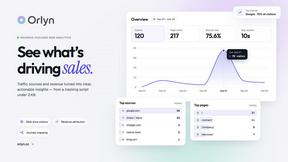
Privacy-first web analytics that connects traffic directly to real revenue.

Forms Plugin
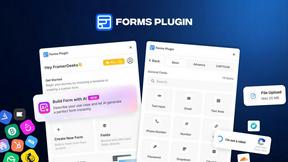
The #1 Native Form Builder Plugin for Framer - No Code, No Embeds, No External Platforms.

Qwen Image Edit
Prompt-based Qwen Image editing and generation for backgrounds, text, product visuals, posters, and outpainting.
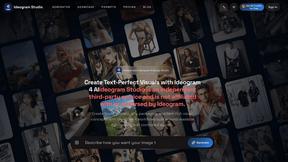
Ideogram Studio
Ideogram Studio creates typography-rich images, logos, posters, ads, packaging, and ecommerce visuals with Ideogram 4 AI.