

Image3D AI
Transform any 2D image into stunning 3D models in minutes, effortlessly unlocking creativity for printing and gaming.
AI tool Details
Explore More
Alternatives
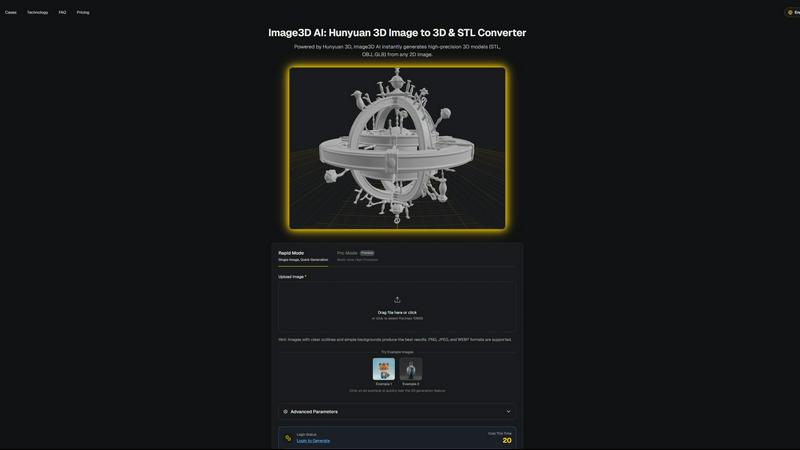
About Image3D AI
Unlock your creative potential with Image3D AI, a groundbreaking tool that turns your static 2D images into breathtaking 3D models in mere seconds. Leveraging Tencent's advanced Hunyuan 3D engine, this innovative AI tool eliminates the intricate, time-consuming processes typically associated with traditional 3D modeling. Whether you have a simple photograph, a hand-drawn sketch, or a company logo, Image3D AI transforms these into high-fidelity 3D assets complete with realistic textures and geometry. Designed for a diverse array of users—from game developers racing against tight deadlines to e-commerce professionals crafting immersive product experiences—Image3D AI democratizes 3D creation. It removes the steep learning curve associated with complex software like Blender, enabling you to concentrate on your creative vision rather than technical challenges. This tool is not just a converter; it is your gateway to transforming imagination into interactive reality, streamlining your workflow and accelerating your projects from concept to completion.
Features
Instant 3D Model Generation
Image3D AI swiftly generates high-precision 3D models in formats such as STL, OBJ, and GLB from any 2D image, saving you valuable time and effort. With just a few clicks, you can elevate your designs from flat images to stunning 3D assets.
Rapid and Pro Modes
Choose between Rapid Mode for quick single-image generation and Pro Mode for premium multi-view, high-precision outputs. This flexibility allows you to select the best approach based on your project's specific requirements, whether it’s a quick mockup or a detailed model.
User-Friendly Interface
The intuitive interface of Image3D AI simplifies the 3D modeling process, making it accessible even if you have no prior experience in 3D design. Just upload your image, and let the AI handle the rest, significantly reducing the learning curve.
Multi-View Capability
Enhance the accuracy of your 3D models with the Multi-view mode. By providing additional angles of your subject, the AI can create a more detailed and physically accurate reconstruction, perfect for more complex objects.
Use Cases
Game Development
Game developers can rapidly generate 3D assets from concept art or sketches, streamlining the creation of characters, environments, and props. With PBR material support, these assets can be imported directly into popular game engines like Unity and Unreal Engine.
E-commerce
Transform standard product images into interactive 3D models that enhance online shopping experiences. This feature not only captivates customers but also allows for AR previews, helping e-commerce professionals showcase their products more effectively.
3D Printing
With Image3D AI's advanced STL conversion capabilities, 3D printing enthusiasts can quickly turn their designs into print-ready files. The high-precision output ensures that your models are optimized for successful printing every time.
Architectural Visualization
Architects can generate detailed 3D models from 2D plans or sketches, significantly improving workflow efficiency. This capability allows them to present their designs more dynamically and interactively to clients and stakeholders.
Frequently Asked Questions
How does Image3D AI transform 2D images into 3D models?
Image3D AI utilizes advanced algorithms powered by the Hunyuan 3D engine to analyze and interpret the details within your 2D images, producing highly accurate 3D models in various formats.
What types of images work best for conversion?
For optimal results, use high-contrast images with clear outlines and simple backgrounds. Avoid blurry or low-light images, as these can hinder the quality of the generated 3D model.
Can I use Image3D AI for free?
Yes! Image3D AI offers free example images that you can test without the need for login or credit card information, allowing you to experience the power of the tool before committing.
What file formats can I export my 3D models to?
You can export your generated 3D models in several formats including STL for 3D printing, OBJ for traditional 3D editing, and GLB for web and AR applications, ensuring compatibility with a wide range of uses.
Similar to Image3D AI
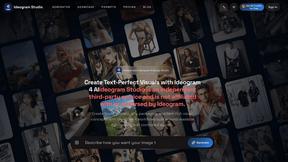
Ideogram Studio
Ideogram Studio creates typography-rich images, logos, posters, ads, packaging, and ecommerce visuals with Ideogram 4 AI.
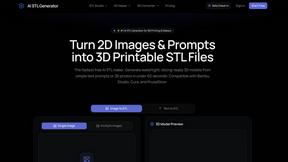
AI STL Generator
The fastest AI STL generator to turn prompts and images into 3D printable STL files.
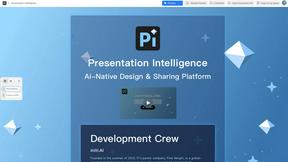
Presentation Intelligence
AI-native presentation and visual content platform that turns prompts, documents, images, videos, and data into polished, shareable decks.
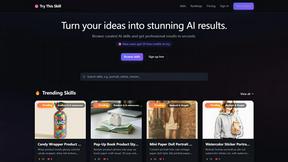
Try This Skill
One-click AI photo stylization for e-commerce & portraits
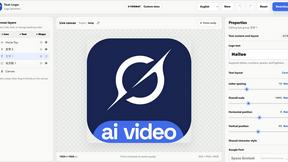
Text Logo
Create custom text, wordmark, and typography logos with editable fonts, colors, icons, shapes, and flexible exports.
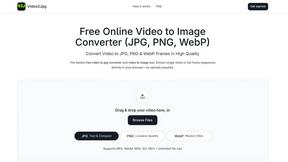
Video2Jpg
Convert video to JPG, PNG, or WebP frames in your browser. High-quality video to image converter with no uploads—fast, private, and free.
Seedance 2.5 Free
Create polished AI videos from text prompts or images with Seedance 2.5 Free.