

vaethat
Vaethat empowers archviz professionals to effortlessly upscale 3D renders while enhancing clarity and preserving design.
AI tool Details
Explore More
Alternatives

About vaethat
Vaethat is an advanced AI-powered tool designed specifically to enhance and upscale 3D renders for architectural visualization. Tailored for archviz professionals, Vaethat empowers users to elevate the quality of their architectural images effortlessly. With its specialized AI technology, the tool significantly improves clarity, sharpness, and overall realism, turning ordinary renders into stunning visual presentations. By focusing on the unique needs of architectural visualization, Vaethat streamlines the enhancement process, allowing users to achieve impressive results without the complexity of traditional editing methods. Whether you are an architect, designer, or visualizer, Vaethat is your go-to solution for transforming your 3D renders into compelling visual narratives that captivate clients and stakeholders alike.
Features
AI Render Upscaling
Vaethat's AI render upscaling feature allows users to increase the resolution and sharpness of their 3D architectural renders while preserving the integrity of the geometry. This ensures that your images maintain a clean and consistent look, providing a professional finish that stands out in presentations.
Detail Refinement
With the detail refinement functionality, Vaethat enhances fine textures, edges, and small architectural elements in your renders. This results in a crisper and more polished look, bringing out the intricacies of your designs and enhancing the overall visual appeal of your work.
Material and Lighting Enhancement
The material and lighting enhancement feature significantly boosts the perceived realism of your architectural images. By improving material definitions, contrast, and lighting balance, Vaethat creates images that resonate with authenticity and depth, making your architectural visions come to life.
Noise and Artifact Cleanup
Vaethat effectively reduces noise and common rendering artifacts found in architectural images. This cleanup process ensures that your final outputs are presentation-ready, free from distractions, and polished to perfection, allowing your work to shine in any setting.
Use Cases
Elevating Client Presentations
Architects and designers can use Vaethat to enhance their renderings before client presentations, ensuring that every detail is captured beautifully. This transforms standard images into impactful visual aids that effectively communicate design intent and vision.
Portfolio Development
For architectural visualizers, Vaethat serves as a key tool in creating a stunning portfolio. By upscaling and refining renders, users can showcase their best work with high-quality images, helping them attract potential clients and job opportunities.
Marketing and Promotion
Real estate developers and marketing teams can utilize Vaethat to generate high-quality images for promotional materials. Enhanced visuals not only draw attention but also convey the quality and sophistication of projects, ultimately driving interest and sales.
Collaborative Projects
In collaborative settings, Vaethat simplifies the enhancement process for multiple users working on the same project. The multi-image workspace feature allows teams to upload entire folders of renders, apply enhancements in bulk, and maintain consistency across all images, streamlining workflows and saving valuable time.
Frequently Asked Questions
How does the AI render enhancer calculate credits?
Credits for using Vaethat's AI render enhancement are calculated based on the number of images processed. Each enhancement session consumes a certain number of credits, which can be tracked through your account dashboard for transparency and ease of use.
Can I use the archviz AI upscaler with V-Ray, Lumion, Enscape, 3ds Max, and SketchUp?
Yes, Vaethat is compatible with popular architectural rendering software such as V-Ray, Lumion, Enscape, 3ds Max, and SketchUp. This flexibility allows users to integrate Vaethat seamlessly into their existing workflows.
What makes this AI post-production tool different from manual editing?
Unlike traditional manual editing, which can be time-consuming and requires extensive expertise, Vaethat simplifies the enhancement process. With just a few clicks, users can apply professional-grade enhancements without the need for complex adjustments or multiple test images.
Can I upgrade or downgrade my AI enhancement plan anytime?
Yes, Vaethat offers flexibility in subscription plans, allowing users to upgrade or downgrade their AI enhancement plan at any time. This ensures that you can adapt your usage according to your evolving needs without hassle.
Similar to vaethat

Flux Lora
Explore Flux LoRA online workflows in a browser-based AI Studio, with a roadmap for dedicated models, generation, and guided training.

Qwen Image Edit
Prompt-based Qwen Image editing and generation for backgrounds, text, product visuals, posters, and outpainting.

Ideogram Studio
Ideogram Studio creates typography-rich images, logos, posters, ads, packaging, and ecommerce visuals with Ideogram 4 AI.
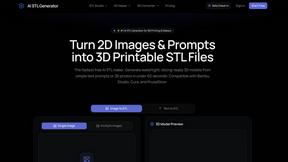
AI STL Generator
The fastest AI STL generator to turn prompts and images into 3D printable STL files.
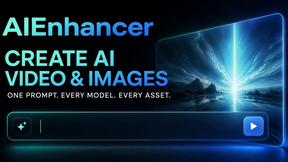
AIEnhancer
Enhance photos, create images, and generate videos with an all-in-one AI enhancer for flexible creative workflows.
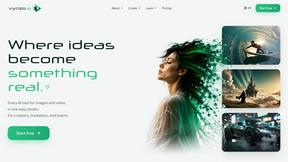
Vynzo
AI image and video studio. Generate from a prompt, animate stills, swap faces, restyle clips and edit — one credit pool, no subscription.

VidRush AI
AI-powered long video generator. Create multi-modal AI videos by combining images, video, audio, and text.

Presentation Intelligence
AI-native presentation and visual content platform that turns prompts, documents, images, videos, and data into polished, shareable decks.