BlitzCut vs Photostock - Free AI Image Generator
Side-by-side comparison to help you choose the right AI tool.

BlitzCut
BlitzCut transforms raw videos into engaging posts in minutes by automatically cutting silence and adding stylish.
Last updated: February 26, 2026

Photostock - Free AI Image Generator
Transform your ideas into stunning, free AI images instantly for any project.
Last updated: March 1, 2026
Visual Comparison
BlitzCut

Photostock - Free AI Image Generator
Feature Comparison
BlitzCut
Automatic Silence Removal
BlitzCut features an intelligent automatic silence removal tool that instantly detects and eliminates pauses from your video. This feature saves creators an average of 15-20 minutes per video, allowing for a more streamlined editing process without compromising on quality.
AI Captions
With over 95% accuracy, BlitzCut's AI captioning automatically generates styled captions for your videos. This ensures that your content is not only accessible but also visually engaging, making it perfect for viral social media formats where attention to detail is crucial.
Text-Based Editing
Experience the power of text-based editing with BlitzCut. This feature allows you to simply delete sentences from a transcription, instantly reflecting those changes in your video. It’s an intuitive way to make precise edits without having to scrub through lengthy footage.
Mobile-First Design
Designed with a mobile-first approach, BlitzCut is optimized for iPhone, iPad, and Mac, ensuring that you can edit your videos anytime, anywhere. The app provides a seamless user experience that fits into the fast-paced lifestyle of today’s creators.
Photostock - Free AI Image Generator
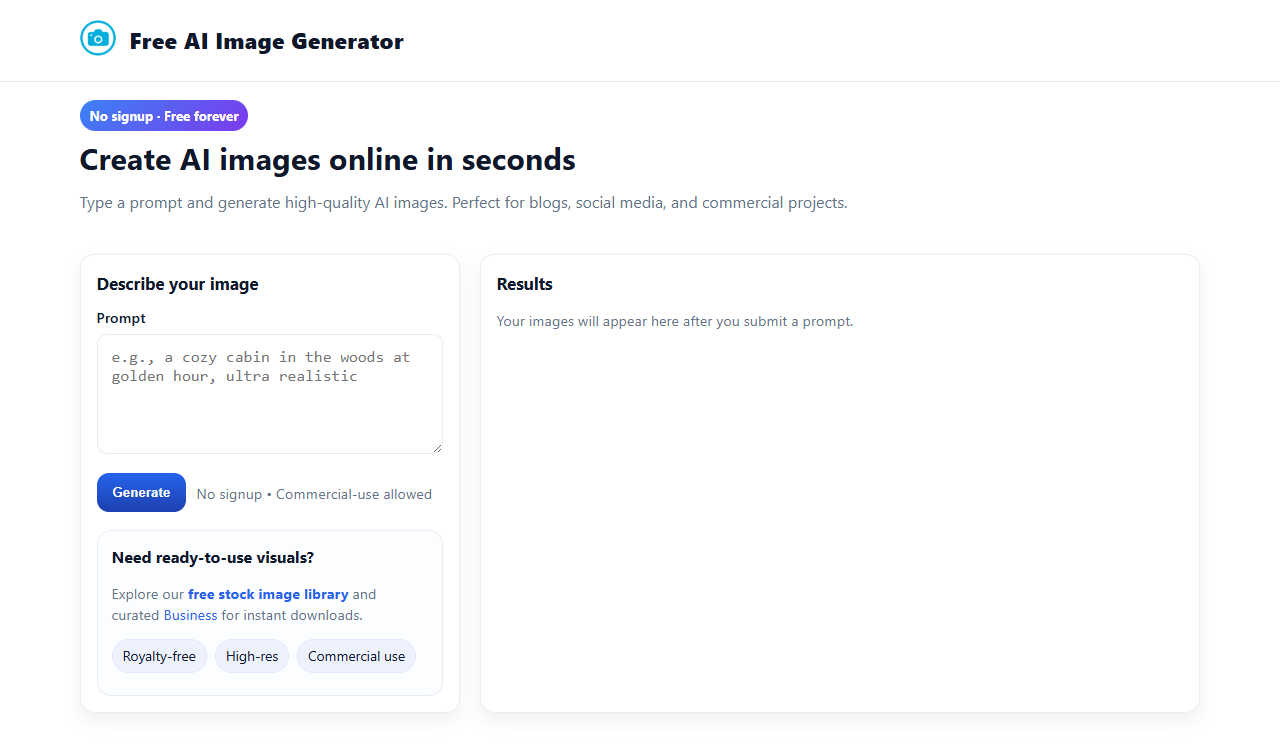
Truly Free & No Signup Required
Unlock limitless creativity without any barriers. Photostock offers completely free access forever, with no hidden costs, subscription tiers, or mandatory account creation. You can start generating stunning AI images immediately, from any device, with just a prompt. This commitment to accessibility ensures that your creative flow is never interrupted by paywalls or login screens, making professional visual creation available to all.
Commercial-Use Royalty-Free Images
Every image you generate is yours to use with absolute freedom. Photostock grants full commercial rights to all creations, meaning you can confidently use the AI-generated visuals in client projects, advertising campaigns, product packaging, social media, and any monetized venture without owing royalties or seeking additional permissions. This feature transforms the tool from a simple generator into a powerful business asset.
High-Resolution, Quality Output
Experience the power of professional-grade visuals. The AI engine is designed to produce high-resolution images that are crisp, detailed, and ready for both digital and print applications. Whether you need a banner for your website or an illustration for a brochure, the output quality ensures your projects maintain a polished and credible appearance that captures attention and communicates excellence.
Simple Prompt-Based Generation
Your imagination is the only limit. The intuitive interface centers on a simple text box where you describe the image you envision. There is no complex software to learn—just type your idea and click generate. This streamlined process democratizes design, allowing anyone, regardless of technical skill or artistic training, to become a visual creator and bring their most ambitious concepts to life in seconds.
Use Cases
BlitzCut
Quick TikTok Content Creation
BlitzCut is perfect for TikTok creators who need to produce engaging content quickly. Simply import your raw video, and in under two minutes, you can have a polished clip ready for posting, complete with captions and without any awkward silence.
Efficient Instagram Reels Production
With BlitzCut, Instagram Reels creators can streamline their editing workflow. The app's automatic features allow users to focus on storytelling while the AI handles the tedious editing tasks, making daily posting a breeze.
Fast YouTube Shorts Editing
For YouTube Shorts creators, BlitzCut provides a rapid editing solution that keeps pace with the high demands of content production. The quick turnaround time ensures that you can keep your channel active and engaging with fresh content.
Content Repurposing Made Easy
BlitzCut is also an excellent tool for repurposing content from longer videos. By using the text-based editing feature, creators can extract key moments and transform them into shareable clips for various platforms, maximizing their reach and audience engagement.
Photostock - Free AI Image Generator
Supercharging Blog & Website Content
Instantly create unique, engaging featured images, illustrations, and graphics that make your written content pop. Break away from generic stock photos and generate visuals that are perfectly tailored to your article's theme, enhancing reader engagement, improving SEO, and establishing a strong, original visual brand identity for your online presence.
Dominating Social Media Feeds
Generate a constant stream of fresh, eye-catching visuals for your posts, stories, and ads. Create cohesive themes, promote products, illustrate concepts, or craft stunning abstract backgrounds that stop the scroll. This tool empowers you to maintain a vibrant and active social media calendar without the time drain of sourcing or creating visuals manually.
Enhancing Advertising & Marketing Campaigns
Produce original imagery for digital ads, email newsletters, sales brochures, and landing pages. Craft visuals that precisely match your campaign messaging and target audience, leading to higher conversion rates. The commercial license allows for risk-free deployment across all marketing channels, giving your brand a competitive edge.
Accelerating Design & Concept Projects
Rapidly prototype ideas, create mood boards, and visualize concepts before final production. Designers, entrepreneurs, and teams can use the generator to explore visual styles, create placeholder artwork, or even final assets for presentations, pitches, and client proposals, dramatically speeding up the creative workflow and collaboration process.
Overview
About BlitzCut
BlitzCut is a revolutionary AI-powered video editing tool designed to make professional-level editing accessible for every content creator, especially those focused on social media platforms. With a mission to streamline the editing process, BlitzCut emphasizes speed and efficiency, allowing creators to transform raw footage into polished videos in mere minutes. The app is particularly beneficial for TikTok, Instagram Reels, and YouTube Shorts creators who need to produce content rapidly without sacrificing quality. By automating tedious tasks such as silence removal and caption generation, BlitzCut enables users to focus on their creative vision rather than getting bogged down by the technicalities of editing. Whether you are a seasoned content creator or just starting, BlitzCut is your go-to solution for fast, effective, and enjoyable video editing.
About Photostock - Free AI Image Generator
Photostock - Free AI Image Generator is a revolutionary online tool that transforms your written words into stunning, high-resolution visual art. It is designed to be the ultimate creative catalyst, instantly bridging the gap between your imagination and a tangible, professional-grade image. By simply typing a descriptive text prompt, you can command a world-class digital artist that lives in your browser, generating breathtaking visuals in mere seconds. This tool is built for everyone—from content creators, bloggers, and social media managers to entrepreneurs, marketers, and designers—who seeks to elevate their projects with original, compelling imagery. Its core, transformative value proposition is powerful yet beautifully simple: unlimited, free-forever access to a commercial-use image generator with no signup required. Every image you create is royalty-free and approved for commercial projects, granting you the freedom to visually dominate your niche without worrying about licenses, costs, or complex software. This isn't just a utility; it's an empowerment engine for your creativity, offering a seamless path to turn every thought, concept, and campaign vision into a visual masterpiece.
Frequently Asked Questions
BlitzCut FAQ
How does BlitzCut handle silence removal?
BlitzCut employs advanced AI algorithms to automatically detect and remove silent gaps in your video, streamlining the editing process and saving you significant time.
Is BlitzCut suitable for beginners?
Absolutely! BlitzCut is designed to be user-friendly, making it accessible for both beginners and experienced editors. Its intuitive interface allows anyone to create professional-quality videos with ease.
Can I export my videos directly to social media?
Yes, BlitzCut allows you to export your edited videos in full quality directly to TikTok, Instagram, or YouTube from your mobile device, making sharing your content seamless.
Is there a cost to use BlitzCut?
BlitzCut is free to download and use, with no account required. This allows users to start editing and creating content right away, empowering them to focus on their creativity.
Photostock - Free AI Image Generator FAQ
Is Photostock AI Image Generator really free forever?
Yes, absolutely. Photostock is committed to providing free, unlimited AI image generation forever. There are no subscription plans, credits to buy, or hidden fees. You can generate high-quality, commercial-use images as often as you like without ever needing to pay or provide payment information.
Can I use the generated images for commercial purposes?
Yes, you can. Every image created with Photostock's Free AI Image Generator comes with a royalty-free license that explicitly allows for commercial use. You are free to use the images in products you sell, advertising campaigns, client work, websites, and any other business or monetized venture without attribution.
Do I need to create an account or sign up?
No, you do not. One of the core principles of Photostock is frictionless access. You can visit the website and start generating images immediately without any registration, login, or email submission. Your creativity is never put on hold.
What kind of prompts work best for generating good images?
Be as descriptive and specific as possible in your text prompts. Instead of "a dog," try "a fluffy golden retriever puppy playing in a sunlit meadow, photorealistic." Include details about subject, style (e.g., digital art, oil painting, photo), setting, mood, colors, and composition. Experimenting with different descriptive terms will help you hone in on the perfect visual result.
Alternatives
BlitzCut Alternatives
BlitzCut is an innovative AI-powered video editor designed specifically for content creators. It excels in automating tedious tasks like removing silences, transcribing speech, and adding subtitles, making it an essential tool in the fast-paced world of social media content creation. As users seek alternatives, they often consider factors such as pricing, specific features, and compatibility with their preferred platforms. The goal is to find a solution that matches their editing style and workflow, ensuring they can focus on creativity while maintaining efficiency. When exploring alternatives to BlitzCut, it’s important to prioritize user-friendly interfaces, speed of editing, and the ability to integrate with various devices. Look for options that not only offer essential features but also empower you to generate and share content swiftly, enabling you to engage your audience consistently. Ultimately, the right choice should enhance your creative process rather than complicate it.
Photostock - Free AI Image Generator Alternatives
Photostock - Free AI Image Generator is a revolutionary tool in the text-to-image AI space, designed to instantly transform your creative ideas into high-quality, royalty-free visuals. It empowers creators by removing traditional barriers like cost and complexity, offering a seamless bridge from imagination to professional-grade imagery. Users often explore alternatives for various reasons, seeking different creative styles, specific feature sets like advanced editing, or platforms that align with unique workflow needs. The search is a natural part of finding the perfect creative partner that resonates with your individual vision and project demands. When evaluating other options, focus on what truly unlocks your potential. Consider the core value: is it genuinely free and accessible? Does it provide commercial freedom with its licenses? Most importantly, does the platform feel like an extension of your creativity, turning your prompts into stunning visual reality without friction?