
FilexHost vs MindMap AI
Side-by-side comparison to help you choose the right AI tool.

FilexHost
Effortlessly host and share any file in seconds with FilexHost's simple drag-and-drop and secure sharing features.
Last updated: February 26, 2026

MindMap AI
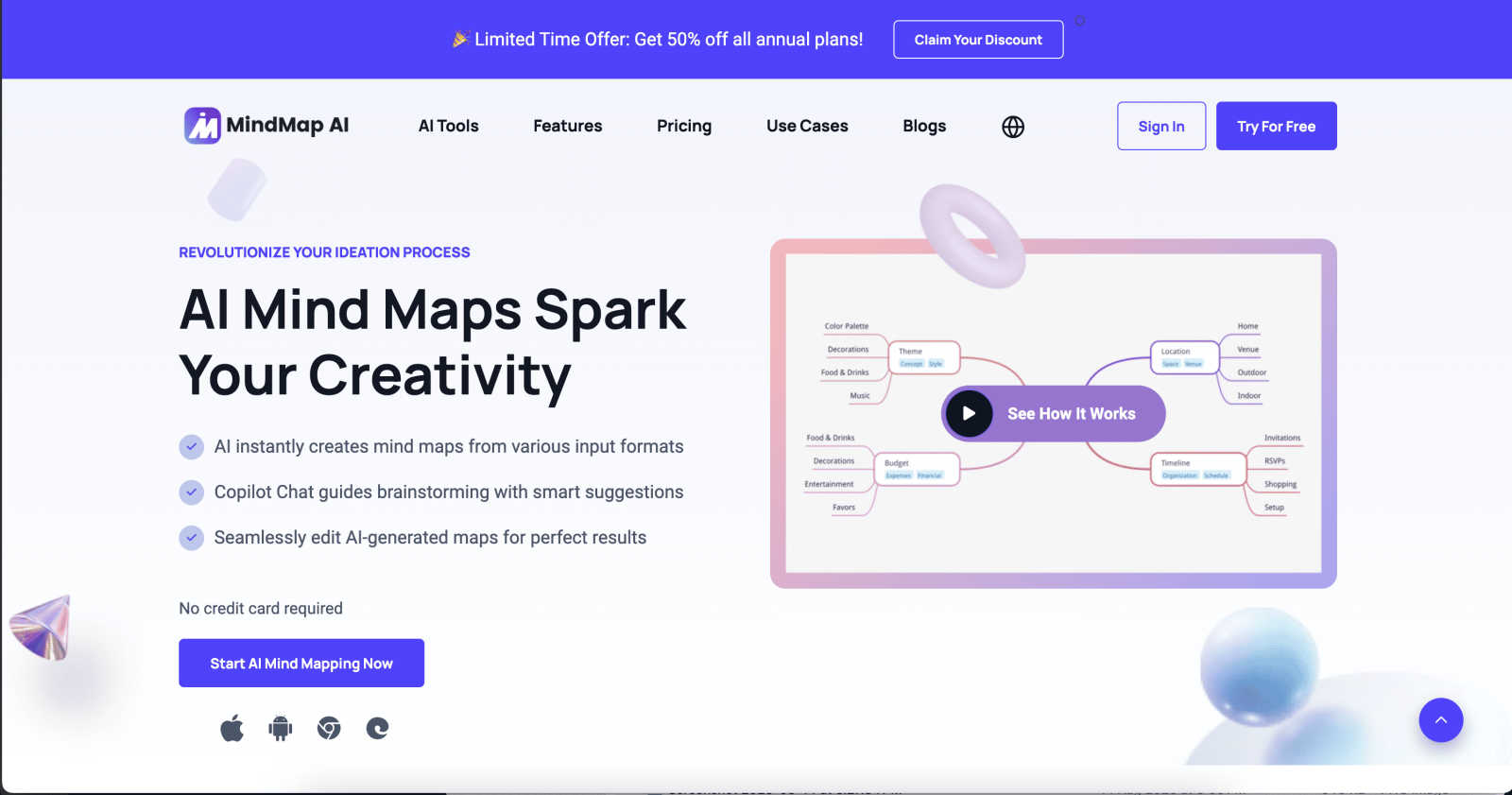
Unlock your creativity and transform ideas into precise mind maps instantly with MindMap AI's intelligent co-editing.
Last updated: March 1, 2026
Visual Comparison
FilexHost

MindMap AI
Feature Comparison
FilexHost
Instant Subdomains
With FileXhost, every upload generates an instant subdomain (your-file.filex.host) that requires zero setup. You can share your files instantly without worrying about complicated DNS configurations or server management.
Free SSL Encryption
Every shared link on FileXhost comes with built-in SSL encryption, ensuring that your files are secure during transmission. This feature protects your data and gives peace of mind to both you and your recipients.
Smart View Modes
FileXhost includes intelligent view modes that allow you to choose how your files are presented. Whether you prefer direct rendering for an interactive experience or a simple download page, you can customize the viewing method to suit your needs.
Optional Password Protection
For users who require an extra layer of security, FileXhost offers optional password protection and expiry settings. You can control access to your files by setting passwords and choosing how long your links remain active, ranging from 24 hours to forever.
MindMap AI
AI Thinking Mode for Accuracy
MindMap AI employs a sophisticated step-by-step reasoning engine that comprehensively understands context, hierarchy, and relationships. This ensures that every mind map generated is not just a collection of random branches but a structured, meaningful representation of your ideas right from the start.
File-to-Map Conversion
Transforming any type of content into a mind map has never been easier. With MindMap AI, you can convert text, PDFs, images, audio, video, and more into beautifully structured mind maps. This feature allows you to focus on thinking and creating rather than spending time formatting.
Multi-Language Support
MindMap AI supports over 25 languages, allowing users to create and edit mind maps with the same level of accuracy and structure across different languages. This ensures that your ideas retain their meaning and layout, no matter the language used.
Continuous Editing
Enjoy the flexibility of building your mind map exactly how you envision it. MindMap AI provides a reliable co-editing feature where the AI works alongside you, allowing for expansions, summarizations, and reorganization without compromising your original layout and design.
Use Cases
FilexHost
Professionals Sharing Client Reports
FileXhost is perfect for professionals who need to share client reports, presentations, or sensitive documents securely. With instant file hosting, you avoid the hassle of email attachments and manage your documents in one place.
Developers Hosting Projects
Developers can utilize FileXhost to host landing pages, mock APIs, or static sites effortlessly. The drag-and-drop functionality allows for quick uploads, while the smart rendering engine ensures that your projects are displayed correctly.
Creators Distributing Digital Products
For creators, FileXhost is an ideal platform to distribute digital products such as eBooks, music, or video content. The easy sharing process means your audience can access your work without barriers, enhancing their experience.
Anyone Needing Friction-Free File Delivery
Whether you are sharing images, videos, or any other files, FileXhost simplifies the process. Users can quickly share files without the need for complicated setups or "request access" emails, making it an efficient tool for everyone.
MindMap AI
Academic Research
Students and researchers can leverage MindMap AI to organize their findings and ideas into coherent structures. Whether compiling literature reviews or developing research proposals, the software aids in visualizing complex information, making it easier to present and discuss.
Project Planning
Project managers can use MindMap AI to break down large projects into manageable tasks. By creating mind maps that outline objectives, timelines, and responsibilities, teams can enhance their collaboration and ensure everyone is aligned on project goals.
Brainstorming Sessions
During brainstorming sessions, teams can utilize MindMap AI to capture spontaneous ideas and insights. The software helps visualize relationships between concepts, enabling groups to identify innovative solutions and strategies efficiently.
Content Creation
Writers and content creators can benefit from MindMap AI by organizing their thoughts and ideas into structured outlines. This allows for a clearer writing process, helping to maintain focus and coherence throughout the content development stages.
Overview
About FilexHost
FileXhost is your go-to solution for instant file hosting and sharing, designed to simplify the way you manage and distribute your digital content. Whether you are a professional sharing reports, a developer hosting projects, or a creative distributing digital products, FileXhost provides a seamless experience tailored for all your needs. With universal support for various file types—including documents, images, media, and even entire websites—FileXhost empowers users to share their content without the hassle of complicated setups or lengthy configurations. The "Drop & Share" workflow allows you to drag and drop your files, generating secure, instant URLs ready for sharing. It is not just about hosting; it is about enhancing the viewer experience, ensuring that your recipients see your files beautifully presented without unnecessary downloads or plugins. With robust security features and a commitment to high-speed delivery through a global CDN, FileXhost transforms how you share and host files, making your digital interactions smoother and more efficient.
About MindMap AI
Welcome to MindMap AI, the cutting-edge mind mapping software designed to revolutionize the way individuals and teams capture and organize their thoughts. This powerful AI-driven tool transcends traditional diagramming by providing an intelligent workspace that converts raw information—such as text, PDFs, images, and even audio/video recordings—into structured, visually appealing mind maps in seconds. MindMap AI is specifically tailored for professionals, students, and researchers seeking clarity and organization in their ideas. By using an advanced reasoning engine, it creates meaningful hierarchies and connections, enabling users to shift effortlessly from brainstorming to actionable workflows. With features like Co-Pilot Chat, users can interactively refine their strategies and uncover insights, transforming static diagrams into dynamic collaborative documents. It's the all-in-one platform that empowers you to think bigger, plan smarter, and achieve more, accessible across web, mobile, and browser extensions.
Frequently Asked Questions
FilexHost FAQ
What is FileXhost?
FileXhost is a platform for instant file hosting and sharing that supports various file types, allowing users to effortlessly share their content via secure URLs without complex setups.
Is it really free?
Yes, FileXhost offers a free plan that allows users to host up to 1,000 files with a maximum size of 25MB each. However, this plan includes ads and limited features compared to the Pro plan.
What file types are supported?
FileXhost supports a wide range of file types, including documents (PDF, TXT), images (JPG, PNG), media files (MP4, MP3), and even archives like ZIP, ensuring versatility in file sharing.
How do I update my site?
To update your hosted site, simply upload the new version of your file or website ZIP. FileXhost will generate a new link, ensuring your recipients always have access to the latest version of your content.
MindMap AI FAQ
What types of content can I convert into mind maps with MindMap AI?
You can convert various types of content, including text documents, PDFs, images, audio recordings, and video files. MindMap AI seamlessly transforms these materials into structured mind maps for easier visualization and organization.
Is there a limit on how many mind maps I can create?
MindMap AI offers 50 free credits each month, allowing users to create multiple mind maps without a credit card requirement. This enables you to explore the software's capabilities while managing your usage effectively.
Can I collaborate with others on my mind maps?
Absolutely! MindMap AI supports co-editing features, allowing multiple users to work together in real-time. You can share your mind maps with team members, making collaboration more efficient and productive.
Is MindMap AI available on different platforms?
Yes, MindMap AI is accessible across various platforms, including web, mobile, and browser extensions. This ensures you can create and edit your mind maps anytime, anywhere, without being tied to a specific device.
Alternatives
FilexHost Alternatives
FilexHost is an intuitive file hosting and sharing solution that simplifies the process of delivering files online. It falls under the category of productivity and management tools, catering to individuals and professionals who need a seamless way to share a variety of file types without the hassle of complex setups. Users often seek alternatives due to factors such as pricing, specific feature requirements, or compatibility with their preferred platforms. When searching for an alternative, consider key aspects such as storage limits, file size capacities, security features, user experience, and the ability to customize sharing settings. The right choice can empower you to share files more effectively and enhance collaboration without unnecessary barriers.
MindMap AI Alternatives
MindMap AI is a cutting-edge mind mapping software designed to help professionals and teams visualize their ideas with AI-powered precision. As part of the productivity and management category, it enables users to convert various forms of content into dynamic mind maps effortlessly. However, users often seek alternatives due to factors such as pricing, the specific features that meet their unique needs, or compatibility with different platforms. When exploring alternatives to MindMap AI, consider what features are most important for your workflow. Look for tools that offer intuitive interfaces, robust collaboration capabilities, and the ability to integrate with other software you already use. Additionally, assess whether the alternative addresses any limitations you may have experienced with MindMap AI, ensuring that it aligns with your creative and organizational goals.