
Fix Pixelated Photos vs PhotoWeather
Side-by-side comparison to help you choose the right AI tool.

Fix Pixelated Photos
Transform pixelated photos into stunning clarity with our AI-powered online enhancement tool in just seconds.
Last updated: February 26, 2026

PhotoWeather
Capture breathtaking photos effortlessly with alerts for perfect weather conditions tailored to your favorite locations.
Last updated: February 26, 2026
Visual Comparison
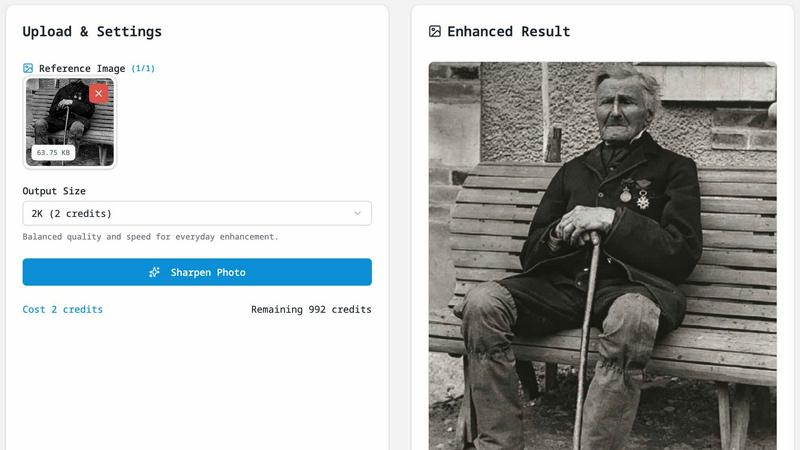
Fix Pixelated Photos
PhotoWeather

Feature Comparison
Fix Pixelated Photos
One-Click Unpixelate
Experience the magic of transforming pixelated images with a single click. The unpixelate feature reduces blocky artifacts while restoring smoother edges, allowing you to recover the fine details of your images effortlessly.
AI Upscaling
Elevate your images with our advanced AI upscaling feature, which increases image resolution while maintaining the original structure. This results in sharper and clearer images that are perfect for sharing online or printing.
Smart Sharpening
Enhance the details of faces, text, and product shots with our smart sharpening tool. This feature allows you to improve the perceived sharpness without the need for cumbersome manual edits, saving you time and effort.
Private Processing
Your privacy is paramount. We ensure that all uploaded images are processed solely for enhancement purposes and are not published or shared anywhere. Rest assured that your photos remain confidential and secure.
PhotoWeather
Ready-Made Templates
PhotoWeather offers a variety of pre-made templates specifically designed for photographers, allowing you to quickly set rules for conditions like fog, golden hour, aurora visibility, and storm intensity. This feature simplifies the setup process, ensuring you can focus on the creative aspects of photography rather than the technicalities of weather monitoring.
Powerful Rule Builder
With PhotoWeather's advanced rule builder, you have access to over 80 different parameters to customize your alerts. You can combine conditions like cloud cover, wind speed, humidity, and astronomical events using AND/OR/NOT logic. This powerful feature ensures that you won't miss any ideal shooting opportunities, as you can tailor alerts to your specific preferences.
Smart Notifications
Stay informed with PhotoWeather's smart notification system. You will receive daily digests, real-time alerts, and reminders when conditions that match your photography goals are about to occur. With calendar sync, you can automatically add events to your schedule, ensuring you are always ready to capture the perfect shot.
Trusted Forecast Sources
PhotoWeather aggregates data from reliable weather services such as ECMWF, NOAA, and Météo-France, giving you confidence in the accuracy of the forecasts. This ensures that your alerts are based on high-quality data, supporting your decision-making process when it comes to planning your photography sessions.
Use Cases
Fix Pixelated Photos
Personal Photo Enhancement
Transform your cherished memories by enhancing pixelated family photos or vacation snapshots. With just a few clicks, you can restore clarity and detail, making them suitable for framing or sharing with loved ones.
Professional Product Photography
For e-commerce businesses, high-quality product images are essential. Use Fix Pixelated Photos to sharpen and upscale product photos, ensuring they capture the attention of potential customers and convey a professional image.
Restoring Old Photographs
Bring new life to your treasured old photos. Whether they are scanned images or physical prints, our platform can restore clarity, allowing you to preserve and cherish memories from the past.
Efficient Team Workflows
For creative teams, time is of the essence. Utilize the batch-friendly workflow to enhance multiple images simultaneously, streamlining your editing process and increasing productivity without sacrificing quality.
PhotoWeather
Landscape Photography
For landscape photographers, PhotoWeather can be a game-changer. By setting alerts for specific conditions like fog or golden hour, you can ensure you are at the right spot at the right time, ready to capture breathtaking scenes that would otherwise be missed.
Astrophotography Sessions
Astrophotographers can use PhotoWeather to track optimal conditions for night sky photography. Setting alerts for moon phases, low clouds, and astronomical events ensures you capture stunning celestial images without the guesswork.
Wildlife Photography
Wildlife photographers benefit from PhotoWeather by monitoring weather changes that affect animal behavior. By setting rules for conditions like wind and precipitation, you can plan your outings to increase your chances of capturing incredible wildlife moments.
Event Planning for Photographers
PhotoWeather simplifies planning for special photography events, such as weddings or outdoor shoots. By receiving alerts for specific weather conditions, you can make informed decisions about when to schedule shoots, maximizing the chances of capturing memorable moments in ideal lighting.
Overview
About Fix Pixelated Photos
Fix Pixelated Photos is an innovative browser-based AI image enhancement platform designed to transform low-quality images into stunning visuals. Whether you are an individual looking to improve personal photos or a team in need of quick, high-quality image solutions, this tool is tailored for you. With just a few clicks, you can unpixelate, sharpen, and upscale your images directly in your web browser, eliminating the need for complex software installations. The primary value proposition lies in its ability to enhance image clarity and restore lost details, making it ideal for portraits, product images, screenshots, and even old photographs. Embrace the power of AI technology to elevate your image quality and share your moments with confidence.
About PhotoWeather
PhotoWeather is a revolutionary tool designed specifically for outdoor photographers who want to capture stunning images under the perfect weather conditions. It eliminates the need for constant monitoring of weather apps by providing continuous forecasts and real-time alerts tailored to your specific photography goals. Whether you are aiming to catch the enchanting fog at sunrise, dramatic storm clouds, or the magical golden-hour lighting, PhotoWeather ensures that you are always prepared. By allowing users to set customized alerts based on their preferred weather conditions, it empowers photographers to seize every opportunity. This unique app is built for landscape, astrophotography, and wildlife enthusiasts, enabling them to focus on their passion while staying connected to the elements that influence their craft. With PhotoWeather, you can trust that the best light will never pass you by.
Frequently Asked Questions
Fix Pixelated Photos FAQ
What does this tool do?
Fix Pixelated Photos is an AI-powered platform that enhances low-resolution images by unpixelating, sharpening, and upscaling them. It transforms blurry and pixelated photos into clear, high-quality images.
What image types are supported?
The tool supports a variety of image formats, including JPEG, PNG, and more. This versatility ensures that you can work with most common image types without any hassle.
Do I need editing experience?
No prior editing experience is necessary! Fix Pixelated Photos is designed for ease of use, allowing anyone to enhance their images quickly and effectively, regardless of their skill level.
How do you handle uploaded images?
We prioritize your privacy. Uploaded images are processed exclusively for enhancement purposes and are not stored or shared after the processing is complete. Your images are safe with us.
PhotoWeather FAQ
How do I get started?
To begin using PhotoWeather, simply download the app from the App Store or Google Play, create an account, and start by adding your favorite shooting locations. From there, you can set your desired weather conditions.
How accurate are the forecasts?
PhotoWeather leverages data from trusted weather services, including ECMWF and NOAA, ensuring high accuracy in forecasts. This reliable data helps you make well-informed decisions about your photography sessions.
Can I create my own rules?
Absolutely! PhotoWeather's powerful rule builder allows you to create custom alerts based on over 80 parameters. You can combine various conditions to suit your specific photography needs.
Do you support calendar sync?
Yes, PhotoWeather offers calendar synchronization, allowing you to automatically add alerts and weather opportunities to your calendar. This feature ensures you remain organized and ready for your next photographic adventure.
Alternatives
Fix Pixelated Photos Alternatives
Fix Pixelated Photos is a cutting-edge, browser-based AI image enhancement platform designed to empower users to transform their pixelated or low-quality images into sharp, high-resolution visuals with ease. As part of the Image & Photo category, it caters to both individuals and teams seeking a quick and efficient solution for enhancing their imagery. Users often search for alternatives to address various needs, such as budget constraints, specific feature requirements, or compatibility with different platforms. When considering alternatives, it's essential to evaluate factors like ease of use, the technology behind the image enhancement, and the level of customer support offered. A good alternative should not only provide similar functionalities but also meet your unique requirements, ensuring that your journey to achieving stunning visuals remains smooth and fulfilling.
PhotoWeather Alternatives
PhotoWeather is an innovative tool designed for photographers, enabling them to receive timely alerts about optimal photo conditions like golden hour, dramatic clouds, and fog. By monitoring weather patterns continuously, it eliminates the need for constant checking of weather apps, allowing users to focus on their photography and seize the moment when conditions are just right. Users often seek alternatives to PhotoWeather for various reasons, such as pricing, specific feature sets, or compatibility with different platforms. When searching for an alternative, it’s crucial to consider factors like the scope of alerts, customization options, and ease of use. A good alternative should empower you to capture breathtaking images without the hassle of manually tracking weather conditions.