conceptviz vs Seedance 2 AI Video Generator
Side-by-side comparison to help you choose the right AI tool.

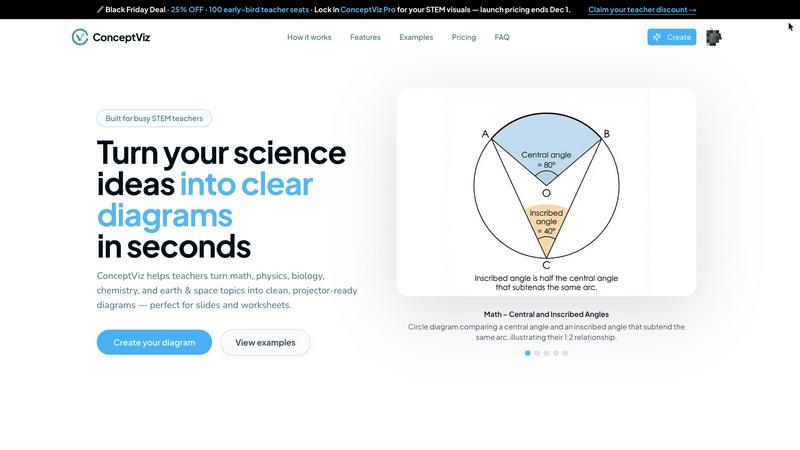
Instantly transform complex science and math ideas into clear, classroom-ready diagrams.
Last updated: March 1, 2026

Seedance 2 AI Video Generator
Transform your ideas into cinematic videos instantly with powerful AI control.
Last updated: March 1, 2026
Visual Comparison
conceptviz
Seedance 2 AI Video Generator

Feature Comparison
conceptviz
AI-Powered Text-to-Diagram Generation
Simply describe the visual you need in plain English, and ConceptViz's intelligent AI brings it to life. Whether you need a "labeled plant cell cross-section for 8th grade" or a "convex lens ray diagram with object between F and 2F," you can generate a precise, scientifically accurate diagram in seconds. This feature removes the barrier of design skills, allowing you to focus purely on your content and explanation.
Subject & Grade-Level Presets
Jumpstart your creation process with presets specifically tuned for real STEM classrooms. Choose from core subjects like Physics, Biology, Chemistry, Earth & Space, and Math, aligned with U.S. grade bands from elementary to high school. These presets ensure the generated diagrams use appropriate terminology, complexity, and visual styles for your intended audience, saving you time on adjustments.
Projector-Ready & Print-Optimized Output
Every diagram is engineered for real-world use. ConceptViz creates visuals with thick, legible lines, high-contrast colors, and readable labels that remain crisp and clear from the front row to the back of the classroom. Diagrams come in widescreen aspect ratios for slides and clean white backgrounds ideal for printing on worksheets, ensuring they look professional in any format.
High-Resolution Download & Seamless Integration
Easily download your creations as high-resolution PNG files. The diagrams are perfectly sized to drop directly into the tools you already use, such as PowerPoint, Google Slides, or Canva, without needing tedious resizing or reformatting. This seamless workflow integration means you can go from an idea to a slide in your presentation in under a minute.
Seedance 2 AI Video Generator
Multimodal Generation Modes
Seedance 2.0 offers three powerful entry points for creation: Text-to-Video, Image-to-Video, and Video-to-Video. This flexibility allows you to start your creative process wherever inspiration strikes. Begin with a detailed text prompt to generate entirely new scenes, use an image to animate and extend a specific visual style, or transform existing footage with new artistic directions and effects, all within one seamless platform.
Reference-First Creative Control
Move beyond guesswork with a reference-driven workflow. By using source images or video clips as anchors, you gain immense control over character consistency, artistic style, and cinematic feel. This feature ensures your final output aligns with your vision, reducing reliance on perfect prompt wording and delivering more predictable, professional results that stay true to your original concept.
Integrated Audio-Video Synthesis
Create a complete sensory experience in a single generation pass. Seedance 2.0 can synthesize synchronized audio, including sound effects, background music, and voice, directly alongside your video. With support for lip-sync in over 10 languages, this feature eliminates the need for separate audio editing tools, allowing you to produce fully realized videos ready for publishing.
High-Fidelity Output Specifications
Produce content that meets professional standards. Seedance 2.0 generates videos up to 1080p resolution at a cinema-standard 24 frames per second for smooth playback. With support for multiple aspect ratios (16:9, 9:16, 1:1) and durations extendable up to 10 seconds, you can create optimized content for any platform, from YouTube to TikTok, all exported in the universal MP4 format.
Use Cases
conceptviz
Creating Engaging K-12 Classroom Materials
Teachers can instantly generate custom diagrams for worksheets, homework assignments, and slide presentations. Instead of relying on generic online images, educators can create visuals that perfectly match their lesson plan's specific examples and terminology, making abstract concepts like the parts of a plant or states of matter tangible and engaging for young learners.
Developing University-Level Lecture Content
Professors and teaching assistants can produce detailed, accurate figures for complex topics in advanced physics, biology, or chemistry lectures. From illustrating mitosis stages to drawing free-body diagrams for engineering courses, ConceptViz ensures that every visual aid is pedagogically sound and tailored to support higher-level discussion and analysis.
Accelerating Academic Research & Publication
Researchers and graduate students can use ConceptViz to quickly draft figures for papers, grant proposals, and thesis documents. The ability to rapidly iterate on visual explanations of methodologies, experimental setups, or theoretical models streamlines the communication of complex ideas, allowing academics to focus more on their research and less on graphic design.
Enhancing Student Projects and Study Aids
Students can empower their own learning by creating personalized study guides and project visuals. By generating diagrams to visualize concepts they find challenging, students engage in active learning. They can also produce professional-looking visuals for presentations and science fair projects, building both understanding and confidence.
Seedance 2 AI Video Generator
Rapid Social Media Content Creation
Empower social media managers and content creators to produce a high volume of engaging, platform-specific videos quickly. Generate eye-catching stories, Reels, and TikTok clips from trending text prompts or brand images, maintaining a consistent aesthetic and message across all channels without the need for lengthy filming or editing sessions.
Dynamic Advertising and Marketing Campaigns
Transform marketing workflows by rapidly prototyping and producing ad variations. Agencies can test different concepts, styles, and narratives by generating multiple video versions from a single script or storyboard. This allows for faster client approvals and the ability to create targeted, high-impact video ads for different demographics and platforms efficiently.
Product Demonstration and Explainer Videos
Bring products and concepts to life with clear, engaging explainer videos. Use Image-to-Video to animate product shots or create scenarios that demonstrate use cases. The consistent character and scene control ensures your product remains the hero, making complex features easy to understand and visually appealing for potential customers.
Creative Storyboarding and Concept Visualization
Filmmakers, writers, and designers can use Seedance 2.0 as a powerful pre-visualization tool. Turn written scenes from a script into moving visuals to test cinematography ideas, or generate mood videos from concept art. This accelerates the creative development process, allowing teams to align on a visual direction before committing to costly production.
Overview
About conceptviz
ConceptViz is a revolutionary AI-powered visual creation tool designed to transform the abstract into the understandable. It empowers STEM educators, researchers, and students to generate clear, accurate, and classroom-ready diagrams in seconds, directly from simple text descriptions. This tool is built for anyone who needs to explain complex scientific and mathematical concepts, from K-12 teachers crafting engaging worksheets to university professors and graduate students preparing detailed research figures. The core mission is to eliminate the frustrating, time-consuming struggle of searching for imperfect images online or wrestling with complex drawing software. ConceptViz puts the power of professional visual explanation directly into your hands, allowing you to create diagrams that match your exact teaching style, curriculum standards, and lesson needs. It's more than just a diagram maker; it's a dedicated partner in pedagogy and communication, built to enhance clarity, ensure consistency, and give you back precious hours of preparation time. Start transforming your ideas into impactful visual lessons and see how effortless teaching and learning with perfect, purpose-built visuals can be.
About Seedance 2 AI Video Generator
Unleash your creative vision and transform your ideas into stunning cinematic reality with Seedance 2 AI Video Generator. This powerful, all-in-one platform is engineered to empower creators, marketers, and agencies by turning simple text prompts, reference images, or existing source footage into polished, professional-grade video clips in a fraction of the traditional time. Forget the heavy editing overhead and technical barriers that slow you down. Seedance 2.0 is built for a fast, intuitive workflow that puts the focus back on your creativity, not the complexity of production. Its core value lies in delivering controllable, consistent, and high-quality video output. Whether you're starting from a written concept, a visual mood board, or a raw clip, Seedance 2.0 provides the tools to maintain style coherence, achieve smoother motion, and iterate rapidly. This is more than just a video tool; it's your partner in visual storytelling, designed to help you produce compelling content for ads, social media, product demos, and beyond with unprecedented speed and creative control.
Frequently Asked Questions
conceptviz FAQ
How accurate are the diagrams generated by ConceptViz?
ConceptViz is specifically trained and fine-tuned on STEM educational content to produce scientifically and mathematically accurate visuals. It is designed to handle standard curriculum topics with high precision. For highly specialized or cutting-edge research concepts, it provides an excellent foundational draft that can be a starting point for further refinement.
Do I need any design or drawing skills to use ConceptViz?
Absolutely not. ConceptViz is built specifically for educators and researchers, not graphic designers. The entire interface is centered on your descriptive text. You only need to describe what you want to see, and the AI handles all the drawing, layout, labeling, and styling for you, making professional diagram creation accessible to everyone.
Can I use the diagrams commercially in my textbooks or online courses?
You should refer to ConceptViz's specific Terms of Service for detailed licensing information. Typically, tools like this allow for educational and personal use of generated content. For commercial publication, such as in textbooks or for-profit courses, there may be specific licensing requirements or plans. It's best to check the official policy for commercial usage rights.
What file formats can I download my diagrams in?
ConceptViz provides high-quality downloads in PNG format, which is a versatile and widely supported image file type. PNG files offer high resolution with transparent or white backgrounds, making them perfect for inserting into presentation slides, documents, worksheets, and online learning management systems without losing clarity.
Seedance 2 AI Video Generator FAQ
What input methods does Seedance 2.0 support?
Seedance 2.0 supports three primary input methods for generating video: Text, Image, and Video. You can start from a detailed text prompt, upload a reference image to guide style and composition, or provide source footage to restyle, extend, or modify. This multimodal approach offers maximum flexibility for different creative workflows.
What is the maximum video quality and length I can generate?
The model can generate videos up to 1080p resolution at 24 frames per second, ensuring high-definition, smooth playback. The standard generation duration is between 5 to 10 seconds per clip, with capabilities to extend sequences, making it ideal for short-form content and scenes that can be edited together into longer narratives.
Does Seedance 2.0 include audio generation?
Yes, a standout feature of Seedance 2.0 is its integrated audio synthesis. It can generate synchronized sound effects, background music, and even voiceovers with lip-sync support for over 10 languages in a single pass. This creates a complete, production-ready video asset without requiring separate audio editing software.
How does Seedance 2.0 ensure consistency in characters and scenes?
Seedance 2.0 employs an advanced reference-first workflow. By using an image or video clip as a visual anchor, the AI model maintains consistency in character appearance, artistic style, color palette, and camera feel across the generated footage. This reduces randomness and gives you greater control over the final output compared to text prompts alone.
Alternatives
conceptviz Alternatives
ConceptViz is an AI-powered content creation tool designed specifically for STEM education. It transforms text descriptions into clear, classroom-ready diagrams, saving educators and researchers hours of preparation time. This places it in the categories of AI assistants, design tools, and specialized data visualization software. Users often explore alternatives for various reasons. These can include budget constraints, the need for different feature sets like advanced animation or collaborative editing, or a requirement for tools that integrate with other platforms like specific LMS systems. The search for the right tool is a personal one, driven by unique workflow and pedagogical needs. When evaluating any alternative, focus on what truly empowers your teaching. Consider the tool's ease of use, the quality and clarity of its outputs for a classroom setting, and how well it aligns with your specific subject matter. The goal is to find a solution that transforms your complex ideas into impactful visuals as effortlessly as possible, giving you more time to focus on your students.
Seedance 2 AI Video Generator Alternatives
Seedance 2 AI Video Generator is a powerful tool in the AI video creation space, designed to transform your text, images, and clips into cinematic videos with remarkable consistency and control. It empowers creators to bring their visions to life through a fast, all-in-one workflow that prioritizes smooth extensions and easy prompt management. Even with such a capable tool, exploring alternatives is a natural part of the creative journey. Your needs are unique—perhaps you're seeking a different pricing model, specific features for a niche project, or a platform that aligns with your existing software ecosystem. The right tool is the one that unlocks your potential without friction. When evaluating other options, focus on what truly matters for your workflow. Consider the core output quality, the intuitiveness of the interface, and how well the tool integrates into your creative process. Look for a solution that not only meets technical requirements but also feels like an empowering extension of your own creativity, helping you transform ideas into stunning visual stories with confidence.