Avif2Png vs RemoveTexts
Side-by-side comparison to help you choose the right AI tool.
Avif2Png
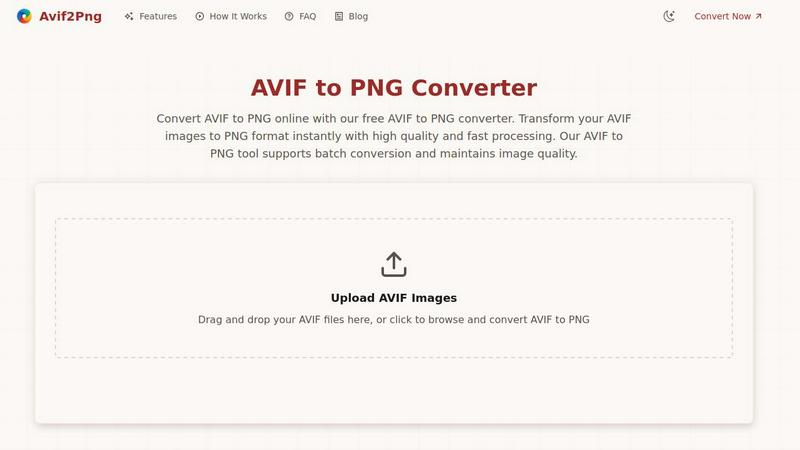
Effortlessly convert your AVIF images to PNG for universal compatibility and high-quality results with our free online.
Last updated: March 1, 2026

RemoveTexts
Unlock your images' true potential by instantly erasing any text with a simple brushstroke, no skills needed.
Last updated: March 11, 2026
Visual Comparison
Avif2Png
RemoveTexts

Feature Comparison
Avif2Png
Free Online Conversion
Avif2Png offers a completely free online conversion service, eliminating the need for registration or downloads. This user-friendly approach allows anyone to convert AVIF images to PNG quickly and easily, making it accessible for users of all experience levels.
Batch Conversion Support
One of the standout features of Avif2Png is its ability to support batch conversions. Users can upload multiple AVIF files at once, significantly enhancing productivity and saving time. This feature is ideal for those handling large projects or requiring quick conversions.
High-Quality Output
Despite the speed of the conversion process, Avif2Png ensures that the image quality remains intact. The tool utilizes advanced algorithms to maintain the integrity of your images during conversion, allowing you to produce professional-grade PNG files every time.
Secure Processing
Security is a top priority with Avif2Png. All uploaded files are processed securely, and once the conversion is complete, the files are automatically deleted from the server. This ensures that your images remain confidential and protected throughout the conversion process.
RemoveTexts
Paint to Remove
Take absolute control over your edits with the intuitive Paint to Remove feature. Simply upload your image and use the brush tool to highlight the exact text or element you wish to vanish. This precision allows you to target specific words in a paragraph, single watermarks, or subtle date stamps without affecting the rest of your pristine image. It’s the power of surgical editing at your fingertips, giving you the freedom to clean your visuals exactly how you envision them, with no compromises.
Auto Remove All Text
Embrace the power of full automation and watch every text element disappear in an instant. With the Auto Remove All feature, our advanced AI scans your entire image, intelligently detecting and erasing all text—including watermarks, subtitles, captions, and overlays—with a single click. This is your shortcut to a perfectly clean canvas, saving you precious time and effort while delivering seamless, traceless results that maintain the original quality and composition of your photo.
Edit & Replace Text
Transform existing text instead of just removing it. The groundbreaking Edit & Replace Text feature allows you to modify words directly within your image. Type your new text, and our AI will match the original font style, size, color, and blending to make it look naturally authentic. This is perfect for updating prices, correcting information, or localizing content, empowering you to revise images without starting from scratch and maintaining a perfectly professional appearance.
Remove Objects & Watermarks
Extend your creative control beyond text. The Remove Objects feature empowers you to erase any unwanted element from your photos, be it a stray logo, an unexpected photobomber, or an unsightly blemish. Using the same powerful inpainting AI, it seamlessly fills the space by analyzing the surrounding background, ensuring a flawless finish. This feature, combined with dedicated watermark removal, provides a comprehensive toolkit for achieving absolutely clean, distraction-free visuals.
Use Cases
Avif2Png
Web Development
Web developers frequently encounter the need to convert AVIF to PNG for improved compatibility. While modern browsers support AVIF, older systems and certain content management platforms may not. Converting to PNG ensures that all users can view images correctly, enhancing user experience across all devices.
Graphic Design
Graphic designers often require image formats that maintain quality and transparency. By converting AVIF to PNG, designers can preserve sharp edges and transparent backgrounds, making this tool indispensable for creating logos, icons, and other graphic elements that demand precision.
Print Media
For print services and publishers, the need for high-quality images in a widely supported format is crucial. Converting AVIF to PNG ensures that images are print-ready and compatible with a variety of publishing platforms, delivering excellent results in both digital and print media.
Social Media Sharing
Social media platforms have varying support for image formats, making it essential to use widely accepted formats like PNG. By converting AVIF to PNG, users can ensure their images are perfect for sharing across all social media channels, maximizing engagement and visibility.
RemoveTexts
Cleaning Product Photos for E-Commerce
Elevate your online store by creating pristine, professional product images. Sellers can effortlessly remove distracting watermarks from supplier photos, erase promotional text overlays, or clean up pricing labels from mockups. This results in a clean, consistent, and trustworthy product gallery that enhances brand credibility, reduces customer confusion, and directly contributes to higher conversion rates and sales success.
Preparing Professional Presentations & Reports
Make every slide and document visually impeccable. Professionals can use RemoveTexts to clean up screenshots by removing irrelevant UI elements, browser tabs, or personal data. It’s perfect for redacting sensitive information from documents or erasing unwanted annotations from charts. This ensures your materials are polished, confidential, and communicate with clarity and authority, leaving a lasting professional impression.
Revitalizing Social Media & Marketing Content
Unlock endless content possibilities from your existing image library. Social media managers and content creators can repurpose images by removing dated captions, outdated logos, or location stamps from photos. Easily edit text in meme templates or create clean quote graphics from text-heavy screenshots. This agility allows for faster, more dynamic content creation that keeps your audience engaged and your brand looking fresh.
Personal Photo Enhancement & Restoration
Reclaim your personal memories and photos. Remove unwanted text like timestamps, subtitles from screengrabs, or intrusive watermarks from downloaded images. You can even erase photobombers or distracting objects from vacation pictures. This empowers you to curate a perfect personal photo collection, turning good snaps into great keepsakes that are focused purely on the moment and the people that matter.
Overview
About Avif2Png
Avif2Png is a revolutionary online tool that empowers users to effortlessly convert AVIF images to the universally accepted PNG format. Designed for a diverse audience, including web developers, graphic designers, and digital content creators, this tool is a game-changer for anyone looking to enhance their workflow and ensure their images are compatible with various platforms and applications. The value proposition of Avif2Png lies in its ability to bridge the gap between modern image formats and traditional ones, allowing users to enjoy the superior compression benefits of AVIF while ensuring that their images maintain high quality and compatibility. With features such as batch conversion and secure processing, Avif2Png not only meets your conversion needs but also elevates your digital asset management, making it an essential tool for anyone in the digital space.
About RemoveTexts
Unlock the true potential of your images and reclaim your creative freedom with RemoveTexts. This is more than just an editing tool; it's your gateway to flawless visuals. RemoveTexts is a state-of-the-art, AI-powered platform designed to intelligently erase unwanted text, watermarks, logos, and objects from any image in seconds. Imagine transforming cluttered screenshots, dated memes, or branded photos into clean, professional assets without ever needing complex software like Photoshop. Our mission is to empower you—whether you're a marketer, designer, content creator, or business professional—to achieve perfection effortlessly. By leveraging advanced deep learning inpainting technology, pioneered by industry leaders, RemoveTexts doesn't just delete; it seamlessly reconstructs the background so no one can tell anything was ever removed. Join over 100,000 users worldwide who have processed more than 100,000 images, and experience the transformation from obstructed to outstanding in under 30 seconds. Your vision, clean and clear, is just one click away.
Frequently Asked Questions
Avif2Png FAQ
What is the AVIF format?
AVIF (AV1 Image File Format) is a modern image format that offers superior compression compared to traditional formats like JPEG and PNG. It is designed for high-quality images with reduced file sizes.
How does batch conversion work with Avif2Png?
Batch conversion allows users to upload multiple AVIF files simultaneously. Avif2Png processes these files in one go, making it a time-efficient solution for users needing to convert many images at once.
Is there a limit to the number of files I can convert?
While there is no specific limit mentioned, users should ensure that the total size of uploaded files does not exceed any potential server restrictions. Avif2Png is designed to handle large batches efficiently.
How secure is my data when using Avif2Png?
Avif2Png prioritizes user privacy and data security. All files are processed securely, and once the conversion is complete, they are automatically deleted to ensure your images remain confidential.
RemoveTexts FAQ
How does RemoveTexts work?
RemoveTexts utilizes advanced deep learning inpainting technology, a class of neural network architecture researched by leaders like NVIDIA and Adobe. When you indicate text to remove, the AI analyzes the pixels surrounding the selected area. It then intelligently reconstructs the background by generating new pixels that match the texture, lighting, and patterns of the original image, resulting in a seamless fill where the text once was, often with over 95% structural similarity to the original.
What image formats and sizes are supported?
You can upload images in JPG, PNG, or WebP format. The current maximum file size supported is 10 MB. This ensures that most high-quality images from smartphones, cameras, and screenshots can be processed quickly and efficiently through our online platform, providing you with fast, high-quality results.
Is RemoveTexts completely free to use?
Yes, RemoveTexts offers a powerful free online tool that allows you to upload images, paint over text, and download the cleaned results without any watermarks. For access to advanced features like Auto Remove All Text, Edit & Replace Text, and higher resolution outputs, we offer premium plans. You can start for free and upgrade to unlock even more transformative editing power.
What are the limitations of the tool?
The AI is designed for removing text and objects from general images. It does not support the removal of NSFW (Not Safe For Work) content or copyrighted logos and trademarks for misuse. For best results, images with very complex, patterned backgrounds or extremely large text areas may require more precise manual brushing with the Paint to Remove tool for optimal seamless reconstruction.
Alternatives
Avif2Png Alternatives
Avif2Png is a powerful online converter specifically designed for transforming AVIF images into the universally compatible PNG format. This tool falls under the category of image and photo processing, catering to a wide range of users from web developers to graphic designers. As the digital landscape evolves, many users seek alternatives to ensure their image processing needs are met. Factors such as pricing, feature sets, or platform compatibility often prompt users to explore other options that may better suit their specific requirements. When choosing an alternative, it's crucial to consider features like batch conversion support, the preservation of image quality, and the security of your files during processing. Users should also look for tools that offer a seamless user experience and accessibility without cumbersome registration processes. Ultimately, the right choice will depend on the individual needs and preferences of each user, empowering them to find the perfect solution for their image conversion tasks.
RemoveTexts Alternatives
RemoveTexts is an AI-powered image editing tool that specializes in quickly and intelligently removing text from any image. It belongs to the category of automated, AI-driven photo editing software, designed to give anyone the power to clean up images without professional skills. This capability transforms cluttered screenshots, watermarked photos, and branded visuals into clean, professional assets in seconds. Users often explore alternatives for various reasons, such as finding a tool that fits a specific budget, offers a different set of features like object removal or inpainting, or better aligns with their preferred platform or workflow. The need might stem from a desire for more control, different pricing models, or simply to compare the leading options in a dynamic market. When choosing an alternative, focus on what empowers your creative process. Look for core capabilities like accuracy in text detection, the quality of the background reconstruction, and speed. Consider the user experience, output resolution, and whether the tool offers the specific functionality you need most, whether that's batch processing, language support, or precision editing tools. The right tool is the one that removes barriers and lets you focus on your vision.