AI Photo Assistant vs TrafficClaw
Side-by-side comparison to help you choose the right AI tool.

AI Photo Assistant
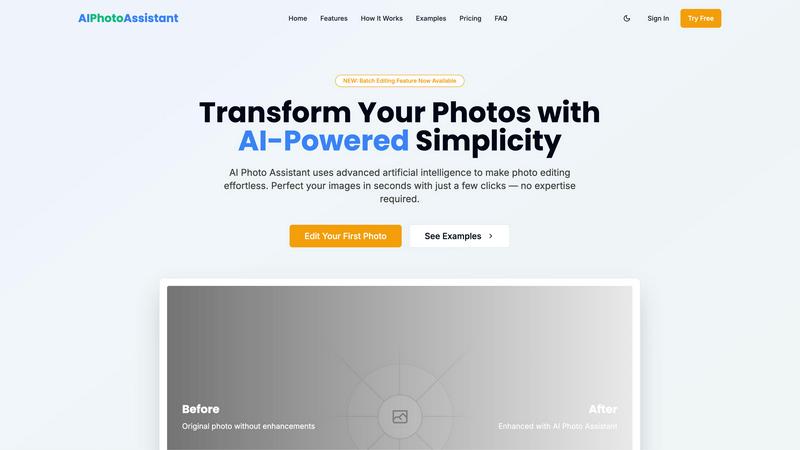
Transform your photos effortlessly with AI Photo Assistant's one-click enhancements for stunning, professional results.
Last updated: February 28, 2026

TrafficClaw
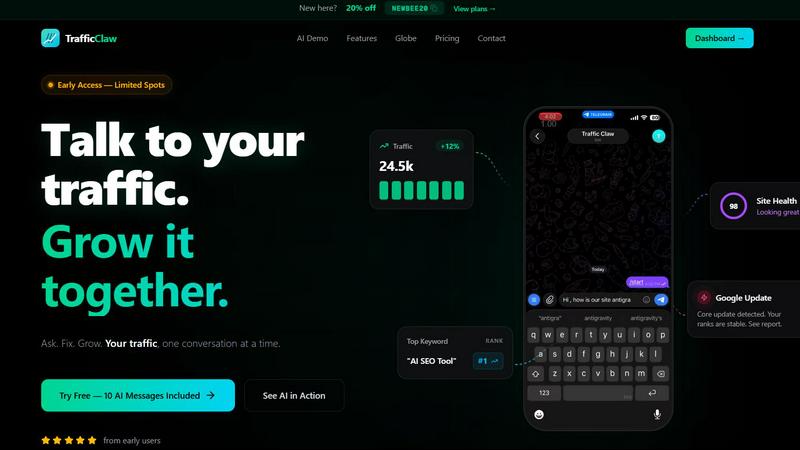
TrafficClaw is your AI analyst that talks to your traffic data to give you clear, actionable growth verdicts.
Last updated: April 13, 2026
Visual Comparison
AI Photo Assistant
TrafficClaw
Feature Comparison
AI Photo Assistant
One-Click Enhancement
With just a single click, AI Photo Assistant optimizes your photos to perfection. The AI analyzes your image and automatically adjusts brightness, contrast, saturation, and more, providing you with flawless results without any effort.
Batch Editing
The newly introduced batch editing feature allows you to process multiple photos at once, saving you valuable time. Whether you have a series of product shots or a collection of vacation photos, you can enhance them all with just a few clicks.
Smart Auto-Enhancement
Our smart auto-enhancement feature takes the guesswork out of editing. It intelligently determines the best adjustments needed for your photos, ensuring they look their best without requiring any editing knowledge on your part.
High-Quality Exports
AI Photo Assistant offers HD and even the highest resolution exports, allowing you to download your enhanced photos in stunning quality. Whether for web use or print, your images will always look professional.
TrafficClaw
AI Chat Analyst
This is your core growth engine. Communicate with your analytics using natural language. Ask complex questions about traffic trends, user behavior, or SEO performance and receive instant, comprehensive answers. The AI provides verdicts backed by charts and direct evidence from your connected data sources, turning analysis from a hours-long chore into a seconds-long conversation that delivers clear next steps.
SEO Intelligence Suite
Go beyond basic rankings. This feature proactively hunts for growth opportunities and protects your existing traffic. It automatically detects keyword gaps your competitors rank for, alerts you to content decay, identifies cannibalization issues between your own pages, and provides optimization strategies for AI search engines. It's like having a full-time SEO expert monitoring your site's health and potential 24/7.
Integrated Analytics Dashboard
Consolidate your essential metrics into one intuitive, zero-configuration overview. See real-time visitor counts, traffic trends, bounce rates, and conversion funnels side-by-side with your SEO data. This unified view eliminates tool-switching fatigue and gives you a holistic, immediate understanding of your website's performance from both a user engagement and search visibility perspective.
Live Visitor Globe & Embed
Visualize your global audience in real-time with a beautiful, interactive 3D globe. See where your current visitors are located and watch their anonymized activity feed. Best of all, you can embed this live globe directly on your own website with a single line of code, showcasing your dynamic audience to visitors without needing any additional tracking scripts.
Use Cases
AI Photo Assistant
Social Media Creators
For social media creators aiming for a visually appealing feed, AI Photo Assistant makes it easy to edit and enhance images quickly. With professional results at your fingertips, you can maintain a consistent and beautiful aesthetic.
Small Business Owners
Small business owners can benefit immensely from AI Photo Assistant by creating eye-catching product photos without the need for expensive photography services. Enhance your product images to attract customers and boost sales effortlessly.
Event Photographers
Event photographers can streamline their workflow using AI Photo Assistant. Quickly edit and enhance images from events, ensuring that clients receive stunning, memorable photos in a fraction of the time it would traditionally take.
Busy Professionals
For busy professionals managing multiple images, AI Photo Assistant provides a quick and efficient solution. Edit photos for presentations, reports, or marketing materials in seconds, helping you maintain a polished image without sacrificing time.
TrafficClaw
Diagnosing Sudden Traffic Drops
When your analytics show a worrying dip, instead of panicking and manually cross-referencing data, you ask TrafficClaw. The AI analyzes your Search Console and GA4 data to pinpoint the cause—whether it's a Google algorithm update impacting specific pages, a technical crawl error, or a drop in performance for key keywords—and provides a tailored report with actionable fixes to recover.
Uncovering New Keyword Opportunities
Struggling to find new topics to target? Ask the AI Analyst to identify keyword gaps where your competitors rank but you don't. TrafficClaw sifts through millions of query data points to surface high-intent, relevant keywords with clear ranking potential, giving you a direct roadmap for content creation that attracts new, valuable traffic.
Automating Site Health Audits
Maintaining site health is crucial but tedious. TrafficClaw automates deep page-level audits, checking Core Web Vitals, performance scores, and technical SEO factors. It doesn't just list problems; it provides auto-fix suggestions, allowing you or your developer to efficiently resolve issues that could be harming your user experience and search rankings.
Generating Data-Informed Content
Transform insights into creation. Use the integrated content tools to generate AI-powered schema markup, draft blog posts centered on discovered keyword opportunities, or optimize internal linking structures based on actual site performance data. This turns analytical insights directly into executable content actions that drive growth.
Overview
About AI Photo Assistant
AI Photo Assistant is your ultimate partner for transforming ordinary images into breathtaking visuals, all powered by cutting-edge artificial intelligence. Designed for everyone from social media influencers to small business owners, this innovative platform demystifies the world of photo editing, making it accessible to all. Whether you have minimal technical skills or are just short on time, AI Photo Assistant simplifies the editing process. By utilizing advanced neural networks and machine learning algorithms, it meticulously analyzes every pixel of your images, applying the ideal adjustments in lighting, color, and composition. In mere seconds, you can achieve studio-quality results that elevate your photos to professional standards. Say goodbye to complicated software and hello to an empowering tool that ensures your photos always reflect the quality and impact you deserve. Share stunning images effortlessly, knowing that AI Photo Assistant has your back.
About TrafficClaw
Stop guessing why your traffic changes and start knowing. TrafficClaw transforms the frustrating, time-consuming process of analytics and SEO analysis into a simple, powerful conversation. It's your AI-powered command center that connects directly to your Google Analytics 4 and Search Console data. Instead of staring at confusing graphs and switching between a dozen tabs, you simply ask questions in plain English like "Why did my traffic drop last week?" or "What's my top keyword opportunity?" TrafficClaw's AI Analyst digs into your real, live data to deliver specific, actionable verdicts with evidence—not generic blog advice. It's built for website owners, marketers, and developers who are tired of data paralysis and want to move from insight to action with incredible speed. From detecting ranking drops from Google updates to finding hidden keyword gaps and generating optimized content, TrafficClaw empowers you to grow your traffic through intelligent, data-driven dialogue. Your journey to effortless, confident growth starts with your first question.
Frequently Asked Questions
AI Photo Assistant FAQ
How does AI Photo Assistant work?
AI Photo Assistant uses advanced artificial intelligence to analyze your images and make automatic adjustments. By leveraging neural networks and machine learning, it enhances your photos for professional-quality results.
Is there a learning curve to using AI Photo Assistant?
Not at all! One of the main advantages of AI Photo Assistant is its user-friendly interface. You can achieve stunning edits without any prior photo editing experience, making it accessible for everyone.
Can I edit multiple photos at once?
Yes, with our new batch editing feature, you can enhance several photos simultaneously. This feature is designed to save you time and streamline your editing process, making it perfect for busy users.
What formats are supported by AI Photo Assistant?
AI Photo Assistant supports all popular image formats, allowing you to upload photos from your device or cloud storage seamlessly. This ensures that you can work with the images you have, no matter the source.
TrafficClaw FAQ
How does TrafficClaw access my data?
TrafficClaw uses secure, read-only Google OAuth to connect to your Google Analytics 4 and Search Console accounts. This means we can view your data to provide insights, but we cannot edit, delete, or modify anything within your Google accounts. Your data remains yours and is processed securely.
What makes the AI advice better than generic tips?
Our AI Analyst doesn't work from a static knowledge base. It analyzes your specific, live dataset—your traffic patterns, your keywords, your competitors. The verdicts and recommendations are contextual and evidence-based, showing you exactly which pages, queries, or dates are involved, making the advice immediately actionable for your unique situation.
Is there a long-term contract or commitment?
No. TrafficClaw operates on a flexible subscription model that you can cancel anytime. We also offer a free tier that includes 10 AI messages so you can experience the power of conversational analytics with your own data before any financial commitment.
Can I use the Live Globe on any website?
Yes! The Live Visitor Globe is a standalone embed widget that works with any website, CMS (like WordPress), or web framework. You simply copy and paste one line of iframe code into your site's HTML. It pulls real-time visitor data from your connected GA4 property without requiring you to install any additional tracking scripts on your site.
Alternatives
AI Photo Assistant Alternatives
AI Photo Assistant is a groundbreaking tool designed to revolutionize the way we approach photo editing. As part of the AI Assistants category, it employs sophisticated technology to deliver professional-grade enhancements with just a single click. Users often seek alternatives due to various reasons, including pricing constraints, feature limitations, or specific platform needs that may not align with what AI Photo Assistant offers. When searching for an alternative, consider the essential features that matter most to you, such as auto-enhancement capabilities, ease of use, and the quality of results. Additionally, think about compatibility with your devices and whether the pricing structure fits within your budget. Ultimately, the right alternative should empower you to elevate your photography without the hassle of complex editing processes.
TrafficClaw Alternatives
TrafficClaw is a transformative AI assistant for SEO and analytics, designed to cut through the noise of complex data. It connects directly to your GA4 and Search Console, allowing you to ask plain-English questions about your traffic and get actionable answers backed by your real data. Users explore alternatives for various reasons, from budget considerations and specific feature needs to integration requirements with their existing tech stack. The right tool must align with your team's workflow and the depth of insight you require. When evaluating options, prioritize solutions that offer genuine data-driven conversation, not just static reports. Look for seamless connectivity with your core platforms and a focus on delivering clear, immediate fixes to move your strategy forward.