AI Photo Assistant vs PhotoWeather
Side-by-side comparison to help you choose the right AI tool.

AI Photo Assistant
Transform your photos effortlessly with AI Photo Assistant's one-click enhancements for stunning, professional results.
Last updated: February 28, 2026

PhotoWeather
Capture breathtaking photos effortlessly with alerts for perfect weather conditions tailored to your favorite locations.
Last updated: February 26, 2026
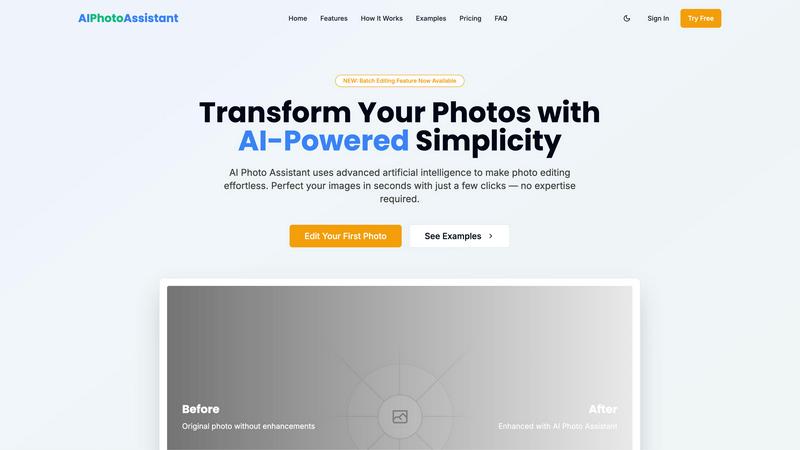
Visual Comparison
AI Photo Assistant
PhotoWeather

Feature Comparison
AI Photo Assistant
One-Click Enhancement
With just a single click, AI Photo Assistant optimizes your photos to perfection. The AI analyzes your image and automatically adjusts brightness, contrast, saturation, and more, providing you with flawless results without any effort.
Batch Editing
The newly introduced batch editing feature allows you to process multiple photos at once, saving you valuable time. Whether you have a series of product shots or a collection of vacation photos, you can enhance them all with just a few clicks.
Smart Auto-Enhancement
Our smart auto-enhancement feature takes the guesswork out of editing. It intelligently determines the best adjustments needed for your photos, ensuring they look their best without requiring any editing knowledge on your part.
High-Quality Exports
AI Photo Assistant offers HD and even the highest resolution exports, allowing you to download your enhanced photos in stunning quality. Whether for web use or print, your images will always look professional.
PhotoWeather
Ready-Made Templates
PhotoWeather offers a variety of pre-made templates specifically designed for photographers, allowing you to quickly set rules for conditions like fog, golden hour, aurora visibility, and storm intensity. This feature simplifies the setup process, ensuring you can focus on the creative aspects of photography rather than the technicalities of weather monitoring.
Powerful Rule Builder
With PhotoWeather's advanced rule builder, you have access to over 80 different parameters to customize your alerts. You can combine conditions like cloud cover, wind speed, humidity, and astronomical events using AND/OR/NOT logic. This powerful feature ensures that you won't miss any ideal shooting opportunities, as you can tailor alerts to your specific preferences.
Smart Notifications
Stay informed with PhotoWeather's smart notification system. You will receive daily digests, real-time alerts, and reminders when conditions that match your photography goals are about to occur. With calendar sync, you can automatically add events to your schedule, ensuring you are always ready to capture the perfect shot.
Trusted Forecast Sources
PhotoWeather aggregates data from reliable weather services such as ECMWF, NOAA, and Météo-France, giving you confidence in the accuracy of the forecasts. This ensures that your alerts are based on high-quality data, supporting your decision-making process when it comes to planning your photography sessions.
Use Cases
AI Photo Assistant
Social Media Creators
For social media creators aiming for a visually appealing feed, AI Photo Assistant makes it easy to edit and enhance images quickly. With professional results at your fingertips, you can maintain a consistent and beautiful aesthetic.
Small Business Owners
Small business owners can benefit immensely from AI Photo Assistant by creating eye-catching product photos without the need for expensive photography services. Enhance your product images to attract customers and boost sales effortlessly.
Event Photographers
Event photographers can streamline their workflow using AI Photo Assistant. Quickly edit and enhance images from events, ensuring that clients receive stunning, memorable photos in a fraction of the time it would traditionally take.
Busy Professionals
For busy professionals managing multiple images, AI Photo Assistant provides a quick and efficient solution. Edit photos for presentations, reports, or marketing materials in seconds, helping you maintain a polished image without sacrificing time.
PhotoWeather
Landscape Photography
For landscape photographers, PhotoWeather can be a game-changer. By setting alerts for specific conditions like fog or golden hour, you can ensure you are at the right spot at the right time, ready to capture breathtaking scenes that would otherwise be missed.
Astrophotography Sessions
Astrophotographers can use PhotoWeather to track optimal conditions for night sky photography. Setting alerts for moon phases, low clouds, and astronomical events ensures you capture stunning celestial images without the guesswork.
Wildlife Photography
Wildlife photographers benefit from PhotoWeather by monitoring weather changes that affect animal behavior. By setting rules for conditions like wind and precipitation, you can plan your outings to increase your chances of capturing incredible wildlife moments.
Event Planning for Photographers
PhotoWeather simplifies planning for special photography events, such as weddings or outdoor shoots. By receiving alerts for specific weather conditions, you can make informed decisions about when to schedule shoots, maximizing the chances of capturing memorable moments in ideal lighting.
Overview
About AI Photo Assistant
AI Photo Assistant is your ultimate partner for transforming ordinary images into breathtaking visuals, all powered by cutting-edge artificial intelligence. Designed for everyone from social media influencers to small business owners, this innovative platform demystifies the world of photo editing, making it accessible to all. Whether you have minimal technical skills or are just short on time, AI Photo Assistant simplifies the editing process. By utilizing advanced neural networks and machine learning algorithms, it meticulously analyzes every pixel of your images, applying the ideal adjustments in lighting, color, and composition. In mere seconds, you can achieve studio-quality results that elevate your photos to professional standards. Say goodbye to complicated software and hello to an empowering tool that ensures your photos always reflect the quality and impact you deserve. Share stunning images effortlessly, knowing that AI Photo Assistant has your back.
About PhotoWeather
PhotoWeather is a revolutionary tool designed specifically for outdoor photographers who want to capture stunning images under the perfect weather conditions. It eliminates the need for constant monitoring of weather apps by providing continuous forecasts and real-time alerts tailored to your specific photography goals. Whether you are aiming to catch the enchanting fog at sunrise, dramatic storm clouds, or the magical golden-hour lighting, PhotoWeather ensures that you are always prepared. By allowing users to set customized alerts based on their preferred weather conditions, it empowers photographers to seize every opportunity. This unique app is built for landscape, astrophotography, and wildlife enthusiasts, enabling them to focus on their passion while staying connected to the elements that influence their craft. With PhotoWeather, you can trust that the best light will never pass you by.
Frequently Asked Questions
AI Photo Assistant FAQ
How does AI Photo Assistant work?
AI Photo Assistant uses advanced artificial intelligence to analyze your images and make automatic adjustments. By leveraging neural networks and machine learning, it enhances your photos for professional-quality results.
Is there a learning curve to using AI Photo Assistant?
Not at all! One of the main advantages of AI Photo Assistant is its user-friendly interface. You can achieve stunning edits without any prior photo editing experience, making it accessible for everyone.
Can I edit multiple photos at once?
Yes, with our new batch editing feature, you can enhance several photos simultaneously. This feature is designed to save you time and streamline your editing process, making it perfect for busy users.
What formats are supported by AI Photo Assistant?
AI Photo Assistant supports all popular image formats, allowing you to upload photos from your device or cloud storage seamlessly. This ensures that you can work with the images you have, no matter the source.
PhotoWeather FAQ
How do I get started?
To begin using PhotoWeather, simply download the app from the App Store or Google Play, create an account, and start by adding your favorite shooting locations. From there, you can set your desired weather conditions.
How accurate are the forecasts?
PhotoWeather leverages data from trusted weather services, including ECMWF and NOAA, ensuring high accuracy in forecasts. This reliable data helps you make well-informed decisions about your photography sessions.
Can I create my own rules?
Absolutely! PhotoWeather's powerful rule builder allows you to create custom alerts based on over 80 parameters. You can combine various conditions to suit your specific photography needs.
Do you support calendar sync?
Yes, PhotoWeather offers calendar synchronization, allowing you to automatically add alerts and weather opportunities to your calendar. This feature ensures you remain organized and ready for your next photographic adventure.
Alternatives
AI Photo Assistant Alternatives
AI Photo Assistant is a groundbreaking tool designed to revolutionize the way we approach photo editing. As part of the AI Assistants category, it employs sophisticated technology to deliver professional-grade enhancements with just a single click. Users often seek alternatives due to various reasons, including pricing constraints, feature limitations, or specific platform needs that may not align with what AI Photo Assistant offers. When searching for an alternative, consider the essential features that matter most to you, such as auto-enhancement capabilities, ease of use, and the quality of results. Additionally, think about compatibility with your devices and whether the pricing structure fits within your budget. Ultimately, the right alternative should empower you to elevate your photography without the hassle of complex editing processes.
PhotoWeather Alternatives
PhotoWeather is an innovative tool designed for photographers, enabling them to receive timely alerts about optimal photo conditions like golden hour, dramatic clouds, and fog. By monitoring weather patterns continuously, it eliminates the need for constant checking of weather apps, allowing users to focus on their photography and seize the moment when conditions are just right. Users often seek alternatives to PhotoWeather for various reasons, such as pricing, specific feature sets, or compatibility with different platforms. When searching for an alternative, it’s crucial to consider factors like the scope of alerts, customization options, and ease of use. A good alternative should empower you to capture breathtaking images without the hassle of manually tracking weather conditions.