AdaptlyPost vs conceptviz
Side-by-side comparison to help you choose the right AI tool.

AdaptlyPost
Effortlessly create, schedule, and publish tailored posts across all social media platforms from one powerful dashboard.
Last updated: March 11, 2026

Instantly transform complex science and math ideas into clear, classroom-ready diagrams.
Last updated: March 1, 2026
Visual Comparison
AdaptlyPost

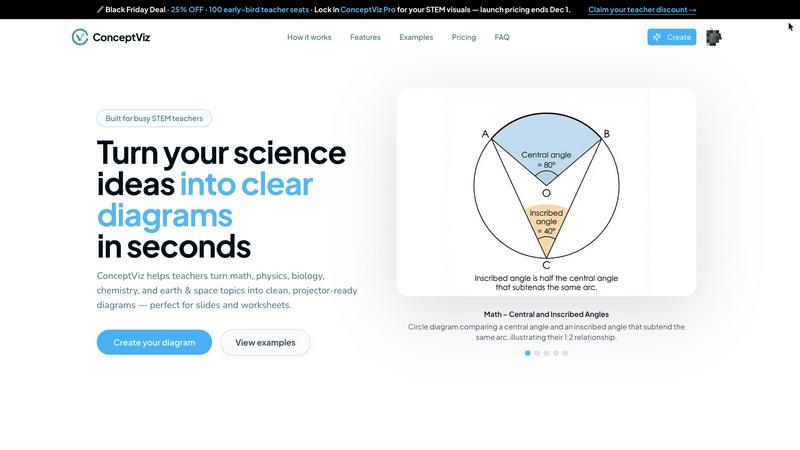
conceptviz
Feature Comparison
AdaptlyPost
Smart Scheduling
Smart Scheduling allows users to plan and automate their posts at optimal times for engagement. With a visual content calendar, you can easily see your posting schedule and never miss your best times for audience interaction.
Multi-Platform Posting
With Multi-Platform Posting, you can share content to all your connected social media accounts with a single click. Each post is automatically adapted to fit the unique tone and requirements of each platform, ensuring consistent branding and messaging.
AI Caption Copilot
The AI Caption Copilot is a powerful tool that generates captivating captions tailored for different social media platforms. By simply entering a prompt, you receive unique caption ideas, and the AI can even suggest trending hashtags to maximize your reach.
AI Image Studio
The AI Image Studio enables you to create eye-catching visuals in seconds. Just describe your vision, and the AI will generate stunning images that align with your brand and content strategy, helping your posts stand out in crowded feeds.
conceptviz
AI-Powered Text-to-Diagram Generation
Simply describe the visual you need in plain English, and ConceptViz's intelligent AI brings it to life. Whether you need a "labeled plant cell cross-section for 8th grade" or a "convex lens ray diagram with object between F and 2F," you can generate a precise, scientifically accurate diagram in seconds. This feature removes the barrier of design skills, allowing you to focus purely on your content and explanation.
Subject & Grade-Level Presets
Jumpstart your creation process with presets specifically tuned for real STEM classrooms. Choose from core subjects like Physics, Biology, Chemistry, Earth & Space, and Math, aligned with U.S. grade bands from elementary to high school. These presets ensure the generated diagrams use appropriate terminology, complexity, and visual styles for your intended audience, saving you time on adjustments.
Projector-Ready & Print-Optimized Output
Every diagram is engineered for real-world use. ConceptViz creates visuals with thick, legible lines, high-contrast colors, and readable labels that remain crisp and clear from the front row to the back of the classroom. Diagrams come in widescreen aspect ratios for slides and clean white backgrounds ideal for printing on worksheets, ensuring they look professional in any format.
High-Resolution Download & Seamless Integration
Easily download your creations as high-resolution PNG files. The diagrams are perfectly sized to drop directly into the tools you already use, such as PowerPoint, Google Slides, or Canva, without needing tedious resizing or reformatting. This seamless workflow integration means you can go from an idea to a slide in your presentation in under a minute.
Use Cases
AdaptlyPost
Content Creators
Content creators can leverage AdaptlyPost to streamline their posting process, allowing them to focus on creating high-quality content while the platform manages the scheduling and publishing across various channels.
Small Businesses
Small businesses can benefit from AdaptlyPost by enhancing their online presence without the need for a dedicated social media team. The platform simplifies content management, making it easier to engage with customers and grow their brand.
Marketing Teams
Marketing teams can utilize AdaptlyPost to coordinate campaigns across multiple platforms efficiently. The collaborative features allow teams to work together seamlessly, ensuring that all content aligns with marketing strategies.
Influencers
Influencers can use AdaptlyPost to maintain a consistent posting schedule across their social media accounts. The AI tools help them create engaging content quickly, allowing them to focus on building their personal brand and connecting with their audience.
conceptviz
Creating Engaging K-12 Classroom Materials
Teachers can instantly generate custom diagrams for worksheets, homework assignments, and slide presentations. Instead of relying on generic online images, educators can create visuals that perfectly match their lesson plan's specific examples and terminology, making abstract concepts like the parts of a plant or states of matter tangible and engaging for young learners.
Developing University-Level Lecture Content
Professors and teaching assistants can produce detailed, accurate figures for complex topics in advanced physics, biology, or chemistry lectures. From illustrating mitosis stages to drawing free-body diagrams for engineering courses, ConceptViz ensures that every visual aid is pedagogically sound and tailored to support higher-level discussion and analysis.
Accelerating Academic Research & Publication
Researchers and graduate students can use ConceptViz to quickly draft figures for papers, grant proposals, and thesis documents. The ability to rapidly iterate on visual explanations of methodologies, experimental setups, or theoretical models streamlines the communication of complex ideas, allowing academics to focus more on their research and less on graphic design.
Enhancing Student Projects and Study Aids
Students can empower their own learning by creating personalized study guides and project visuals. By generating diagrams to visualize concepts they find challenging, students engage in active learning. They can also produce professional-looking visuals for presentations and science fair projects, building both understanding and confidence.
Overview
About AdaptlyPost
AdaptlyPost is the ultimate all-in-one social media management dashboard designed to empower creators and businesses to streamline their content strategy. With AdaptlyPost, you can effortlessly create, schedule, and publish posts across multiple platforms including X, Instagram, TikTok, and YouTube, all from one unified interface. This innovative tool eliminates the chaos of managing various applications, allowing users to focus on crafting engaging content rather than juggling tools. The AI Co-pilot feature generates platform-specific captions that resonate with your audience, while the AI Image Studio helps create stunning visuals that capture attention. Whether you are a solopreneur, a small business, or part of a larger team, AdaptlyPost is tailored to enhance your social media presence and save you hours each week.
About conceptviz
ConceptViz is a revolutionary AI-powered visual creation tool designed to transform the abstract into the understandable. It empowers STEM educators, researchers, and students to generate clear, accurate, and classroom-ready diagrams in seconds, directly from simple text descriptions. This tool is built for anyone who needs to explain complex scientific and mathematical concepts, from K-12 teachers crafting engaging worksheets to university professors and graduate students preparing detailed research figures. The core mission is to eliminate the frustrating, time-consuming struggle of searching for imperfect images online or wrestling with complex drawing software. ConceptViz puts the power of professional visual explanation directly into your hands, allowing you to create diagrams that match your exact teaching style, curriculum standards, and lesson needs. It's more than just a diagram maker; it's a dedicated partner in pedagogy and communication, built to enhance clarity, ensure consistency, and give you back precious hours of preparation time. Start transforming your ideas into impactful visual lessons and see how effortless teaching and learning with perfect, purpose-built visuals can be.
Frequently Asked Questions
AdaptlyPost FAQ
Which social media platforms do you support?
AdaptlyPost supports a wide range of social media platforms, including X, Instagram, TikTok, YouTube, and more, making it easy to manage all your accounts from one dashboard.
Will my posts get less reach than posting manually?
No, AdaptlyPost is designed to optimize your posts for each platform, ensuring that your content is tailored to meet the specific requirements and preferences of the audience, thereby maintaining or even enhancing reach.
Can I schedule posts in advance?
Absolutely! AdaptlyPost allows you to schedule posts in advance, giving you the flexibility to plan your content strategy without the need for real-time management.
How does the AI caption writer work?
The AI caption writer generates unique and engaging captions based on the prompts you provide. It can tailor the content for different platforms, ensuring your message resonates with your audience while incorporating trending hashtags for greater visibility.
conceptviz FAQ
How accurate are the diagrams generated by ConceptViz?
ConceptViz is specifically trained and fine-tuned on STEM educational content to produce scientifically and mathematically accurate visuals. It is designed to handle standard curriculum topics with high precision. For highly specialized or cutting-edge research concepts, it provides an excellent foundational draft that can be a starting point for further refinement.
Do I need any design or drawing skills to use ConceptViz?
Absolutely not. ConceptViz is built specifically for educators and researchers, not graphic designers. The entire interface is centered on your descriptive text. You only need to describe what you want to see, and the AI handles all the drawing, layout, labeling, and styling for you, making professional diagram creation accessible to everyone.
Can I use the diagrams commercially in my textbooks or online courses?
You should refer to ConceptViz's specific Terms of Service for detailed licensing information. Typically, tools like this allow for educational and personal use of generated content. For commercial publication, such as in textbooks or for-profit courses, there may be specific licensing requirements or plans. It's best to check the official policy for commercial usage rights.
What file formats can I download my diagrams in?
ConceptViz provides high-quality downloads in PNG format, which is a versatile and widely supported image file type. PNG files offer high resolution with transparent or white backgrounds, making them perfect for inserting into presentation slides, documents, worksheets, and online learning management systems without losing clarity.
Alternatives
AdaptlyPost Alternatives
AdaptlyPost is a powerful content creation and scheduling tool designed to streamline the way users publish across multiple platforms including X, Instagram, TikTok, and YouTube. This all-in-one dashboard allows creators to write once and tailor their content for each platform, saving valuable time and effort while enhancing their social media presence. It harnesses the power of AI to assist with caption generation and visual creation, making it an essential asset for marketers and content creators alike. Users often seek alternatives to AdaptlyPost for various reasons, including pricing concerns, specific feature requirements, or the need for support for additional platforms. When exploring alternatives, it’s important to consider factors such as ease of use, integration capabilities, pricing models, and the specific functionalities that align with your content strategy. The right choice can empower you to achieve your content goals more effectively and efficiently.
conceptviz Alternatives
ConceptViz is an AI-powered content creation tool designed specifically for STEM education. It transforms text descriptions into clear, classroom-ready diagrams, saving educators and researchers hours of preparation time. This places it in the categories of AI assistants, design tools, and specialized data visualization software. Users often explore alternatives for various reasons. These can include budget constraints, the need for different feature sets like advanced animation or collaborative editing, or a requirement for tools that integrate with other platforms like specific LMS systems. The search for the right tool is a personal one, driven by unique workflow and pedagogical needs. When evaluating any alternative, focus on what truly empowers your teaching. Consider the tool's ease of use, the quality and clarity of its outputs for a classroom setting, and how well it aligns with your specific subject matter. The goal is to find a solution that transforms your complex ideas into impactful visuals as effortlessly as possible, giving you more time to focus on your students.