

Alternatives to Sprite-AI
Turn your imagination into pixel-perfect game sprites instantly, no drawing skills required.
Explore 20 alternatives to Sprite-AI. Compare features, pricing, and find the best fit for your needs.
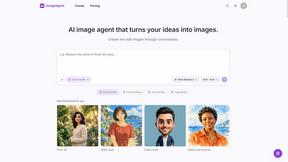
ImageAgent
Create and edit AI images through conversation, using text or reference images and refining results in chat.

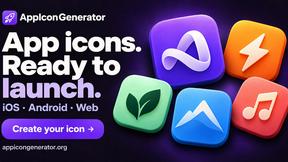
AppIconGenerator
Generate iOS and Android app icons from any image and export all platform sizes for free.
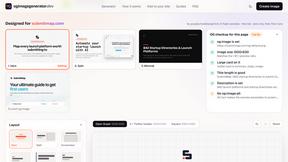
ogimagegenerator.dev
Paste a URL and AI designs on-brand Open Graph images from your page's colours, fonts and logo. Free, no sign-up.
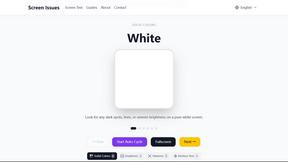
Screen Issues
Free Online Screen Test Tool - Instantly diagnose dead pixels, lines, color issues, and flickering. Multiple test modes, no download needed.
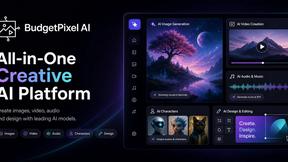
Budgetpixel AI
Create and edit AI images, videos, music, and designs in one workspace, with multiple models, reusable characters, and API access.
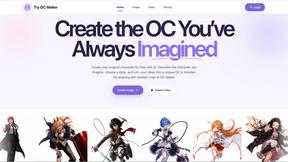
Try OC Maker
Create OCs from text or images, customize their look, and turn them into animated videos with AI.
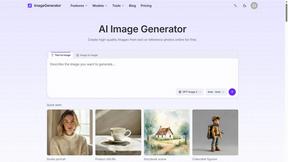
ImageGenerator
Create and edit AI images online with multiple models, text-to-image, image-to-image, background removal, and upscaling.
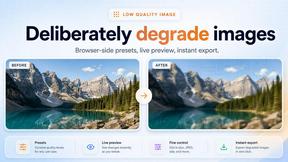

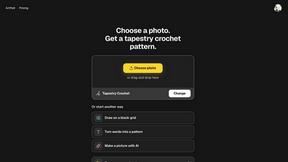
ArtPatt
Turn any photo into a craft chart for crochet, C2C, tapestry, knitting colorwork, cross-stitch and embroidery.

Ideogram Studio
Ideogram Studio creates typography-rich images, logos, posters, ads, packaging, and ecommerce visuals with Ideogram 4 AI.
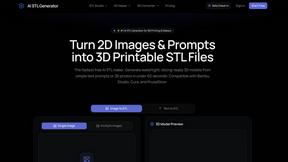
AI STL Generator
The fastest AI STL generator to turn prompts and images into 3D printable STL files.
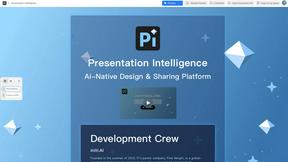
Presentation Intelligence
AI-native presentation and visual content platform that turns prompts, documents, images, videos, and data into polished, shareable decks.

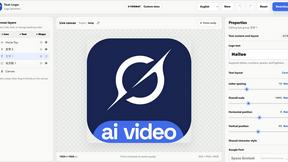
Text Logo
Create custom text, wordmark, and typography logos with editable fonts, colors, icons, shapes, and flexible exports.
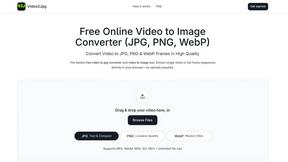
Video2Jpg
Convert video to JPG, PNG, or WebP frames in your browser. High-quality video to image converter with no uploads—fast, private, and free.
Seedance 2.5 Free
Create polished AI videos from text prompts or images with Seedance 2.5 Free.

GPT Image 2 API
Production-ready image generation and editing with GPT Image 2 API for creators, marketers, and developers.
About Sprite-AI Alternatives
SECTION 1 - ALTERNATIVES INTRO Sprite-AI is a powerful design tool that uses artificial intelligence to generate pixel art from simple text descriptions, placing it squarely in the category of AI-assisted design tools for game development. It empowers indie game developers, hobbyists, and prototypers to create clean, game-ready 2D assets in seconds without any drawing skill, offering a built-in pixel editor and direct exports for popular game engines. However, many users begin exploring alternatives for a variety of transformative reasons, such as seeking a more flexible pricing model that doesn't rely on tokens, needing integration with a specific workflow or platform that Sprite-AI doesn't support, or desiring more control over the AI's creative output for unique art styles. When you are on the journey to find the right tool for your creative vision, the most important factor is alignment with your own transformation as a creator. Look for a solution that not only accelerates your asset production but also respects your budget and learning curve, offering either a free tier for experimentation or a flat-rate subscription if you generate frequently. You should also evaluate the depth of the editing tools available, as the ability to fine-tune every pixel after generation is crucial for maintaining artistic integrity. Ultimately, the best alternative will be the one that removes the greatest barrier between your idea and your finished game, turning your spoken vision into a tangible, playable reality.
FAQs about Sprite-AI Alternatives
What is Sprite-AI?
Sprite-AI is an AI-powered pixel art generator designed to help indie game developers, hobbyists, and prototypers create 2D game assets quickly and without needing drawing skills. Users describe a sprite in plain English, and the app generates a clean, game-ready pixel art image in sizes like 32x32, 64x64, or 128x128 pixels. It also includes a built-in pixel editor for fine-tuning and exports transparent PNGs compatible with engines like Unity, Godot, GameMaker, and Unreal.
Who is Sprite-AI for?
Sprite-AI is built specifically for indie game developers, hobbyists, and prototypers who need fast 2D pixel art assets for their projects. It is ideal for anyone who wants to generate sprites like icons, items, characters, or hero and boss art without having to learn complex drawing or pixel art techniques. The tool is designed to empower creators at any skill level to transform their ideas into game-ready visuals in seconds.
Is Sprite-AI free?
Sprite-AI uses a token-based pricing model, meaning you only pay for what you generate rather than a flat subscription fee. This allows users to control costs based on their project needs, making it accessible for small projects or heavy production cycles. There is no mention of a permanent free tier in the provided details, so users should expect to purchase tokens to generate sprites.
What are the main features of Sprite-AI?
Sprite-AI's core feature is its ability to generate pixel art from plain English text descriptions, producing sprites in standard sizes like 32x32, 64x64, and 128x128 pixels. It includes a built-in pixel editor with tools for painting, erasing, filling, and color-picking, allowing you to fine-tune every pixel after generation. The platform also offers a community gallery, prompt guides, and exports transparent PNGs that integrate directly into game engines such as Unity, Godot, GameMaker, and Unreal.