

Alternatives to QuickTextTools
Unlock your creativity with QuickTextTools, offering 76 free online utilities to streamline writing and boost productivity effortlessly.
Explore 20 alternatives to QuickTextTools. Compare features, pricing, and find the best fit for your needs.

Safe Outreach
AI-powered platform that evaluates the safety of LinkedIn automation tools and helps reduce the risk of account restrictions.

How Long How Many Tool
Timers and hourly checks to figure how out long until a certain time or how many days away.


ButterShare
Realtime peer-to-peer file transfer in the browser. Send files directly between devices, no account and no upload to a server.

Emailyy
Free email tools for signatures, subject lines, HTML previews, word counts, and email headers. Browser-based, simple to use, and no signup required.

Uniclip
Clip pages, take full-page screenshots and batch-capture list data to Notion, Feishu, Obsidian, Markdown, CSV or JSON.

TroveKey
Search tabs, Chrome bookmarks and history, run browser commands, and save webpages and social posts locally—no account.

LightScreen
Free light screen tool online. Turn any display into a flashlight, ambient light, or solid-color screen. No download or sign-up.

SquishFile
Free video tools that run in your browser. Compress, convert, upscale and transcribe without uploading.

Context Board
Context Board brings your numbers, docs, clients, content and day into one workspace that Claude and Codex can read and update.

@fuck.it - email with attitude
Private email. Pure. Secure. Exclusive. No ads, no tracking, no data selling. GDPR compliant, EU-hosted.

My Tools Suite Pro
MyToolsSuitePro is a curated directory of free online tools for productivity, writing, marketing, SEO, 3D, email marketing, and everyday digital tas

Panzoe
Panzoe is an all-in-one AI platform for personal productivity, business automation, AI assistants, content creation, and custom AI solutions.


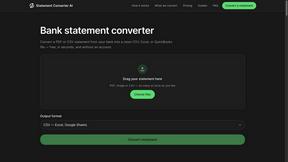
StatementConverterAI
Convert a bank statement PDF or CSV into clean CSV, Excel, or QuickBooks — no account needed.

JevModel
Run Choice, Score and Noul decisions on text or JSON. Build visual flows, process batches and integrate results through an API.

Tally Counter
Online tally counter for tracking attendance, workouts, inventory, visitors, sports scores, habits, and everyday counting tasks.
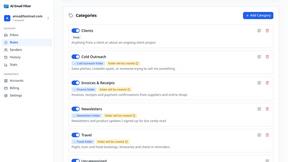
AI Email Filter
AI Email Filter sorts incoming mail into folders using plain-language prompts you write. Works with any IMAP mailbox; bring your own LLM if you want.
About QuickTextTools Alternatives
QuickTextTools is a powerful online platform that offers over 76 free utilities aimed at maximizing productivity for writers, marketers, developers, students, SEO professionals, and content creators. As a comprehensive toolkit, it provides an array of features such as text formatting tools, SEO analysis utilities, and writing assistants, all designed to streamline workflows and enhance efficiency. The user-friendly nature of QuickTextTools allows individuals to access these invaluable resources directly through their browser without the hassle of downloads or intricate setups. Users often seek alternatives to QuickTextTools for various reasons, including the need for specific features, different pricing models, or compatibility with their preferred platforms. When exploring alternatives, it is essential to consider factors such as ease of use, the breadth of available tools, integration options, and the overall user experience. Prioritizing these elements will ensure that you find a solution that not only meets your immediate needs but also empowers you to elevate your productivity and creativity in the long run.
FAQs about QuickTextTools Alternatives
What is QuickTextTools?
QuickTextTools is a free, online platform that provides over 76 utilities designed specifically for enhancing productivity among writers, marketers, developers, SEO professionals, and content creators. It offers a variety of tools, including text formatting options, SEO analysis utilities, and writing assistants, all accessible directly through your web browser.
Who is QuickTextTools for?
QuickTextTools is tailored for a diverse audience, including writers, marketers, developers, students, and anyone looking to optimize their text and improve productivity. Whether you need assistance with SEO, content creation, or text formatting, QuickTextTools provides the necessary tools to meet your needs.
Is QuickTextTools free?
Yes, QuickTextTools is completely free to use. Users can access all of the platform's 76+ utilities without any cost, making it an affordable option for enhancing productivity and efficiency in various writing and content creation tasks.
What are the main features of QuickTextTools?
QuickTextTools features a wide range of utilities including text formatting tools, SEO analysis utilities, writing assistants, keyword management tools, and developer utilities. These tools are designed to simplify workflows, enhance writing quality, and boost productivity, all while ensuring a user-friendly experience.