

Alternatives to Muse AI
Muse AI transforms your text or photo into a share-ready video clip in seconds, empowering you to create compelling content for free.
Explore 20 alternatives to Muse AI. Compare features, pricing, and find the best fit for your needs.
ViduAI
Create consistent videos from text, images, up to seven references, or first and last frames with ViduAI.
AIEnhancer
Enhance photos, create images, and generate videos with an all-in-one AI enhancer for flexible creative workflows.
AudioVideo
Turn podcasts, narration, voice recordings, or music into visual content with an audio-aware AI video generator.
VidRush AI
AI-powered long video generator. Create multi-modal AI videos by combining images, video, audio, and text.
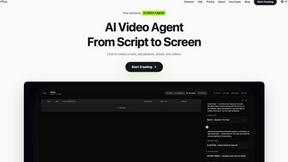
Pixo
Pixo is an AI video director that turns a prompt or script into a storyboard, consistent scenes, voiceover, and an edited final cut.

Video2Jpg
Convert video to JPG, PNG, or WebP frames in your browser. High-quality video to image converter with no uploads—fast, private, and free.
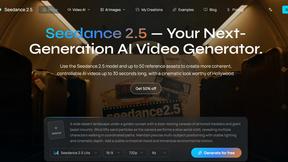
Seedance 2.5
Seedance 2.5 is a multimodal AI video generator by ByteDance for 30-second, high-fidelity cinematic video creation and AI video editing.
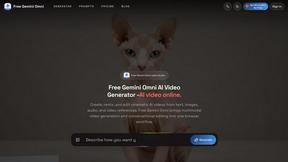
Free Gemini Omni
Create, remix, and edit cinematic AI videos online with text, image, audio, and video prompts.
Seedance 2.5 Free
Create polished AI videos from text prompts or images with Seedance 2.5 Free.
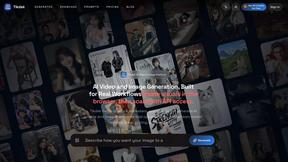
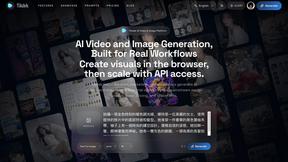
Tikdek
Tikdek creates AI videos and images from prompts, images, or references in one browser workflow, with stable APIs for scalable production.

PerchanceAI
PerchanceAI is an AI creative studio for image generation, editing, background removal, product photos, and image-to-video creation.

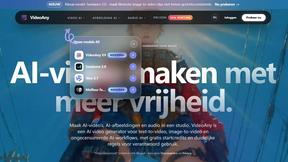
VideoAny BE
Create AI videos from text or images, generate images and audio in one online studio.

VideoAny BR
Create AI videos from text or images, generate images and audio in one online studio.

UGCad AI
AI UGC video ad Generator which Turn a URL, prompt, or template into a ready video ads
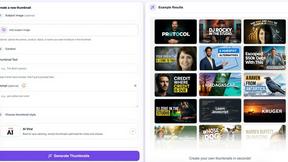
StopScroll
StopScroll helps YouTube creators generate AI thumbnails and improve images for higher-click videos.
About Muse AI Alternatives
SECTION 1 - ALTERNATIVES INTRO Muse AI is a powerful tool in the rapidly evolving video generation category, designed to transform your text prompts or static photos into dynamic, share-ready AI video clips in just seconds. Its core promise is accessibility, offering this creative capability for free, which has made it a popular entry point for content creators, marketers, and social media enthusiasts looking to add motion to their ideas. However, as your creative vision grows, you might find yourself searching for alternatives. This often happens when you need more advanced editing controls, higher resolution outputs, longer video durations, or specific stylistic nuances that a free tool may not fully accommodate. Perhaps you require a different workflow, need to integrate with other software, or are seeking a platform that scales with your professional production demands. When you begin exploring other options, focus on what truly empowers your transformation from idea to finished video. Look for a platform that offers the right balance of speed and quality, ensuring your final clip is not only generated quickly but also looks polished and professional. Consider the depth of customization available—can you fine-tune the motion, the style, and the pacing? Evaluate the export capabilities, such as resolution limits and file formats, to ensure they match your distribution channels. Above all, choose a solution that feels intuitive and inspires confidence in your creative process, turning your raw concepts into compelling visual stories without unnecessary friction. The goal is to find a tool that amplifies your unique voice, not one that limits it.
FAQs about Muse AI Alternatives
What is Muse AI?
Muse AI is a free AI-powered tool that instantly turns any text description or uploaded photo into a share-ready video clip. It belongs to the video generation category, enabling users to create dynamic visual content without complex editing software. The platform focuses on speed and simplicity, making AI video creation accessible to everyone.
Who is Muse AI for?
Muse AI is designed for content creators, social media managers, marketers, and anyone who needs to quickly produce engaging video clips from text or images. It is ideal for beginners and non-designers who want to add motion to their ideas without a steep learning curve. The tool also serves professionals seeking a rapid prototyping solution for short-form video content.
Is Muse AI free?
Yes, Muse AI is completely free to use. The platform allows you to turn any text or photo into a share-ready AI video clip at no cost. This free access makes it an attractive starting point for exploring AI video generation without financial commitment.
What are the main features of Muse AI?
The primary feature of Muse AI is its ability to generate video clips from text prompts or uploaded photos in seconds. It offers a straightforward, user-friendly interface focused on speed and simplicity. The output is designed to be immediately share-ready, meaning users can download and distribute their creations directly to social media or other platforms without additional editing.