

Alternatives to Easymotion - AI Motion Graphic Generator
Stop spending hours in After Effects and create professional motion graphics, map animations, and social media videos in minutes just by chatting.
Explore 20 alternatives to Easymotion - AI Motion Graphic Generator. Compare features, pricing, and find the best fit for your needs.
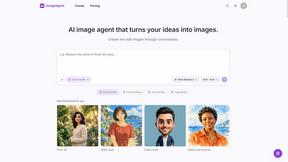
ImageAgent
Create and edit AI images through conversation, using text or reference images and refining results in chat.


GenX
All-in-one AI workspace to generate images, videos, and audio with multiple leading AI models.

Bloom
An adaptive AI tutor that turns topics or your materials into courses, lessons, and answers tailored to how you learn.
AiAgeFilter
Free AI age filter: upload an adult portrait, add 10-40 years, meet your older self. No app needed.

AppIconGenerator
Generate iOS and Android app icons from any image and export all platform sizes for free.


Design.com AI Image Generator
Turn text prompts into polished, copyright-safe visuals that plug directly into branded templates

Nano AI
Create and edit AI images, generate videos, and compare models in one creative workbench.
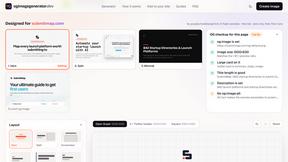
ogimagegenerator.dev
Paste a URL and AI designs on-brand Open Graph images from your page's colours, fonts and logo. Free, no sign-up.
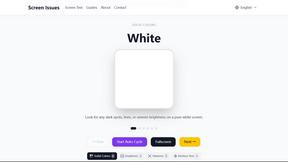
Screen Issues
Free Online Screen Test Tool - Instantly diagnose dead pixels, lines, color issues, and flickering. Multiple test modes, no download needed.
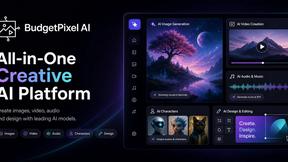
Budgetpixel AI
Create and edit AI images, videos, music, and designs in one workspace, with multiple models, reusable characters, and API access.

FreeVideoGenerator
Free AI video generator to turn text prompts and photos into clips, with free starter credits and no-watermark downloads.
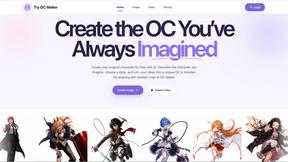
Try OC Maker
Create OCs from text or images, customize their look, and turn them into animated videos with AI.

Leadeon
AI growth tool for X and LinkedIn: write posts in your voice, schedule at your best times, find leads on X and see what works.
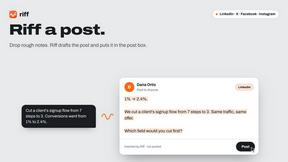
Riff
Free Chrome extension. Paste your rough point and Chrome's built-in AI writes a fresh reply for that post on X, LinkedIn, Facebook or Instagram.

ImageGenerator
Create and edit AI images online with multiple models, text-to-image, image-to-image, background removal, and upscaling.
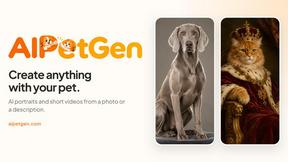
AIPetGen
AIPetGen turns a photo of your dog, cat, or other pet, or a written description, into a new picture or a short animation.

About Easymotion - AI Motion Graphic Generator Alternatives
Easymotion - AI Motion Graphic Generator is a powerful browser-based platform that falls within the AI Assistants, Content Creation, and Design Tools categories. It empowers content creators, editors, founders, and marketers to transform static ideas, files, and visuals into polished animated videos without the steep learning curve of traditional timeline editing. Whether you need SaaS product promos, flowcharts, animated charts, UI explainers, or dynamic map animations for flight routes and location storytelling, Easymotion turns prompts, images, spreadsheets, and PDFs into animation-ready scenes in moments. Users often explore alternatives to Easymotion when they have specific pricing constraints, require unique feature sets for niche workflows, or need deeper integration with existing tools. Some may seek more advanced customization options for complex animations, while others look for different export formats or collaboration capabilities. When choosing an alternative, it is essential to evaluate how well the platform supports your core needs: ease of use for non-designers, the ability to animate data and maps, responsive editing through AI, and flexible export options for various social and professional formats. The right choice should accelerate your creative process, not complicate it, transforming your vision into motion with speed and confidence.
FAQs about Easymotion - AI Motion Graphic Generator Alternatives
What is Easymotion - AI Motion Graphic Generator?
Easymotion is an AI-powered motion graphics generator and map animation platform designed for content creators, editors, founders, and marketers. It allows users to turn ideas, files, and static visuals into polished animated videos directly in the browser without needing complex timeline editing. The platform supports various formats including SaaS product promos, flowcharts, animated charts, UI explainers, quizzes, and geographic map animations for flight routes and location pins.
Who is Easymotion - AI Motion Graphic Generator for?
Easymotion is built for content creators, video editors, startup founders, and marketers who need to produce professional motion graphics quickly. It is ideal for anyone who wants to create animated videos for social media, product marketing, presentations, client deliverables, or educational content without relying on traditional animation software. The tool is especially valuable for those who need to generate map animations, data visualizations, and UI explainers with minimal technical effort.
Is Easymotion - AI Motion Graphic Generator free?
The provided content does not specify whether Easymotion offers a free tier or trial. Typically, AI motion graphic tools like this may have a freemium model or a free trial period, but you should check the official Easymotion website for the most current pricing and plan details. The platform emphasizes accessibility through browser-based editing and AI-powered generation, which often includes flexible subscription options for different user needs.
What are the main features of Easymotion - AI Motion Graphic Generator?
Easymotion enables users to generate animations from prompts, images, spreadsheets, and PDFs, and then refine them by chatting with AI to adjust colors, pacing, labels, layout, and visual style. It includes a premium template library for starting with proven motion graphics layouts, and supports export to MP4 or MOV, including transparent background videos. The platform offers multiple aspect ratios including 16:9 for YouTube, 9:16 for TikTok and Instagram Reels, 1:1 for square posts, and 4:5 for vertical feed-friendly formats.