

VRChat Avatar Maker
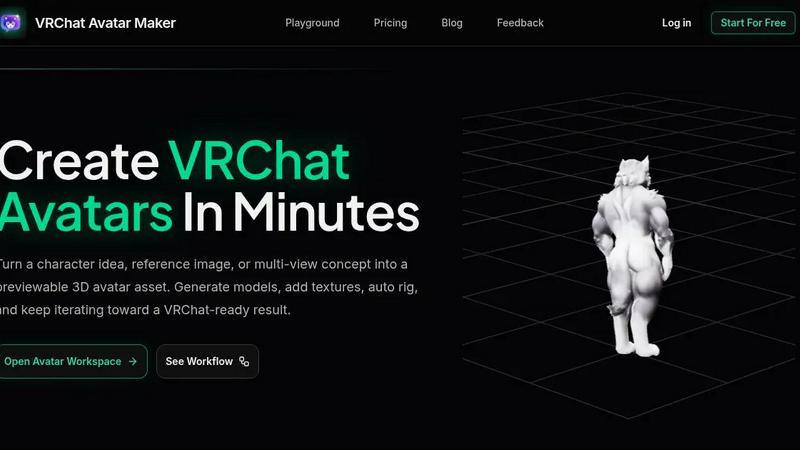
Turn your character ideas into VRChat-ready 3D avatars with textures, rigging, and previews in minutes.
AI tool Details
About VRChat Avatar Maker
VRChat Avatar Maker is a transformative, all-in-one AI-powered workspace designed to take you from a simple spark of an idea to a fully realized, previewable, and downloadable 3D avatar asset ready for VRChat. This is not just another image generator; it is a complete, end-to-end pipeline built specifically for the unique needs of VRChat creators. Whether you are a seasoned avatar artist looking to accelerate your workflow or a complete beginner taking your first steps into virtual self-expression, this tool empowers you to skip the intimidating, manual 3D modeling process. You can start by typing a text prompt, uploading a single reference image, or providing a set of multi-view character concepts. The platform then intelligently generates a base 3D model, allows you to add and refine textures, automatically rigs the avatar with motion presets, and provides a live preview workspace to inspect every detail. The core value proposition is simple: stop starting from scratch. With VRChat Avatar Maker, you iterate forward. Each step—from concept exploration to texture repainting to auto-rigging—builds directly on the last, keeping your vision intact and moving you toward a VRChat-ready result in minutes, not days. It is the fastest path from your imagination to a living, breathing avatar.
Features
Text to Avatar
Transform your written character ideas directly into a 3D avatar model, bypassing the need for complex 3D software. This feature allows you to describe your avatar’s style, clothing, mood, and silhouette using a simple prompt, and the AI generates a fully textured and structured model as a first pass. It is perfect for rapid concept exploration, enabling you to visualize and iterate on multiple character directions in a fraction of the time it would take to model them manually, turning abstract thoughts into tangible assets.
Multi-Image to Avatar
Create a stronger, more accurate avatar foundation by using front, left, back, and right reference views of your character. This feature is crucial for creators who have a specific design in mind, as it provides the AI with a complete 360-degree understanding of your concept. By uploading multiple views, you ensure that the generated model maintains consistent proportions, details, and style from every angle, resulting in a final asset that is far more faithful to your original vision and ready for further refinement.
Texture Generation and Repainting
Take your generated or imported 3D model and bring it to life with intelligent texture application and editing. This feature allows you to generate a full set of textures based on your original prompt or reference, and then use a repainting tool to make targeted adjustments. You can change the color of a jacket, add intricate patterns, or create a worn, metallic look without needing any UV mapping or painting software. It gives you complete, intuitive control over the final look of your avatar.
Auto Rigging with Motion Presets
Automatically prepare your generated avatar for animation with a single click. This feature intelligently analyzes your model's structure to create a skeleton and apply skinning, making the avatar movable and poseable. It comes with a selection of motion presets, allowing you to test how your avatar moves, dances, or stands. This eliminates the most technically challenging and time-consuming step of the avatar creation pipeline, ensuring your final download is not just a static model, but a functional, VRChat-ready asset.
Use Cases
Rapid Concept Exploration for New Characters
When you have a vague idea for a new VRChat persona but are unsure of the exact visual direction, this tool is your creative partner. Use the Text to Avatar feature to generate multiple variations based on different prompts, exploring styles like cyberpunk, fantasy, or casual wear. You can quickly see how different silhouettes and color palettes look in 3D, allowing you to make confident decisions early in the design process without the time investment of manual modeling.
Creating a Custom Avatar from a Fan Art Reference
You have a beloved piece of fan art or a character concept from an artist, and you want to bring it into VRChat. By uploading the single image, or even better, a multi-view sheet, you can generate a 3D model that captures the essence of the original 2D design. The texture generation and repainting tools then allow you to match the colors and details precisely, resulting in a custom avatar that feels like a direct translation of the artwork into a living, interactive form.
Iterative Improvement of an Existing Avatar Asset
You have a basic or older avatar model that you love but want to upgrade. Instead of starting over, you can import your existing model into the workspace. Use the Add Texture feature to give it a high-quality, AI-generated paint job, or use Auto Rigging to improve its animation and movement. This use case is about evolution, not replacement. You can continuously refine your favorite avatar, adding new textures or adjusting its rig to keep it feeling fresh and modern.
Building a Themed Avatar Collection for a Group
For a VRChat group, community, or event, you need a set of avatars that share a cohesive theme, such as a futuristic security team or a fantasy guild. VRChat Avatar Maker enables you to create a consistent base model using a core prompt, then quickly generate variations by changing specific attributes like color, accessories, or textures. This workflow allows you to produce a whole collection of unique but visually unified avatars in a single session, perfect for team branding or immersive roleplay events.
Frequently Asked Questions
What is the difference between Text to Avatar and Image to Avatar?
Text to Avatar allows you to generate a 3D model entirely from a written description, which is ideal for exploring new ideas or creating characters from scratch. Image to Avatar uses a single uploaded image (like a drawing or photo) as the primary reference to create a 3D model that closely matches the visual style and proportions of that image. For the best results with a specific design, using the Multi-image to Avatar feature with multiple views is recommended.
Can I use my own models with the texture and rigging tools?
Yes, the workspace is designed to be a continuous pipeline. You can upload or import existing 3D models that you have created elsewhere into the VRChat Avatar Maker workspace. Once imported, you can use the Add Texture feature to generate new surface details and the Auto Rigging feature to apply a new skeleton and motion presets, allowing you to enhance and update your older assets without leaving the platform.
What file formats are available for download?
The platform is built with VRChat's upload requirements in mind. The final, downloadable asset is typically provided in a standard 3D format that is compatible with Unity, such as .fbx or .obj, along with the associated texture files. This ensures that once you are satisfied with the preview in the workspace, you can directly import the file into Unity for final setup and upload to VRChat with minimal friction.
How does the preview system help me improve my avatar?
The preview system is a critical part of the iteration workflow. After each step—be it model generation, texturing, or rigging—you can view the result in a 3D viewer directly in your browser. This allows you to inspect the avatar from all angles, check for any issues with the geometry or textures, and test the motion presets. If something is not right, you can immediately retry that specific step or go back to a previous one, instead of waiting until after a full export to find a problem.
Similar to VRChat Avatar Maker
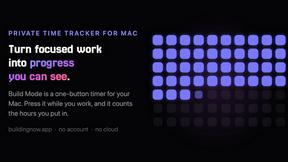
Build Mode for Mac
Build Mode is a Mac app that turns focused sessions into visible progress, so you can see the work adding up before the results arrive.
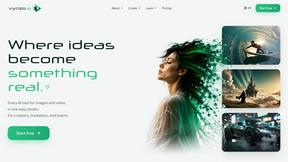
Vynzo
AI image and video studio. Generate from a prompt, animate stills, swap faces, restyle clips and edit — one credit pool, no subscription.
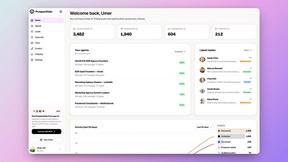
Speechyou
AI transcription for voice notes, meetings, and audio files in 1,700 languages, with AI summaries and subtitle export and unlimited chat ai usage.
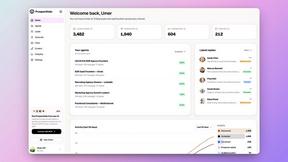
ProspectHalo
AI sales agent that finds qualified leads, runs outreach, follows up automatically, creates content, and helps book more meetings.
benchmark.directory
An AI tools directory that turns down money. 146 listings, 20 categories, no sponsored placement and no affiliate ordering.
saasgrow.ai
Screened, scored, categorised. saasgrow.ai lists SaaS growth tools on merit — never on who paid the most for the slot.
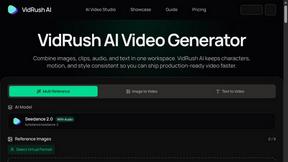
VidRush AI
AI-powered long video generator. Create multi-modal AI videos by combining images, video, audio, and text.

Tools Network
Tools Network is a curated directory of the best AI tools across 25+ categories. Compare ratings, pricing, and features to find the right one, fast.