

UseSkill
Automate any work instantly with AI skills that connect your apps and deliver consistent results.
AI tool Details
Explore More
Alternatives

About UseSkill
Stop wrestling with AI and start achieving. UseSkill is the transformative AI skills library that turns the frustrating promise of generative AI into a powerful, one-click reality. It solves the core problem of today's AI tools: the endless cycle of crafting prompts, copying data between windows, and dealing with unpredictable results. Instead of spending 30 minutes explaining a task, you get reliable, expert-built outcomes in 30 seconds. UseSkill provides a vast library of pre-tested "skills"—intelligent, automated workflows that seamlessly connect your essential tools like Salesforce, Gmail, Slack, Jira, and Snowflake. Once you securely connect your apps, you can run these skills forever to automate complex tasks like CRM syncing, lead enrichment, data cleaning, DevOps alerts, and inbox triage. Built for every team—Sales, Support, Engineering, Data, and Marketing—UseSkill empowers over 5,000 active users to reclaim their time, ensure consistent quality, and focus on the high-impact work that truly matters. With a privacy-first architecture powered by the MCP protocol and OAuth 2.0, your data is processed but never stored, making it the secure, efficient, and empowering way to make AI finally deliver on its promise for your business.
Features
The AI Skills Library
Unlock a vast, ever-growing library of expert-built, pre-tested AI workflows designed for real business tasks. Each "skill" is a ready-to-run automation that replaces complex, manual processes. From triaging your inbox to syncing CRM data and cleaning datasets, these skills are tested on real data and refined for consistent, high-quality results every single time. Browse by task or team to instantly find the automation you need.
One-Click Integrations via MCP
Connect your entire tech stack in seconds with seamless, secure integrations. UseSkill supports over 100 essential tools, including Salesforce, HubSpot, Gmail, Slack, Snowflake, and Jira, using the Model Context Protocol (MCP) and OAuth 2.0. You authenticate directly with each app—we never see or store your passwords. Connect your tools once and run skills forever, with the power to instantly disconnect at any time.
Consistent, Reliable Output
Eliminate the guesswork and inconsistency of raw AI prompts. Every UseSkill skill is engineered and rigorously tested to produce the same high-quality, organized results every time you run it. Say goodbye to outputs that "worked yesterday but not today." This reliability ensures your automated processes are dependable, saving you from costly errors and time-consuming manual reviews.
Privacy-First, Enterprise-Ready Security
Your data's security is our foundational principle. UseSkill operates on a privacy-first architecture where your data flows through during a skill run but is never stored on our servers. We use OAuth 2.0 exclusively, never see your passwords, and we do not train AI models on your content. This enterprise-ready approach gives you the power of automation without compromising data sovereignty or security.
Use Cases
Sales Teams: Accelerate Deal Cycles
Sales professionals can close deals faster by automating tedious data work. UseSkill can automatically enrich lead information from sources like Apollo, sync updated contact and company data directly to Salesforce or HubSpot, and even generate personalized outreach drafts—all within a single, one-click workflow. This eliminates hours of manual copy-pasting, allowing reps to focus purely on selling and building relationships.
Support Teams: Automate Inbox Triage
Support agents are empowered to manage high-volume inboxes efficiently. UseSkill skills can automatically categorize, prioritize, and summarize incoming customer emails from platforms like Gmail or Zendesk. This instant triage ensures critical issues are addressed first, response times improve, and agents can dedicate their human empathy and problem-solving skills to the conversations that matter most.
Engineering & DevOps: Streamline Alert Management
Engineering teams can automate their alert and incident management workflows. Connect tools like GitHub, Jira, and Datadog to create skills that automatically parse complex alert logs, create summarized tickets with clear context, and notify the right channels in Slack. This reduces mean time to resolution (MTTR) and prevents critical issues from getting lost in noisy dashboards.
Data Teams: Clean and Prepare Messy Data
Data analysts and engineers can reclaim hours spent on data wrangling. UseSkill offers skills to automatically connect to data sources like Snowflake or BigQuery, identify and clean inconsistent entries, format datasets, and prepare reports. This ensures data quality and consistency, providing reliable, analysis-ready information in a fraction of the usual time.
Frequently Asked Questions
How is UseSkill different from using ChatGPT or other AI chatbots?
While chatbots require you to start from scratch with a new prompt for every task, UseSkill provides pre-built, expert-tested workflows (skills) that are guaranteed to work consistently. Instead of explaining, copying, and pasting data between windows, you connect your tools once and get organized, actionable results in about 30 seconds with a single click. It turns generative AI from a creative toy into a reliable business automation engine.
Is my data safe and private with UseSkill?
Absolutely. UseSkill is built with a privacy-first, enterprise-ready architecture. You connect your apps via secure OAuth 2.0—we never see or store your passwords. Your data (from Salesforce, Gmail, etc.) flows through our system during the skill execution but is never stored permanently. We do not train our AI models on your content. You maintain full control and can instantly disconnect any integration.
What tools can I connect with UseSkill?
UseSkill supports over 100 integrations across all critical business functions. This includes major platforms like Salesforce, HubSpot, Gmail, Slack, Snowflake, Jira, GitHub, Zendesk, BigQuery, Notion, and Mixpanel. The connection is seamless and secure via the MCP protocol, requiring just one click to authorize each app you wish to automate.
Do I need technical skills or a credit card to start?
No, you do not. UseSkill is designed for every professional, regardless of technical expertise. You can browse the skill library, try a skill for free, and connect your tools with one-click OAuth—all without a credit card. It’s built to be immediately useful, allowing you to experience the transformation from complex task to one-click result in under a minute.
Similar to UseSkill

@fuck.it - email with attitude
Private email. Pure. Secure. Exclusive. No ads, no tracking, no data selling. GDPR compliant, EU-hosted.

Novastart
Apps and files on an infinite canvas where people and AI agents work together.
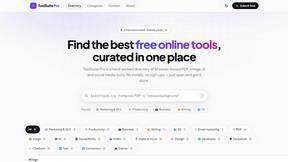
My Tools Suite Pro
MyToolsSuitePro is a curated directory of free online tools for productivity, writing, marketing, SEO, 3D, email marketing, and everyday digital tas

Panzoe
Panzoe is an all-in-one AI platform for personal productivity, business automation, AI assistants, content creation, and custom AI solutions.

AUTOMATER.ai
A tray helper for every AI coding tool: sessions, alerts and usage in one place

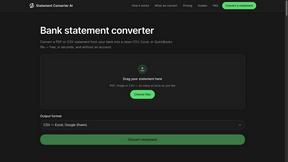
StatementConverterAI
Convert a bank statement PDF or CSV into clean CSV, Excel, or QuickBooks — no account needed.
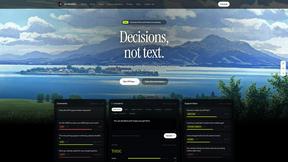
JevModel
Run Choice, Score and Noul decisions on text or JSON. Build visual flows, process batches and integrate results through an API.