

URL to Any
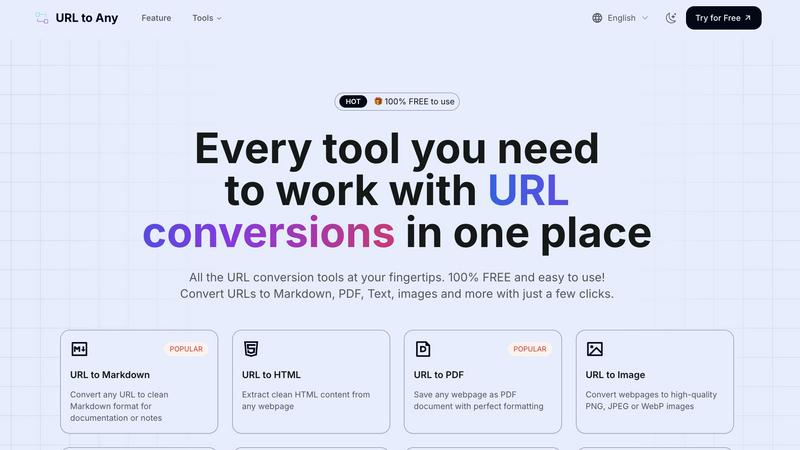
Transform any web content into your desired format effortlessly with URL to Any's versatile conversion tools.
AI tool Details
Explore More
Alternatives
About URL to Any
In an age where information is abundant but often entangled in complex formats, URL to Any emerges as a transformative solution. This innovative tool allows users to convert any webpage into a variety of formats instantly and at no cost. Whether you are a content creator, researcher, student, developer, or professional, URL to Any is designed to empower you by simplifying the way you interact with web content. With its user-friendly interface, you can convert articles, documentation, or research pages into Markdown for your blog, PDFs for your archives, clean text for analysis, or even images and QR codes for easy sharing—all achieved with a simple URL. The main value proposition lies in its commitment to enhancing your productivity without the hassle of registrations or hidden fees. URL to Any transforms the tedious process of content conversion into a seamless experience, enabling you to focus on what truly matters: your ideas and creativity.
Features
URL to Markdown
Transform any URL into clean Markdown format, making it easier to create documentation or notes. This feature ensures that your content is well-structured and ready for immediate use in your writing projects.
URL to PDF
Save any webpage as a beautifully formatted PDF document with just a click. This feature is perfect for archiving important web content or sharing information in a universally accessible format.
URL to Image
Convert webpages into high-quality PNG, JPEG, or WebP images effortlessly. This feature allows you to capture visual representations of web content for presentations, reports, or social media sharing.
URL to QR Code
Generate QR codes from any URL quickly for easy sharing. This feature is ideal for event promotions, business cards, or marketing materials, allowing others to access your content with a simple scan.
Use Cases
Research Documentation
Researchers can use URL to Any to convert scholarly articles or webpages into PDF or Markdown formats, making it easier to compile literature reviews and references for papers or presentations.
Content Creation
Bloggers and content creators can instantly convert online articles into Markdown or images, streamlining the process of gathering information and enhancing their productivity for writing projects.
Academic Use
Students can quickly convert lecture notes or online resources into clean text or PDF formats. This enables them to organize their study materials efficiently without getting bogged down by formatting issues.
Marketing and Promotion
Marketers can create QR codes from their landing pages or promotional content for easy sharing in print or digital formats. This boosts engagement and provides a quick way for users to access information.
Frequently Asked Questions
How does URL to Any work?
URL to Any allows users to paste a URL into the tool, select their desired output format, and convert the content instantly. The process is streamlined for efficiency, ensuring rapid results.
Is URL to Any really free to use?
Yes, URL to Any is completely free with no hidden fees or required registrations. Users can access all features without any cost, making it an invaluable resource for everyone.
What formats can I convert URLs into?
You can convert URLs into various formats, including Markdown, PDF, images, text, JSON, XML, and many more. This versatility makes URL to Any suitable for a wide range of applications.
Is my data safe when using URL to Any?
Absolutely! URL to Any processes data securely and does not store any user information on its servers. Your privacy and security are top priorities while using the tool.
Similar to URL to Any
screenRIG
Signage and kiosk infrastructure for AI agents. Your agent publishes images, video, streams, web pages and apps to screens via one plugin.screenRIG is

AUTOMATER.ai
A tray helper for every AI coding tool: sessions, alerts and usage in one place
GetYouTubeTranscript
Free YouTube transcripts on the web, a Chrome extension, and an API + MCP server so AI assistants can read YouTube.



amaze.directory
Hand-checked AI tools with real pricing on the card and no paid ranks.