

AI tool Details
Explore More
Alternatives

About StreamVox - AI Live Translator
StreamVox is a revolutionary AI-powered translation tool designed specifically for Windows users seeking real-time audio translation. This innovative software seamlessly integrates with your computer, providing live subtitles and instant translation for any audio content, whether it's calls, games, streaming services, or videos. StreamVox is perfect for individuals navigating international business meetings, gamers communicating across borders, or anyone wanting to enjoy foreign films without waiting for subtitles. Its main value proposition lies in breaking down language barriers, enabling effective communication and understanding across diverse languages. With 49+ input and target languages and a user-friendly interface available in 12 languages, StreamVox empowers users to engage with content and conversations like never before.
Features
Multilingual Support
StreamVox delivers exceptional versatility with support for over 49 input languages and 49 AI-powered target languages. This extensive range ensures that users from different linguistic backgrounds can communicate effectively and understand any audio content without hurdles.
Customizable Display Options
The software offers two display modes: Line-by-line and Paragraph. This allows users to choose the mode that best fits their needs, whether they are gaming or engaging in live chats, ensuring an optimal viewing experience tailored to their preferences.
Smart Audio Capture
With three audio modes—System Audio, Microphone, and Per-App Capture—StreamVox allows users to isolate specific applications like Zoom, Discord, or games. This intelligent feature captures only the desired audio, eliminating background noise and enhancing clarity during conversations or gameplay.
Transparent Overlay
The innovative transparent overlay feature allows subtitles to float above any content on your screen. Users can customize font size, color, and transparency, ensuring that subtitles are both visible and non-intrusive, giving a seamless viewing experience whether watching videos or playing games.
Use Cases
Business Meetings
StreamVox is ideal for international business meetings conducted via platforms like Zoom or Microsoft Teams. Users can follow conversations in their native language, ensuring effective communication and collaboration without language obstacles.
Gaming Experience
Gamers can enhance their experience with real-time subtitles during in-game voice chats. StreamVox makes multiplayer games more accessible, allowing players from different regions to communicate effortlessly and strategize together.
Streaming Content
Whether watching YouTube, Netflix, or Twitch, users can enjoy foreign content without waiting for official subtitles. StreamVox provides real-time translations that enhance the viewing experience and keep audiences engaged.
Mobile Translation
With the Phone Link integration, StreamVox connects to mobile devices, offering live translation for phone calls directly on the PC screen. This feature is perfect for users who need to engage in conversations with contacts speaking different languages.
Frequently Asked Questions
How does StreamVox ensure audio privacy?
StreamVox prioritizes user privacy by processing audio in real-time without storing any data. This commitment ensures that users can communicate freely without concerns about their audio being recorded or stored.
Is StreamVox compatible with other applications?
Yes, StreamVox is compatible with various applications including Zoom, Microsoft Teams, Discord, and popular gaming platforms. This versatility allows users to integrate the translation tool into their daily workflows seamlessly.
Can I customize the subtitle appearance?
Absolutely! StreamVox allows users to customize the subtitle overlay by adjusting font size, color, and transparency. This feature ensures that subtitles are both visible and tailored to individual user preferences.
What languages are supported by StreamVox?
StreamVox supports over 49 input languages and 49 target languages, providing extensive multilingual capabilities. This allows users from diverse backgrounds to communicate effectively and understand audio content in their preferred language.
Similar to StreamVox - AI Live Translator
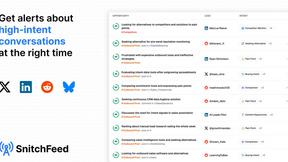
SnitchFeed
SnitchFeed is an agentic social listening tool that surfaces high-intent conversations on LinkedIn, X, Hackernews, and more for GTM and product teams.


Flux Lora
Explore Flux LoRA online workflows in a browser-based AI Studio, with a roadmap for dedicated models, generation, and guided training.

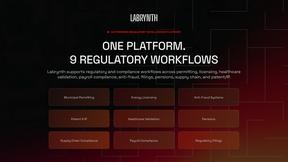
Labrynth AI
AI regulatory intelligence platform that turns complex requirements into cited, audit-ready outputs.

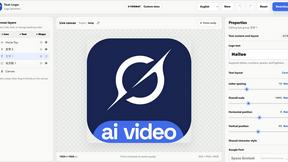
Text Logo
Create custom text, wordmark, and typography logos with editable fonts, colors, icons, shapes, and flexible exports.

Built2Win AI Strength Scanner
Custom PHP websites, AI Indexing Pack ($599 one‑time), and WebAgentScan SaaS ($9/mo). MCP, A2A, llms.txt, full ownership.