
securememo.app
Take back your privacy with encrypted notes that only you can ever read.
AI tool Details
About securememo.app
In a digital world where privacy feels like a luxury, securememo.app empowers you to take back control. It is your private, secure, and temporary digital notepad, designed for anyone who values confidentiality and simplicity. Whether you're a professional sharing sensitive business intelligence, a journalist protecting a source, or an individual sending personal details, this tool transforms how you handle confidential information. Its core mission is to give you the power to communicate with absolute privacy, without complexity. By leveraging advanced client-side encryption, your sensitive data is turned into an unreadable code before it ever leaves your device, ensuring that not even the service itself can access your secrets. This commitment to a "zero-knowledge" architecture means you hold the only key to your information. Forget cumbersome logins and data trails; securememo.app requires no account, prioritizing your anonymity and offering a frictionless experience from the moment you open your browser. Available in over 20 languages, it's a global tool for secure communication, putting impenetrable privacy and peace of mind directly into your hands. Stop compromising and start communicating with the confidence that your private notes remain exactly that—private.
Features
Client-Side Encryption
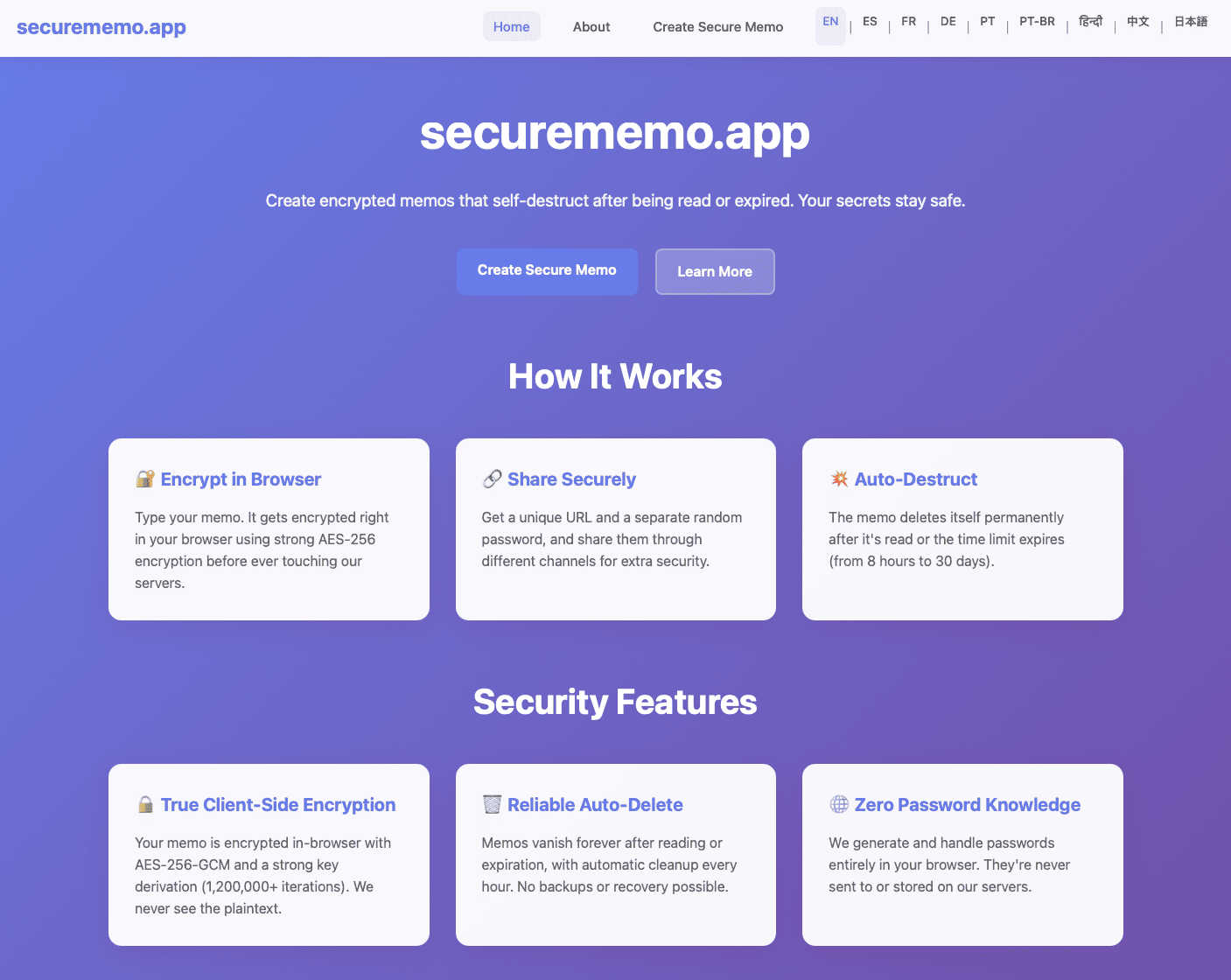
This is the cornerstone of your privacy. Every character you type is encrypted directly within your web browser using robust algorithms before a single byte of data is sent to our servers. This process ensures that your sensitive information—passwords, personal messages, confidential data—is transformed into an unreadable ciphertext that we cannot decipher. You are in complete control, creating a true zero-knowledge environment where your secrets are yours alone.
Self-Destructing Notes
Embrace ephemeral communication. Each memo you create can be set to automatically and permanently delete itself after being read once or after a set period. This feature ensures that sensitive information doesn't linger on servers, drastically reducing the risk of exposure from data breaches or unauthorized access. It’s the digital equivalent of a message that vanishes after reading, giving you ultimate control over your data’s lifespan.
Password-Protected Sharing
Sharing is secure by design. When you create a memo, a unique, strong, and randomly generated password is created on your device. To access the note, the recipient must have both the unique link and this separate password, which you should share via a different channel (like a secure messaging app or in person). This two-key system means that even if a link is intercepted, the content remains locked and inaccessible without the second piece of the puzzle.
No-Account Anonymity
Reclaim your anonymity and simplify your digital life. Securememo.app requires absolutely no sign-up, no email address, and no personal information to use. You can start creating and sharing encrypted notes instantly. This design philosophy prioritizes your privacy above all, ensuring there is no digital footprint, user profile, or data trail connecting you to your confidential communications.
Use Cases
Sharing Sensitive Business Information
Professionals can securely share confidential data like financial reports, merger details, or strategic plans with colleagues or partners. By using a self-destructing, encrypted memo, you ensure the information is only accessible to the intended recipient for a limited time, mitigating the risk of corporate espionage or accidental leaks within company systems.
Sending Private Personal Messages
Protect your personal life by sending private information such as Wi-Fi passwords, home alarm codes, or sensitive family details to friends, house sitters, or family members. Instead of risking exposure over standard text or email, you can send a secure link and password separately, ensuring only the right person can access the information once.
Whistleblower & Journalist Communication
For sources and journalists, secure communication is paramount. Securememo.app provides a safe channel to submit tips, documents, or evidence anonymously. The zero-knowledge, no-account model protects the source's identity, while the self-destructing nature of the notes helps cover digital tracks after the information has been received.
Secure Password or Key Transmission
Safely transmit a master password, a recovery key for a password manager, or an encryption key to a trusted contact. Since the password to open the memo is shared separately, this method is far more secure than sending the critical secret through a single, potentially interceptable channel like email or standard messaging.
Frequently Asked Questions
How does client-side encryption protect my data?
Client-side encryption means the encryption and decryption of your data happens exclusively on your device (your computer or phone). When you type a note, it is immediately scrambled into unreadable code in your browser before being sent to our servers for storage. We only ever store this encrypted code. Since we never have the encryption key (the password), we have "zero knowledge" of your data's contents, making it impossible for us, hackers, or any third party to read it.
What happens to my note after it self-destructs?
When a note self-destructs—either after being read once or after its timer expires—it is permanently and irrevocably deleted from our active servers. We do not keep backups or archives of destroyed notes. The unique link generated for the note will no longer function, returning an error that the note cannot be found, ensuring your information is gone for good.
Is it really secure if I don't have an account?
Absolutely. In fact, the lack of an account enhances your security and privacy. Without an account, there is no user profile, email address, or personal data stored that can be linked to your activity. Each note is an isolated, encrypted event. Your anonymity is preserved because we have no way to track who created which note, making it a truly private tool.
How should I share the password for a memo?
For maximum security, you must share the memo's password through a different communication channel than the link itself. Best practice is to use a secure, end-to-end encrypted messaging app (like Signal or WhatsApp) to send the password, while the link can be sent via email or any other method. Never send the link and password together in the same message or channel.