

RecordFlow
RecordFlow automatically saves Zoom recordings to Google Drive and frees your storage, so you never waste time on manual backups again.
AI tool Details
Explore More
Alternatives

About RecordFlow
RecordFlow is your automated bridge between Zoom and Google Drive, designed to liberate you from the tedious, time-consuming cycle of manually downloading, uploading, and organizing your meeting recordings. This powerful tool works silently in the background, instantly transferring every Zoom cloud recording to your chosen Google Drive folder the moment a meeting ends. It even performs a one-time backfill of the past two years, ensuring no critical session is ever left behind. Built for coaches, consultants, therapists, professors, and small teams who record everything, RecordFlow eliminates the anxiety of lost files and the frustration of hitting Zoom's restrictive 5 GB storage limit. With a setup that takes just 60 seconds, you connect your Zoom account, select your Google Drive destination, and the system handles the rest. Every file type is captured and organized by year and date, including MP4 video, M4A audio, VTT transcripts (which are also formatted into a Google Doc), and chat logs. RecordFlow is engineered for reliability with chunked transfers for large files, smart deduplication to prevent duplicates, and automatic retries if anything goes wrong. Your data streams directly to your Drive, never touching RecordFlow's servers, and is protected by OAuth 2.0 and AES-256 encryption. It is more than a tool; it is your peace of mind, transforming a weekly chore into a set-and-forget system that empowers you to focus on what truly matters.
Features
Automatic Sync and Backfill
RecordFlow revolutionizes your workflow by automatically transferring every new Zoom cloud recording to Google Drive within minutes of the meeting ending. It does not stop there; the system also performs a powerful backfill operation, pulling in all recordings from the past two years. This means you gain immediate, comprehensive access to your entire recent recording history without lifting a finger. No more manual downloads, no more forgotten files, and no more paying for unnecessary Zoom storage. Your archive is built and maintained effortlessly, giving you a complete library of your work from day one.
Intelligent File Organization and Types
Every recording is treated with care and precision. RecordFlow captures the complete set of files Zoom produces, including the MP4 video, M4A audio, VTT transcript, and chat logs. The transcript is further enhanced by being formatted into a clean, searchable Google Doc for easy reading and collaboration. All files are automatically organized into a clear folder structure by year and date, making it simple to locate any specific session. This intelligent organization transforms a chaotic collection of downloads into a professional, navigable archive that you can rely on.
Safe Auto-Delete from Zoom
RecordFlow introduces a smart storage management feature that can automatically delete recordings from Zoom once they are safely verified in your Google Drive. This optional feature operates on a safe delay, ensuring a complete and successful copy exists before any deletion occurs. By freeing up your Zoom storage automatically, you avoid hitting the restrictive 5 GB limit that blocks new recordings. This feature empowers you to stop paying for additional Zoom storage and eliminates the constant worry about managing your cloud recording quota.
Secure and Reliable by Design
Your data security and transfer reliability are non-negotiable. RecordFlow uses chunked transfers to handle even the most massive, hour-long meeting files without timeouts or failures. Smart deduplication ensures it is safe to re-run the sync without creating duplicate files, and automatic retries handle any temporary glitches. Critically, recordings stream directly to your Google Drive, meaning RecordFlow never stores your data on its servers. The system is secured with OAuth 2.0 for authentication and AES-256 encryption for data in transit and at rest, providing an enterprise-grade safety net for your most important content.
Use Cases
Coaches and Consultants Protecting Client Sessions
As a coach or consultant, each client session is a valuable deliverable. You record multiple sessions weekly, and Zoom's limited storage fills up in days. RecordFlow automatically archives every session to your Google Drive, creating a secure, organized, and permanent library. Your clients receive their sessions via direct links, and you never again face the panic of a deleted recording or the burden of manual file management. This tool transforms your administrative burden into a seamless, automated process, allowing you to dedicate your energy to your clients.
Education Teams Creating a Permanent Lecture Archive
Professors and educators rely on recorded lectures for student access and course continuity. Zoom's storage limits and retention policies create a constant risk of losing critical educational content. RecordFlow solves this by moving every lecture directly into a shared Google Drive folder, organized by date. Students gain lasting, organized access to all course materials without relying on Zoom. This system empowers you to build a permanent, accessible knowledge base for your students, transforming your teaching workflow from reactive to proactive.
Business Teams Streamlining Internal Communications
Business teams record countless internal meetings, demos, and training sessions. Keeping these organized in a central, accessible location is often a full-time job. RecordFlow automates this process by syncing every team member's recordings to a single, shared Google Drive folder. With automatic file organization and email notifications with direct links, team members can easily find and share the content they need. This eliminates the chaos of scattered downloads and empowers your team to collaborate more effectively by ensuring everyone has access to the information they need.
IT and Ops Admins Managing Account-Wide Archiving
IT administrators responsible for the entire Zoom account can install RecordFlow once and configure it for their whole team. By signing in as a Zoom admin, you can opt members into the archive, and every selected member's recordings will automatically land in one central Drive folder you control. Member sub-folders are created automatically, maintaining order without manual effort. This gives you complete oversight and control over your organization's recording archive, eliminating the risk of data loss and ensuring compliance with retention policies, all without a single manual download.
Pricing
RecordFlow offers a free tier to get started with no credit card required. The free plan allows you to experience the automatic sync and backfill features. For users who need advanced capabilities like auto-delete from Zoom, AI Companion transcript archiving, and the ability to manage an entire Zoom team, premium plans are available. Detailed pricing for these premium tiers is provided on the RecordFlow website. The product works with any Zoom paid plan.
Frequently Asked Questions
How long does it take to set up RecordFlow?
Setting up RecordFlow takes approximately 60 seconds. You simply sign in with your Zoom account, connect your Google Drive, and pick a destination folder. After that, the system works automatically, syncing new recordings within minutes of each meeting ending.
Does RecordFlow store my recordings on its servers?
No, RecordFlow never stores your recordings. Your files stream directly from Zoom to your Google Drive. The system only uses its servers to coordinate the transfer, and all data is encrypted in transit and at rest using AES-256 encryption.
Can RecordFlow handle very long meetings or large files?
Yes, RecordFlow is built for reliability with large files. It uses chunked transfers to break down even hour-long meetings into manageable pieces, preventing timeouts or failed uploads. The system also includes automatic retries to handle any temporary network issues.
What happens if I already have recordings in Zoom from the past?
RecordFlow performs a one-time backfill of the past two years of recordings. When you first set up the tool, it will automatically find and transfer all existing cloud recordings from the last two years into your designated Google Drive folder, giving you a complete archive from day one.
Similar to RecordFlow
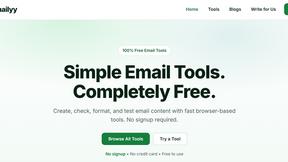
Emailyy
Free email tools for signatures, subject lines, HTML previews, word counts, and email headers. Browser-based, simple to use, and no signup required.
Uniclip
Clip pages, take full-page screenshots and batch-capture list data to Notion, Feishu, Obsidian, Markdown, CSV or JSON.
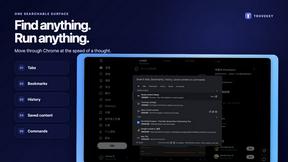
TroveKey
Search tabs, Chrome bookmarks and history, run browser commands, and save webpages and social posts locally—no account.

LightScreen
Free light screen tool online. Turn any display into a flashlight, ambient light, or solid-color screen. No download or sign-up.

SquishFile
Free video tools that run in your browser. Compress, convert, upscale and transcribe without uploading.
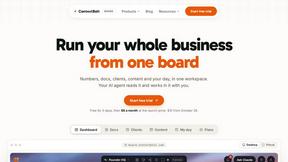
Context Board
Context Board brings your numbers, docs, clients, content and day into one workspace that Claude and Codex can read and update.

@fuck.it - email with attitude
Private email. Pure. Secure. Exclusive. No ads, no tracking, no data selling. GDPR compliant, EU-hosted.
Novastart
Apps and files on an infinite canvas where people and AI agents work together.