
Ray3
Unleash your vision with Ray3, the AI that crafts stunning 16-bit HDR videos for professionals.
AI tool Details
Explore More
Alternatives
About Ray3
Ray3 is not just another AI video tool; it is your creative partner in transformation, designed to empower professional creators to break through technical barriers and realize their most ambitious visual stories. This groundbreaking reasoning-based AI video model is engineered specifically for filmmakers, creative agencies, and production studios who demand cinematic quality without compromise. Ray3 delivers studio-grade video outputs in true 10/12/16-bit HDR, ensuring every frame possesses unparalleled fidelity, dynamic range, and logical consistency that stands up to professional scrutiny. At its core is an advanced temporal reasoning engine that understands scene dynamics, enabling physically accurate motion, coherent multi-character interactions, and narratives that make sense. With seamless integration into industry-standard workflows like Adobe Premiere Pro and ACES color grading, Ray3 fits perfectly into your existing pipeline. Its revolutionary Draft Mode accelerates your creative exploration, allowing you to brainstorm and iterate concepts five times faster. Whether you're crafting a high-stakes commercial, a breathtaking cinematic sequence, a detailed architectural visualization, or a high-fashion editorial, Ray3 provides the reliable, intelligent, and powerful capabilities you need to transform your creative vision from a fleeting idea into a stunning visual reality, faster and with more control than ever before.
Features
True 16-bit HDR Fidelity
Experience the pinnacle of visual quality with true cinematic 10/12/16-bit HDR output. Ray3 delivers professional-grade color depth and dynamic range that matches industry standards, supporting formats like ACES2065-1 EXR for seamless integration into professional color grading workflows. This ensures your videos have unparalleled richness, detail in shadows and highlights, and a visual impact that captivates audiences and meets the highest broadcast and cinematic specifications.
Advanced Reasoning Intelligence
Move beyond simple generation to intelligent creation. Ray3's core reasoning engine understands complex scene context, maintains logical consistency across frames, and ensures physical accuracy in motion. This means multi-character scenes interact believably, objects follow real-world physics, and narratives remain coherent from start to finish. It's the AI that thinks like a director, empowering you to build complex, consistent worlds with confidence.
5x Faster Draft Mode
Unleash your creativity without constraints or high costs. Draft Mode allows for rapid ideation and concept testing at five times the normal generation speed. This feature is perfect for brainstorming, client presentations, and iterative exploration, providing quick previews to validate creative directions before you commit resources to a full high-fidelity render. It transforms the ideation phase into a dynamic, fluid, and empowering part of your process.
Seamless Professional Workflow Integration
Ray3 is built for the real world of professional production. It integrates seamlessly into the tools you already use, most notably Adobe Premiere Pro for editing and the Academy Color Encoding System (ACES) for color grading. This native compatibility ensures a smooth, non-destructive pipeline from AI generation to final master, preserving all the quality and flexibility you need for client deliverables and high-end projects.
Use Cases
Cinematic Film & Narrative Shorts
Empower independent filmmakers and studios to produce breathtaking narrative content. Ray3's reasoning engine ensures character movements and scene progression are logically consistent, while its HDR output delivers the cinematic depth and color required for festival-quality shorts and feature films. Transform your script into a visual masterpiece with intelligent AI that understands story.
High-End Commercial Production
Revolutionize advertising and commercial workflows by rapidly generating stunning product showcases and concept videos. From luxury watches with perfect reflections to dynamic automotive shots, Ray3's material accuracy and HDR lighting create aspirational visuals that sell. Draft Mode allows for fast client approvals, accelerating the entire production timeline from pitch to final deliverable.
Architectural Visualization & Design
Bring blueprints and 3D models to life with photorealistic motion and accurate lighting. Ray3 is ideal for architects and designers to create immersive walkthroughs and environmental simulations that showcase how spaces feel with natural light, shadows, and atmosphere. Present your visionary designs with confidence and compelling realism that wins clients.
Fashion & Editorial Video Content
Create high-impact fashion films and editorial content that captures texture, movement, and mood. Ray3's understanding of fabric dynamics and ability to render dramatic lighting scenarios allows for the creation of visually stunning content that highlights aesthetics and style, perfect for brand campaigns, lookbooks, and social media highlights.
Frequently Asked Questions
What makes Ray3 different from other AI video generators?
Ray3 is uniquely built for professional creators, combining a reasoning-based AI engine with true high-bit-depth HDR output. While other tools may generate video, Ray3 ensures logical consistency, physical accuracy, and multi-scene coherence that meets professional standards. Its seamless integration with tools like Adobe Premiere and ACES, alongside the time-saving Draft Mode, makes it a workflow-powered creative partner, not just a generator.
How does the Draft Mode work and how does it save time?
Draft Mode is a faster, more cost-effective generation setting that produces preview-quality videos at approximately five times the speed of a standard high-fidelity render. It uses fewer credits and allows you to rapidly test concepts, iterate on ideas, and get client feedback on the creative direction without waiting for a full render. Once satisfied, you can easily upgrade your chosen draft to a full HDR output.
What formats does Ray3 support for professional workflows?
Ray3 is designed for professional pipelines. It outputs videos in high-bit-depth HDR formats, including support for the ACES2065-1 EXR format, which is the industry standard for color management and VFX work. This ensures the generated footage can be directly imported into software like DaVinci Resolve or Adobe Premiere for color grading and compositing without quality loss.
Who is Ray3 ideally suited for?
Ray3 is the essential tool for professional creators and teams who require reliable, high-quality video output. This includes filmmakers, video production studios, creative advertising agencies, architectural visualization specialists, fashion content creators, and any professional seeking to produce studio-grade video content with greater speed, creative control, and logical consistency than traditional AI tools offer.
Similar to Ray3
opus55video
Opus55video turns written ideas into cinematic motion. Describe a scene, choose the format and duration, and create a striking video.

GetYouTubeTranscript
Free YouTube transcripts on the web, a Chrome extension, and an API + MCP server so AI assistants can read YouTube.
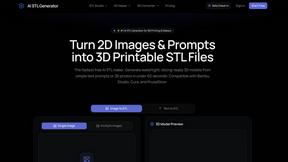
AI STL Generator
The fastest AI STL generator to turn prompts and images into 3D printable STL files.
AIEnhancer
Enhance photos, create images, and generate videos with an all-in-one AI enhancer for flexible creative workflows.
AudioVideo
Turn podcasts, narration, voice recordings, or music into visual content with an audio-aware AI video generator.

Motiofy
Motiofy is an AI creative workspace that helps creators and teams turn ideas into polished visual stories.
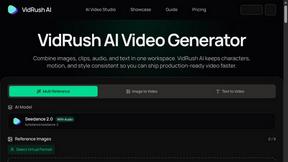
VidRush AI
AI-powered long video generator. Create multi-modal AI videos by combining images, video, audio, and text.